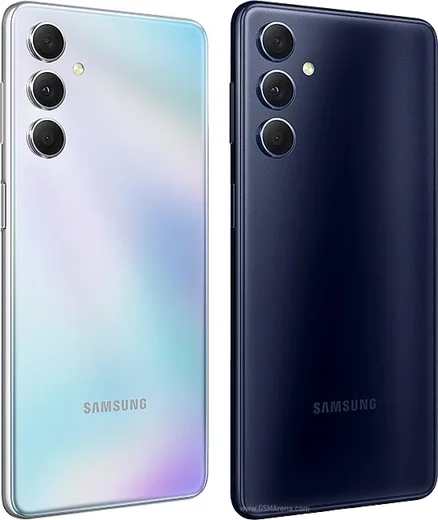
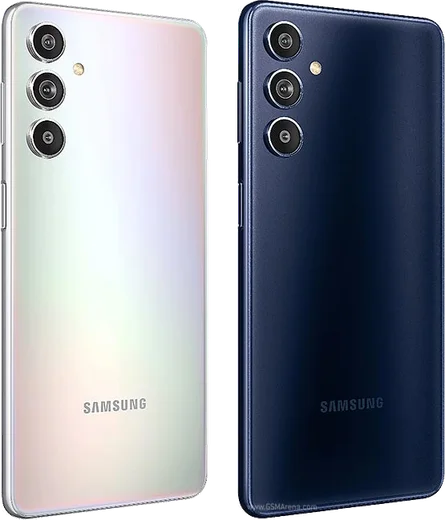
WhatsApp on Samsung Galaxy M54
Samsung Android

WhatsApp for Samsung Galaxy M54

Exynos 1380, 6.7-inch FHD+ 120Hz, 6000mAh

WhatsApp Messenger 4.7 · 64.2M reviews Free · Android · ~40 MB · by WhatsApp LLC
Download WhatsApp

Ask a question / report a problem

You can ask any question about WhatsApp support on the Samsung Galaxy M54 — leave it below and we'll help.

Ask a question

Can the Samsung Galaxy M54 run WhatsApp?

Fully supported
  • Operating systemAndroid
  • ProcessorExynos 1380
  • WhatsApp versionLatest supported

Latest known WhatsApp problems on Samsung Galaxy M54

1

WhatsApp voice notes are silent or have no sound on my Galaxy M54 — how do I fix it?

This is almost always a microphone permission that One UI has revoked. Go to Settings > Apps > WhatsApp > Permissions > Microphone and set it to "Allow only while using the app," then check that the master toggle in Settings > Security and privacy > Permission manager > Microphone isn't blocking it. After granting access, fully close WhatsApp from the recent-apps view and re-record the voice note so the new permission takes effect. See how others solved this on Reddit
2

WhatsApp won't let me send audio messages on my Galaxy M54 — what's wrong?

On One UI this usually happens when the microphone is held by another app or blocked by a recently revoked permission, so first reboot the phone to release the mic. Then confirm Settings > Apps > WhatsApp > Permissions > Microphone is set to allow, clear WhatsApp's cache via Settings > Apps > WhatsApp > Storage > Clear cache, and make sure WhatsApp is updated from the Play Store. If audio still fails, disconnect any Bluetooth earbuds, since the M54 may be routing the mic to them. See how others solved this on Reddit
3

My Galaxy M54 microphone works for calls but cuts out intermittently in WhatsApp — how do I stop it?

Intermittent mic dropouts on One UI are often caused by aggressive battery optimization killing WhatsApp's background access, so go to Settings > Apps > WhatsApp > Battery and set it to "Unrestricted." Also turn off "Put unused apps to sleep" under Settings > Battery > Background usage limits for WhatsApp, and disable any third-party call-recording or audio apps that grab the microphone. As a hardware check, test the mic in a voice recorder app to rule out debris in the bottom mic hole. See how others solved this on Reddit
4

How do I answer WhatsApp calls through Android Auto on my Galaxy M54?

WhatsApp calls only surface in Android Auto when its notifications are enabled there, so open Android Auto settings on the phone and under Notifications make sure WhatsApp is allowed to show. On the M54 also confirm Settings > Apps > WhatsApp > Notifications is on and that Do Not Disturb isn't suppressing calls while driving; then incoming WhatsApp voice calls appear on the car screen with an answer button. Note that Android Auto handles WhatsApp voice calls but not video calls. See how others solved this on Reddit
5

Should I pick the Galaxy M54 over an S20 FE if WhatsApp reliability and updates matter to me?

The M54 ships with newer One UI and generally gets a longer software-support window than the older S20 FE, which matters for keeping WhatsApp and its permission system working smoothly over time. The M54 also has the much bigger 6000mAh battery, while the S20 FE's edge is its 120Hz AMOLED display and slightly better cameras. For pure messaging and longevity, the M54 is the safer long-term pick. See how others solved this on Reddit

Ask a question / report a problem

You can ask any question about WhatsApp support on the Samsung Galaxy M54 — leave it below and we'll help.

Ask a question

Watch: setting up WhatsApp

Prefer to watch? This short walkthrough shows the whole installation and number-verification flow.

How to install WhatsApp on Samsung Galaxy M54 — video walkthrough

How to install WhatsApp on Samsung Galaxy M54

1

Choose how to download

On your Samsung Galaxy M54 you can get the official app two ways: from the Google Play Store — the easiest option, since it keeps WhatsApp updated automatically — or directly from the official website. You can download an APK file, by clicking a link “Download WhatsApp directly”.

2

Open WhatsApp

Launch WhatsApp from your home screen or app drawer and accept the Terms of Service to start setup.

3

Verify your phone number

Enter your phone number. If your Samsung Galaxy M54 uses dual SIM, pick the line you want WhatsApp tied to, then enter the 6-digit code it sends by SMS — it usually fills in automatically.

4

Restore chats and finish setup

Restore your chat history from Google Drive (use the same Google account), add your name and photo, and tap Allow for notifications so messages and calls arrive reliably.

Stay safe: only ever install WhatsApp from the official Android source. The Download button above already points there — modified copies (GB/Plus/Aero WhatsApp) can get your number banned.

Comments (10)

No registration needed. No email required.
S
sam7Jan 9, 2026

Someone cant do this alone HELP how do i download

AppWhatsOfficialJan 10, 2026

Hey, no need to stress! Tap the green Download button at the top, follow the steps, and you will have WhatsApp in a minute. Reply here if you get stuck.

E
ella14Oct 28, 2025

davvero semplicissimo, tutto pronto 😍

L
lina.mOct 8, 2025

Finally worked perfect on my m54 💯

D
dan_zoeJul 5, 2025

Finally this worked great on my samsung galaxy m54

F
finn.dJun 4, 2025

Update the download was a bit slow but it worked ❤️

D
dan_ivaApr 14, 2025

Sorry but why is it downloading so slowly pls

AppWhatsOfficialApr 18, 2025

Good question, a slow download is usually the network. A stable wifi connection will speed it up a lot.

K
kate94Feb 12, 2025

Enfin installé sans souci

A
ash.eNov 24, 2024

man set up whatsapp on my dads m54 no problem

AppWhatsOfficialNov 27, 2024

Nice one, enjoy WhatsApp!

E
ella_jesNov 15, 2024

man had whatsapp on my galaxy M54 in no time :)

P
pablo_samNov 9, 2024

Sorry but will this really work on my samsung galaxy m54 ?

AppWhatsOfficialNov 11, 2024

Absolutely, the your phone is supported. Follow the steps above and you will be chatting in minutes. Feel free to ask if you get stuck.