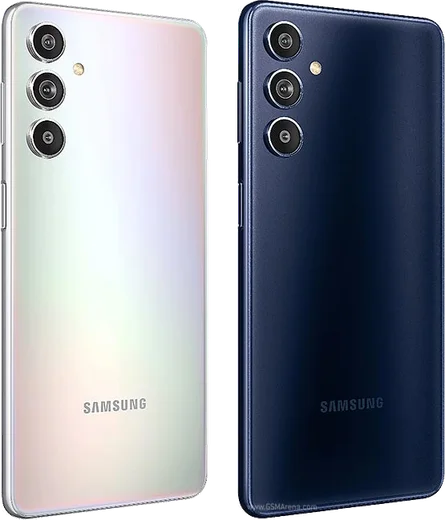
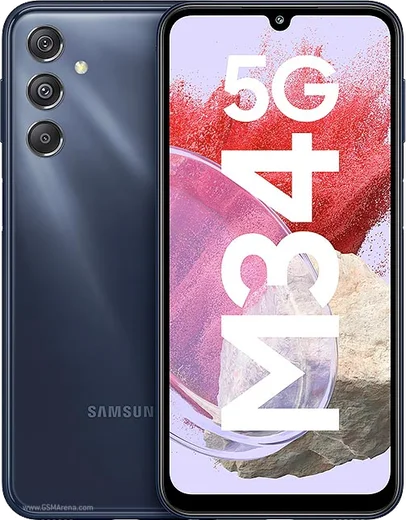
WhatsApp on Samsung Galaxy F54
Samsung Android

WhatsApp for Samsung Galaxy F54

Exynos 1380, 6.7-inch FHD+ 120Hz, 108MP, 6000mAh

WhatsApp Messenger 4.7 · 64.2M reviews Free · Android · ~40 MB · by WhatsApp LLC
Download WhatsApp

Ask a question / report a problem

You can ask any question about WhatsApp support on the Samsung Galaxy F54 — leave it below and we'll help.

Ask a question

Can the Samsung Galaxy F54 run WhatsApp?

Fully supported
  • Operating systemAndroid
  • ProcessorExynos 1380
  • WhatsApp versionLatest supported

Latest known WhatsApp problems on Samsung Galaxy F54

1

Why does my Galaxy F54 keep automatically adding random WhatsApp contacts I never saved?

WhatsApp shows everyone in your phone's contact list who also uses WhatsApp, so the numbers usually get added to Contacts by something syncing in the background, such as a Google account, a SIM-card import, or an app like Truecaller. Check Settings > Accounts and backup > Manage accounts to see which Google account is syncing contacts, and turn off Contacts sync for it if you don't want it. Then open Contacts > Manage contacts (or the three-dot menu) to review and delete unwanted entries. WhatsApp itself has no contact-sync toggle; it simply mirrors your phonebook, so cleaning Contacts and reopening WhatsApp refreshes its list. See how others solved this on Reddit
2

My Galaxy F54 won't play .mp4 video files from WhatsApp, saying the codec is not supported. How do I fix it?

Samsung's stock video player on One UI doesn't support every codec (for example some HEVC/H.265 video or AC3/DTS audio streams), which is why certain WhatsApp clips fail. Install a free player like VLC or MX Player from the Play Store and open the clip with it, or use Open with > VLC from WhatsApp. For videos you record yourself, set the camera to the standard codec by opening Camera > Settings > Advanced video options and turning off the high-efficiency (HEVC) recording so shared videos stay widely playable. See how others solved this on Reddit
3

After a One UI update on my Galaxy F54, the contacts row disappeared from the share menu when I try to send to WhatsApp. How do I get it back?

One UI 7 reworked the Android share sheet and removed the row of direct-contact shortcuts that used to sit at the top. To share to a specific chat now, tap the WhatsApp icon in the share menu first, then pick the contact inside WhatsApp's own selection screen. Make sure WhatsApp still has Contacts access under Settings > Apps > WhatsApp > Permissions > Contacts, and sharing to WhatsApp regularly keeps it near the front of the app row in the share sheet. See how others solved this on Reddit
4

How can I reduce background noise on WhatsApp voice messages and calls on my Galaxy F54?

WhatsApp applies its own automatic noise suppression to voice and video calls, and there is no manual noise-removal toggle in the app, so the call audio is largely handled by WhatsApp rather than the phone's dialer. For voice notes, the practical fix is to record in a quieter spot and hold the phone closer to your mouth. For regular (non-WhatsApp) calls, look on the in-call screen for any noise-reduction or voice-clarity option your firmware exposes during the call. See how others solved this on Reddit
5

I'm moving to a Galaxy F54 from an old phone. How do I transfer my WhatsApp chats and media without losing anything?

On the old phone, back up first via WhatsApp > Settings > Chats > Chat backup and tap Back up using the Google account you'll use on the F54. On the new phone, add that same Google account in Settings > Accounts and backup > Manage accounts, then install WhatsApp from the Play Store, verify the same phone number, and tap Restore when prompted. Samsung Smart Switch can move general app data and media too, but for WhatsApp chats specifically the Google Drive restore is the most reliable method. See how others solved this on Reddit

Ask a question / report a problem

You can ask any question about WhatsApp support on the Samsung Galaxy F54 — leave it below and we'll help.

Ask a question

Watch: setting up WhatsApp

Prefer to watch? This short walkthrough shows the whole installation and number-verification flow.

How to install WhatsApp on Samsung Galaxy F54 — video walkthrough

How to install WhatsApp on Samsung Galaxy F54

1

Choose how to download

On your Samsung Galaxy F54 you can get the official app two ways: from the Google Play Store — the easiest option, since it keeps WhatsApp updated automatically — or directly from the official website. You can download an APK file, by clicking a link “Download WhatsApp directly”.

2

Open WhatsApp

Launch WhatsApp from your home screen or app drawer and accept the Terms of Service to start setup.

3

Verify your phone number

Enter your phone number. If your Samsung Galaxy F54 uses dual SIM, pick the line you want WhatsApp tied to, then enter the 6-digit code it sends by SMS — it usually fills in automatically.

4

Restore chats and finish setup

Restore your chat history from Google Drive (use the same Google account), add your name and photo, and tap Allow for notifications so messages and calls arrive reliably.

Stay safe: only ever install WhatsApp from the official Android source. The Download button above already points there — modified copies (GB/Plus/Aero WhatsApp) can get your number banned.

Comments (10)

No registration needed. No email required.
X
xX_kaiJun 11, 2026

Best guide for the samsung galaxy f54 by far thx

N
noobmasterApr 28, 2026

honestly works like a charm on the Samsung Galaxy F54 🔥

T
tom_xFeb 14, 2026

finally this worked great on my f54 😍

W
whyyyyyDec 1, 2025

well no problems installing on my Samsung Galaxy F54 👍

N
nick.lJul 26, 2025

Tbh this worked great on my Samsung Galaxy F54

M
mia72Apr 21, 2025

Omg my whole family is waiting pls help me install it

AppWhatsOfficialApr 23, 2025

No panic needed. The Download button takes you to the official app, then just install and verify your number. You got this!

F
finn_kMar 25, 2025

por fin pude instalar whatsapp gracias

M
mike18Jan 25, 2025

simple and fast

AppWhatsOfficialJan 26, 2025

Thanks for sharing!

A
amy_tinOct 12, 2024

guys how do i do it without play store

AppWhatsOfficialOct 16, 2024

Happy to help, no problem. Without Play Store you can use the official APK, just allow installs from your browser first. Reach out anytime.

A
amy23Aug 17, 2024

Excelente guía, gracias