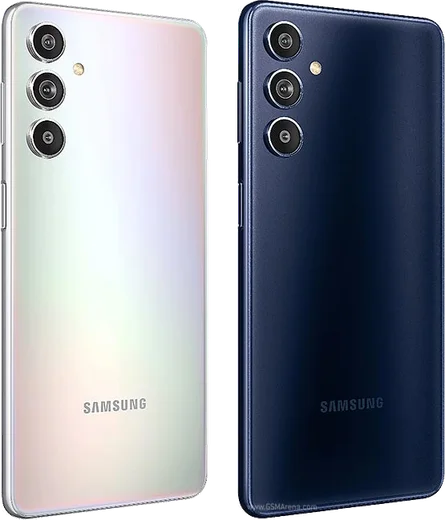
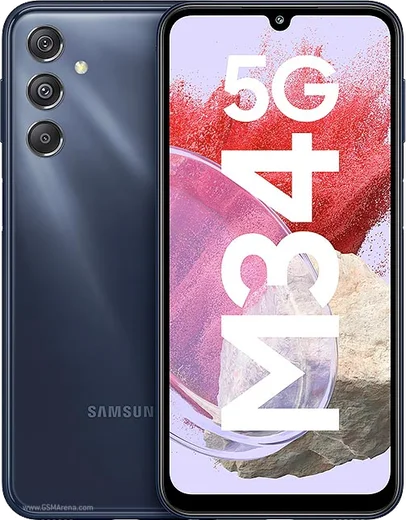
Samsung Android

WhatsApp for Samsung Galaxy M14

Exynos 1330, 6.6-inch FHD+ 90Hz, 6000mAh battery

WhatsApp Messenger 4.7 · 64.2M reviews Free · Android · ~40 MB · by WhatsApp LLC
Download WhatsApp

Ask a question / report a problem

You can ask any question about WhatsApp support on the Samsung Galaxy M14 — leave it below and we'll help.

Ask a question

Can the Samsung Galaxy M14 run WhatsApp?

Fully supported
  • Operating systemAndroid
  • ProcessorExynos 1330
  • WhatsApp versionLatest supported

Latest known WhatsApp problems on Samsung Galaxy M14

1

WhatsApp says "You need the official WhatsApp to log in" when I try to set it up on my Galaxy M14, how do I fix it?

This block means WhatsApp detected a modified or unofficial build, so uninstall whatever copy you have and reinstall the official app from the Google Play Store only. If you had a working WhatsApp before, first back up your chats from inside the app via the three-dot menu > Settings > Chats > Chat backup, so they restore from Google Drive during setup. If you were already on the genuine Play Store version, update Google Play services and WhatsApp to the latest versions, since a very old build can trigger the same message. See how others solved this on Reddit
2

My WhatsApp "About" status isn't visible to anyone on my Galaxy M14, how do I fix it?

First open WhatsApp > three-dot menu > Settings, tap your profile name at the top, and confirm your About text is actually filled in and saved. Then go to WhatsApp > Settings > Privacy > About and set it to "Everyone" or "My contacts" rather than "Nobody." If it still doesn't appear, remember About only shows to people who have your number saved as a contact, so confirm the person checking has actually added you. See how others solved this on Reddit
3

How do I set a custom notification sound for WhatsApp on my Galaxy M14?

For a built-in tone, open WhatsApp > three-dot menu > Settings > Notifications and tap Notification tone under Messages or Group notifications. To use your own audio file, copy it into your phone's Notifications folder, then in One UI go to Settings > Apps > WhatsApp > Notifications, open the specific channel such as "Message notifications," tap Sound, and pick your file. You can also set a per-chat tone by opening a chat > three-dot menu > More > Custom notifications. See how others solved this on Reddit
4

I can't install WhatsApp on my Galaxy M14 running Android 14, what's wrong?

On Android 14 the usual cause is an outdated APK, so install WhatsApp from the Google Play Store rather than a sideloaded file, because older APKs are blocked by the stricter install rules. If the Play Store itself errors, go to Settings > Apps > Google Play Store > Storage > Clear cache, make sure you have free storage, and set the date and time to automatic. If you genuinely must use the APK from whatsapp.com, download the newest version and grant install permission to your browser under Settings > Apps > Special access > Install unknown apps. See how others solved this on Reddit
5

WhatsApp keeps telling me to use the official app even though I installed it from the Play Store on my M14, how do I stop it?

Update both WhatsApp and Google Play services to their latest versions in the Play Store, since a version mismatch is the most common trigger even on a genuine install. If it continues, clear WhatsApp's cache under Settings > Apps > WhatsApp > Storage > Clear cache (do not tap Clear data, which wipes chats), then restart the phone. As a last step, back up your chats to Google Drive, uninstall, and reinstall the current Play Store build. See how others solved this on Reddit
6

How do I remove the suggested contacts that appear in the share menu on my Galaxy M14?

Those suggestions come from One UI's share-sheet (Direct Share), not from WhatsApp. The reliable way to remove them is to long-press a suggested contact in the share sheet and choose to remove or hide it, which stops that person reappearing. You can also reduce them by going to Settings > Apps, tapping the three-dot menu > Reset app preferences, or by clearing data for individual apps so they rebuild their suggestion list; note there is no single global on/off toggle for share suggestions in current One UI. See how others solved this on Reddit

Ask a question / report a problem

You can ask any question about WhatsApp support on the Samsung Galaxy M14 — leave it below and we'll help.

Ask a question

Watch: setting up WhatsApp

Prefer to watch? This short walkthrough shows the whole installation and number-verification flow.

How to install WhatsApp on Samsung Galaxy M14 — video walkthrough

How to install WhatsApp on Samsung Galaxy M14

1

Choose how to download

On your Samsung Galaxy M14 you can get the official app two ways: from the Google Play Store — the easiest option, since it keeps WhatsApp updated automatically — or directly from the official website. You can download an APK file, by clicking a link “Download WhatsApp directly”.

2

Open WhatsApp

Launch WhatsApp from your home screen or app drawer and accept the Terms of Service to start setup.

3

Verify your phone number

Enter your phone number. If your Samsung Galaxy M14 uses dual SIM, pick the line you want WhatsApp tied to, then enter the 6-digit code it sends by SMS — it usually fills in automatically.

4

Restore chats and finish setup

Restore your chat history from Google Drive (use the same Google account), add your name and photo, and tap Allow for notifications so messages and calls arrive reliably.

Stay safe: only ever install WhatsApp from the official Android source. The Download button above already points there — modified copies (GB/Plus/Aero WhatsApp) can get your number banned.

Comments (14)

No registration needed. No email required.
Y
yasinApr 27, 2026

شكراً، صار عندي واتساب 😍

O
omar.rFeb 22, 2026

so perfect, exactly what i needed 🙏

T
tina43Feb 15, 2026

yo my new m14 is all set up now lol

L
luca43Jan 8, 2026

thank u, whatsapp installed on my galaxy M14 cheers

J
joe_lucDec 30, 2025

hey the code never arrives, what do i do anyone

AppWhatsOfficialJan 1, 2026

Sure, if the SMS will not arrive, you can choose the call option to hear the code, just make sure your number is entered correctly. Let us know if you need anything else.

E
ella21Dec 20, 2025

Echt hat super funktioniert, danke danke

H
heeeelpOct 12, 2025

Super easy to follow thanks again

S
sol00Aug 20, 2025

Well all good on my samsung galaxy m14 now 🙏

L
lina21Aug 13, 2025

Man got my samsung galaxy m14 sorted thanks to you

R
rob_ytMay 19, 2025

enfin enfin whatsapp installé

S
sam_officialFeb 1, 2025

been at this for hours pls someone help me

AppWhatsOfficialFeb 5, 2025

Don't worry, you can do this! Use the Download button, install the app, and enter your number to verify. Reply here if you get stuck.

R
raj5Jan 2, 2025

10 out of 10

I
im_robNov 26, 2024

installed in 2 min thx

L
lina_ytNov 7, 2024

running whatsapp on my samsung galaxy m14 like new