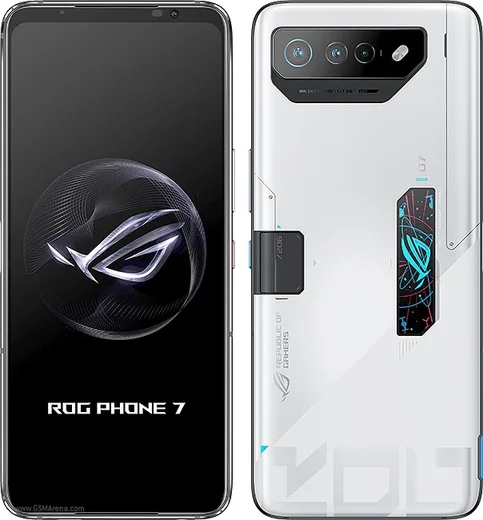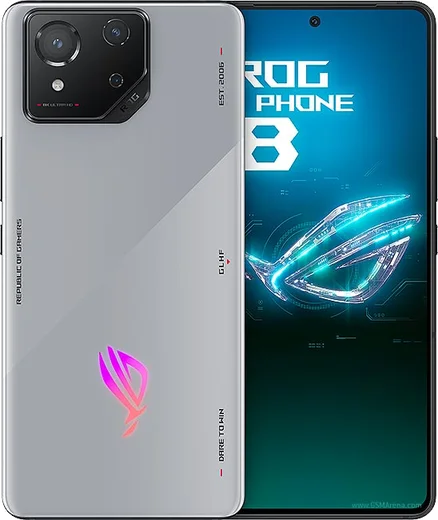
WhatsApp on Asus ROG Phone 9 Pro
Asus Android

WhatsApp for Asus ROG Phone 9 Pro

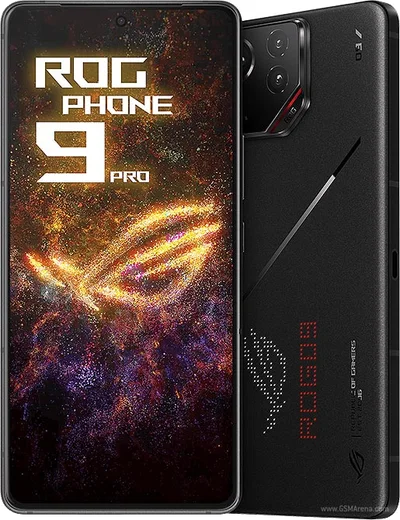
Snapdragon 8 Elite, 24GB RAM, rear AniMe Vision display

WhatsApp Messenger 4.7 · 64.2M reviews Free · Android · ~40 MB · by WhatsApp LLC
Download WhatsApp

Ask a question / report a problem

You can ask any question about WhatsApp support on the Asus ROG Phone 9 Pro — leave it below and we'll help.

Ask a question

Can the Asus ROG Phone 9 Pro run WhatsApp?

Fully supported
  • Operating systemAndroid
  • ProcessorSnapdragon 8 Elite
  • WhatsApp versionLatest supported

Latest known WhatsApp problems on Asus ROG Phone 9 Pro

1

Why does WhatsApp have audio interference or crackling during calls on my ROG Phone 9 Pro?

On ROG phones this crackle is usually caused by ASUS's audio processing or aggressive battery management interfering with WhatsApp's call stream. First set WhatsApp to Unrestricted under Settings > Apps > WhatsApp > Battery so it isn't throttled mid-call. Then test a call with Bluetooth turned off to rule out a flaky BT codec, and try toggling the Dirac/audio enhancement options under Settings > Sound & vibration. If it only happens on speakerphone, it can be the haptics/AirTrigger or a case covering the bottom mic, so test with the case off too. See how others solved this on Reddit
2

WhatsApp voice messages and call audio are too quiet on my ROG Phone 9 Pro, how do I fix the low volume?

Several ROG owners report low earpiece and mic levels. Raise the in-call volume with the side keys while you are actually on a WhatsApp call, since call volume is stored separately from media volume. Check that no case or screen protector is blocking the top earpiece and bottom mics, and review Settings > Sound & vibration to make sure no enhancement is dampening output. Clearing WhatsApp's cache under Settings > Apps > WhatsApp > Storage and rebooting can also restore normal levels if a buffer got stuck. See how others solved this on Reddit
3

My ROG Phone 9 Pro won't send pictures (MMS) in the messaging app, what's wrong?

Picture messages go out as MMS, which needs mobile data on and the correct carrier settings, not Wi-Fi. Turn on mobile data, then check Settings > Apps > Messages > Permissions to confirm Photos/Media and SMS are allowed. If it still fails, verify your carrier APN is configured for MMS (Settings > Network & internet > SIMs > Access Point Names) and that the image isn't too large, since carriers cap MMS attachment size and the phone may need to compress it. For larger photos, use WhatsApp or RCS instead. See how others solved this on Reddit
4

WhatsApp video calls won't connect or freeze on my ROG Phone 9 Pro, how do I get them working?

Video-call failures are typically caused by missing camera/mic permissions or by battery restrictions killing WhatsApp in the background. Go to Settings > Apps > WhatsApp > Permissions and enable Camera and Microphone, then set Battery to Unrestricted. Allow WhatsApp through the auto-start/background controls in the Mobile Manager app, update WhatsApp from the Play Store, and reboot, since a stale build after a system update often breaks video until refreshed. See how others solved this on Reddit
5

After a system update my ROG Phone 9 Pro keeps killing WhatsApp in the background and I miss notifications, how do I stop this?

ASUS updates can re-enable aggressive power management that suspends WhatsApp when the screen is off. Set WhatsApp to Unrestricted under Settings > Apps > WhatsApp > Battery, then open the Mobile Manager app and allow WhatsApp under its auto-start/background management. Finally, check Settings > Apps > WhatsApp > Notifications to confirm alerts weren't reset or silenced by the update. See how others solved this on Reddit
6

Is the ROG Phone 9 Pro a good everyday phone for WhatsApp and non-gaming use, or do the gaming features get in the way?

It works well as a daily driver for WhatsApp and messaging once you tame the gaming extras. Disable AirTrigger shoulder gestures so they don't fire while you hold the phone, and you can ignore or hide Game Genie and the AnimeVision rear display if you don't game. Set WhatsApp to Unrestricted battery so chats sync reliably. The large battery is actually a plus for messaging uptime, so the main adjustment is just turning off the gamer-centric features you won't use. See how others solved this on Reddit

Ask a question / report a problem

You can ask any question about WhatsApp support on the Asus ROG Phone 9 Pro — leave it below and we'll help.

Ask a question

Watch: setting up WhatsApp

Prefer to watch? This short walkthrough shows the whole installation and number-verification flow.

How to install WhatsApp on Asus ROG Phone 9 Pro — video walkthrough

How to install WhatsApp on Asus ROG Phone 9 Pro

1

Choose how to download

On your Asus ROG Phone 9 Pro you can get the official app two ways: from the Google Play Store — the easiest option, since it keeps WhatsApp updated automatically — or directly from the official website. You can download an APK file, by clicking a link “Download WhatsApp directly”.

2

Open WhatsApp

Launch WhatsApp from your home screen or app drawer and accept the Terms of Service to start setup.

3

Verify your phone number

Enter your phone number. If your Asus ROG Phone 9 Pro uses dual SIM, pick the line you want WhatsApp tied to, then enter the 6-digit code it sends by SMS — it usually fills in automatically.

4

Restore chats and finish setup

Restore your chat history from Google Drive (use the same Google account), add your name and photo, and tap Allow for notifications so messages and calls arrive reliably.

Stay safe: only ever install WhatsApp from the official Android source. The Download button above already points there — modified copies (GB/Plus/Aero WhatsApp) can get your number banned.

Comments (13)

No registration needed. No email required.
N
nina49Apr 26, 2026

man installed on my phone 9 pro, super simple

R
rosa79Apr 21, 2026

wow enfin whatsapp installé

T
tina.xNov 8, 2025

Anyone? can i hide when i was last online anyone

AppWhatsOfficialNov 14, 2025

Hey there, in Privacy settings you can set Last Seen and Online to Nobody, so no one sees when you are active.

M
ms_amyOct 18, 2025

Wow whatsapp finally on my rog phone9pro ✌️

S
saif_22Oct 11, 2025

والله تمام، واتساب يشتغل 😍

D
droiduserSep 7, 2025

update got my ROG Phone 9 Pro sorted thanks to you

M
mr_tanAug 22, 2025

Man verified my number on the rog phone9pro with no trouble

Y
yuki83Feb 13, 2025

the video helped me understand :)

H
halppNov 22, 2024

man all good on my Asus ROG Phone 9 Pro now 😍

P
pleaseeeNov 20, 2024

ehi facilissimo, fatto in 2 minuti

G
greg30Sep 7, 2024

No annoying ads which is nice

R
ray89Jul 17, 2024

Guys SOS i cant figure out how to install whatsapp heeelp pls

AppWhatsOfficialJul 20, 2024

You are almost there! Tap Download, allow the install, open WhatsApp and confirm your number. You got this!

T
techguyJul 12, 2024

Same account on two devices possible thanks

AppWhatsOfficialJul 13, 2024

Sure, yes, use Linked Devices in Settings to add a second phone with the same account. Let us know if you need anything else.