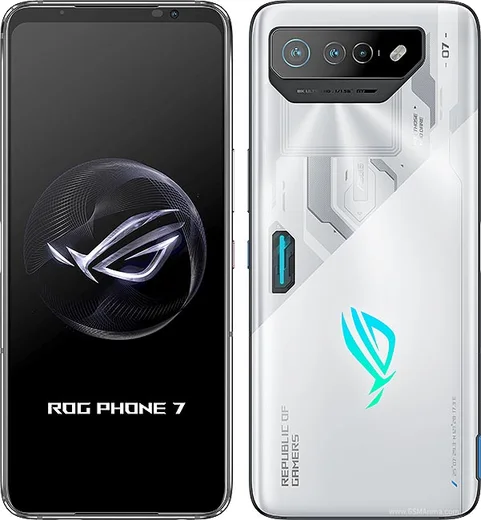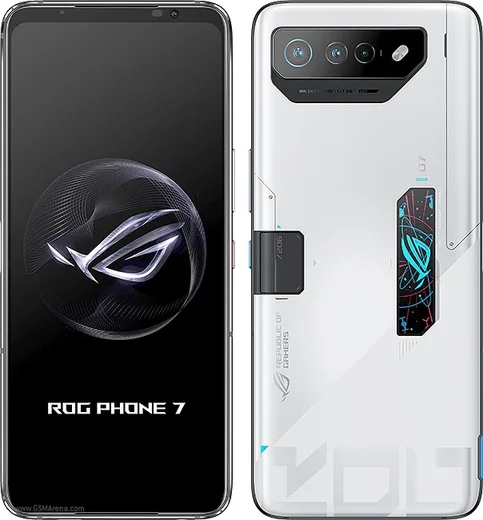
WhatsApp on Asus ROG Phone 7
Asus Android

WhatsApp for Asus ROG Phone 7

Snapdragon 8 Gen 2, 6.78-inch 165Hz AMOLED, 6000mAh

WhatsApp Messenger 4.7 · 64.2M reviews Free · Android · ~40 MB · by WhatsApp LLC
Download WhatsApp

Ask a question / report a problem

You can ask any question about WhatsApp support on the Asus ROG Phone 7 — leave it below and we'll help.

Ask a question

Can the Asus ROG Phone 7 run WhatsApp?

Fully supported
  • Operating systemAndroid
  • ProcessorSnapdragon 8 Gen 2
  • WhatsApp versionLatest supported

Latest known WhatsApp problems on Asus ROG Phone 7

1

My ROG Phone 7 started acting buggy right after I bought it brand new. What should I do?

First fully update the phone under Settings > System > System update, since Asus pushed several early firmware fixes for fresh units. If glitches persist, force a restart by holding Power + Volume Up until the phone reboots, then remove any third-party launcher or app installed during setup. A clean reboot on current firmware resolves most out-of-box bugs. See how others solved this on Reddit
2

After updating my ROG Phone 7 to Android 14, I'm getting new problems like lag and battery drain. How do I fix it?

Major OS updates can leave stale app caches that cause lag and drain. Open Settings > Apps, pick the misbehaving apps one at a time, and tap Storage > Clear cache, then reboot. To find drain offenders, go to Settings > Battery > Battery usage, then force-stop or reinstall the worst ones. If problems continue, back up your data and do a factory reset, since big OS jumps often run best on a clean install. See how others solved this on Reddit
3

My ROG Phone 7 won't let me answer incoming calls. The screen freezes or the answer button doesn't work. What's wrong?

This is usually a proximity-sensor or screen-overlay glitch. First go to Settings > Apps > Special app access > Display over other apps and disable overlays for screen-recording or game apps, then reboot. Next clear the dialer's cache via Settings > Apps > Phone > Storage > Clear cache. If your answer method was changed, open the Phone app, tap its menu > Settings > Answer and end calls, and review those options. Persistent freezing on answer can point to a proximity-sensor fault worth raising with Asus support. See how others solved this on Reddit
4

What are the most common known issues with the ROG Phone 7 I should watch out for?

Owners most frequently report occasional touchscreen ghost-touches, Bluetooth audio stutter, and heat during long gaming sessions. Keep the phone current via Settings > System > System update, use the X Mode and thermal controls in the Armoury Crate app during heavy gaming, and toggle Bluetooth off and on if audio drops. Most of these are software-side and improve with firmware updates. See how others solved this on Reddit
5

Should I install the latest update on my ROG Phone 7, or will it cause more problems?

Asus updates generally fix more than they break, but it's wise to wait a few days after release and skim the r/ROGphone threads for early bug reports first. Before updating, back up under Settings > System > Backup (Google One backup), then apply the update under Settings > System > System update so your data is safe if anything goes wrong. See how others solved this on Reddit
6

Is the ROG Phone 7 still getting software support, or has Asus stopped updating it?

The ROG Phone 7 shipped with a commitment of two major Android upgrades plus two years of security patches, so check Settings > System > System update to confirm you're current. Once major-OS updates end, you may still receive security patches for a time; for the longest-term safety keep Google Play Protect on and update your apps through the Play Store independently of system firmware. See how others solved this on Reddit

Ask a question / report a problem

You can ask any question about WhatsApp support on the Asus ROG Phone 7 — leave it below and we'll help.

Ask a question

Watch: setting up WhatsApp

Prefer to watch? This short walkthrough shows the whole installation and number-verification flow.

How to install WhatsApp on Asus ROG Phone 7 — video walkthrough

How to install WhatsApp on Asus ROG Phone 7

1

Choose how to download

On your Asus ROG Phone 7 you can get the official app two ways: from the Google Play Store — the easiest option, since it keeps WhatsApp updated automatically — or directly from the official website. You can download an APK file, by clicking a link “Download WhatsApp directly”.

2

Open WhatsApp

Launch WhatsApp from your home screen or app drawer and accept the Terms of Service to start setup.

3

Verify your phone number

Enter your phone number. If your Asus ROG Phone 7 uses dual SIM, pick the line you want WhatsApp tied to, then enter the 6-digit code it sends by SMS — it usually fills in automatically.

4

Restore chats and finish setup

Restore your chat history from Google Drive (use the same Google account), add your name and photo, and tap Allow for notifications so messages and calls arrive reliably.

Stay safe: only ever install WhatsApp from the official Android source. The Download button above already points there — modified copies (GB/Plus/Aero WhatsApp) can get your number banned.

Comments (13)

No registration needed. No email required.
P
priya62Apr 27, 2026

Worked like a charm 🙏

K
khaled3Mar 29, 2026

شكراً، صار عندي واتساب شكراً

X
xX_lucaFeb 13, 2026

hé mon phone 7 a enfin whatsapp, top 👍

S
stuckkkJan 18, 2026

ok so easy install on my Asus ROG Phone 7 🙏

S
sam.tOct 14, 2025

tbh simple and fast

N
newbieSep 29, 2025

Guys thank u so much

K
kate54Sep 4, 2025

Hey whyyy is this so hard pls help me get whatsapp

AppWhatsOfficialSep 8, 2025

You are almost there! Tap Download, allow the install, open WhatsApp and confirm your number.

J
just_ninaJun 20, 2025

update got my rog phone 7 sorted thanks to you thanks again

M
mr_gabeJun 20, 2025

omg works like a charm on the Asus ROG Phone 7

T
tan_officialJan 20, 2025

i dont want people to see im online anyone

AppWhatsOfficialJan 26, 2025

Happy to help, in Privacy settings you can set Last Seen and Online to Nobody, so no one sees when you are active. Feel free to ask if you get stuck.

T
techguyDec 10, 2024

The download was a bit slow but it worked cheers

AppWhatsOfficialDec 14, 2024

Happy it helped you!

K
kate_realSep 2, 2024

Uff por fin pude instalar whatsapp

D
dan27Jul 19, 2024

wow got my phone7 sorted thanks to you :)