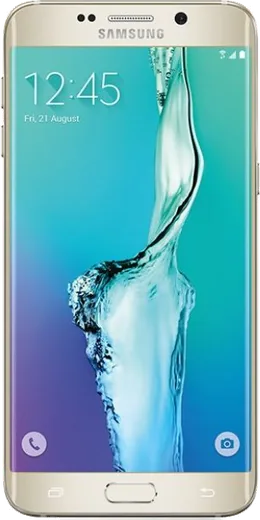
WhatsApp on Samsung Galaxy S6 edge+
Samsung Android

WhatsApp for Samsung Galaxy S6 edge+

Install the official WhatsApp on your Samsung Galaxy S6 edge+ in a few simple steps.

WhatsApp Messenger 4.7 · 64.2M reviews Free · Android · ~40 MB · by WhatsApp LLC
Download WhatsApp

Ask a question / report a problem

You can ask any question about WhatsApp support on the Samsung Galaxy S6 edge+ — leave it below and we'll help.

Ask a question

Can the Samsung Galaxy S6 edge+ run WhatsApp?

Fully supported
  • Operating systemAndroid
  • WhatsApp versionLatest supported

Latest known WhatsApp problems on Samsung Galaxy S6 edge+

1

Why aren't WhatsApp messages lighting up the Edge screen on my Galaxy S6 edge+?

Edge lighting only triggers for apps you explicitly whitelist, and WhatsApp is off by default. Go to Settings > Edge screen > Edge lighting, turn it on, then tap Manage notifications and enable WhatsApp. If it still doesn't fire, make sure WhatsApp's own notifications are allowed under Settings > Applications > WhatsApp > Notifications, and remember Edge lighting only shows when the screen is off and the phone is face down or lying flat, so a message arriving while you're using the phone won't light the edge. See how others solved this on Reddit
2

My WhatsApp notifications arrive silently with no sound on my Galaxy S6 edge+ — how do I fix it?

This is almost always a notification-tone or Do Not Disturb issue rather than a phone fault. Open WhatsApp > Settings > Notifications and confirm a Notification tone is set for both Message and Group notifications (not None). Then check Settings > Sounds and vibration > Do not disturb and make sure it isn't active or scheduled. Finally, confirm WhatsApp notifications are allowed under Settings > Applications > WhatsApp > Notifications and that your media/notification volume isn't muted. See how others solved this on Reddit
3

WhatsApp notifications stop coming after a while on my Galaxy S6 edge+ until I reopen the app — why?

Samsung's battery optimization puts WhatsApp to sleep in the background, which kills delayed notifications. Go to Settings > Device maintenance > Battery, open the three-dot menu > Settings (or App power management), and add WhatsApp to the list of unmonitored apps so it's never put to sleep. Also make sure background data and unrestricted data aren't blocked for WhatsApp under Settings > Applications > WhatsApp > Mobile data so it can keep its connection alive. See how others solved this on Reddit
4

I don't get WhatsApp notifications on my Galaxy Watch when it's paired to my S6 edge+ — what's wrong?

Watch notifications mirror the phone, so they only forward when WhatsApp alerts actually fire on the phone first. In the Galaxy Wearable app on the S6 edge+, open Notifications, turn on Notifications, then open Manage notifications (or the app list) and make sure WhatsApp is checked. If nothing comes through, confirm WhatsApp notifications work on the phone itself, since the watch can't show what the phone never received. See how others solved this on Reddit
5

Why does my Galaxy Watch stop showing WhatsApp messages whenever I'm actively using my S6 edge+?

By default the watch suppresses notifications while you're using the phone, assuming you've already seen them. In the Galaxy Wearable app, go to Notifications and turn off the option that limits alerts when the phone is in use (often labeled show notifications only when the watch is being worn, or block while phone is in use). With that disabled, WhatsApp messages will reach the watch even while the phone screen is on. See how others solved this on Reddit

Ask a question / report a problem

You can ask any question about WhatsApp support on the Samsung Galaxy S6 edge+ — leave it below and we'll help.

Ask a question

Watch: setting up WhatsApp

Prefer to watch? This short walkthrough shows the whole installation and number-verification flow.

How to install WhatsApp on Samsung Galaxy S6 edge+ — video walkthrough

How to install WhatsApp on Samsung Galaxy S6 edge+

1

Choose how to download

On your Samsung Galaxy S6 edge+ you can get the official app two ways: from the Google Play Store — the easiest option, since it keeps WhatsApp updated automatically — or directly from the official website. You can download an APK file, by clicking a link “Download WhatsApp directly”.

2

Open WhatsApp

Launch WhatsApp from your home screen or app drawer and accept the Terms of Service to start setup.

3

Verify your phone number

Enter your phone number. If your Samsung Galaxy S6 edge+ uses dual SIM, pick the line you want WhatsApp tied to, then enter the 6-digit code it sends by SMS — it usually fills in automatically.

4

Restore chats and finish setup

Restore your chat history from Google Drive (use the same Google account), add your name and photo, and tap Allow for notifications so messages and calls arrive reliably.

Stay safe: only ever install WhatsApp from the official Android source. The Download button above already points there — modified copies (GB/Plus/Aero WhatsApp) can get your number banned.

Comments (6)

No registration needed. No email required.
G
gabe07Apr 3, 2026

Yo this is the only one that worked for me cheers

A
alex85Jan 31, 2026

Enfin whatsapp installé sur mon samsung galaxy s6 edge+ 👍

A
andy_proNov 19, 2025

guys my new Samsung Galaxy S6 edge+ is all set up now

U
ugh_helpAug 11, 2025

my whole family is waiting pls help me install it 😩

AppWhatsOfficialAug 13, 2025

We are here to help. Hit Download, follow the steps on this page, and if the code is slow just request it again.

V
val.vOct 15, 2024

honestly took me 5 min total cheers

D
deni_greOct 1, 2024

downloaded and installed on my samsung galaxy s6 edge+ 🔥

AppWhatsOfficialOct 2, 2024

Great to hear it worked out!