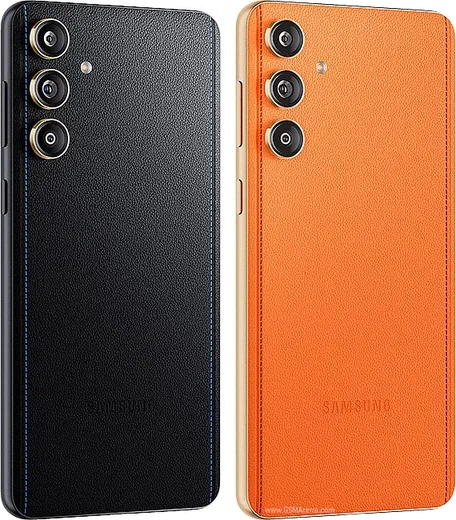
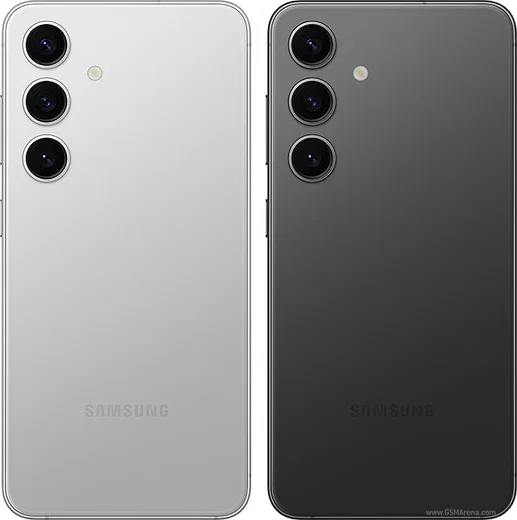
Samsung Android

WhatsApp for Samsung Galaxy S24 Plus

Exynos 2400, 6.7-inch QHD+ 120Hz, Galaxy AI

WhatsApp Messenger 4.7 · 64.2M reviews Free · Android · ~40 MB · by WhatsApp LLC
Download WhatsApp

Ask a question / report a problem

You can ask any question about WhatsApp support on the Samsung Galaxy S24 Plus — leave it below and we'll help.

Ask a question

Can the Samsung Galaxy S24 Plus run WhatsApp?

Fully supported
  • Operating systemAndroid
  • ProcessorExynos 2400
  • WhatsApp versionLatest supported

Latest known WhatsApp problems on Samsung Galaxy S24 Plus

1

Why is my WhatsApp selfie camera zoomed in and cropped on my Galaxy S24 Plus?

WhatsApp uses its own in-app camera that doesn't fully match the S24 Plus's front sensor field of view, so it crops into the center of the frame for selfies and video calls. First make sure WhatsApp is updated to the latest version from the Play Store, as framing bugs are often fixed in updates. If it's still zoomed, the reliable workaround is to take the photo with the regular Samsung Camera app and attach it from your gallery instead of using WhatsApp's built-in camera. For video calls, holding the phone slightly farther away is currently the only way to fit more of your face in frame. See how others solved this on Reddit
2

Why is WhatsApp video call quality so bad on my Galaxy S24 Plus?

Grainy or low-resolution WhatsApp video calls on the S24 Plus are usually down to network conditions and WhatsApp's heavy compression rather than a camera fault. Switch from mobile data to a strong Wi-Fi network, and in WhatsApp go to Settings > Storage and data and turn off "Use less data for calls." Also check that Battery saver is off and that Settings > Battery isn't restricting WhatsApp in the background, since One UI can throttle apps during calls. See how others solved this on Reddit
3

WhatsApp stopped working after the One UI 7 update on my Galaxy S24 Plus, how do I fix it?

The One UI 7 (Android 15) update changed how Samsung handles background processes, which can break WhatsApp syncing and notifications. Go to Settings > Apps > WhatsApp > Battery and set it to "Unrestricted," then turn off "Pause app activity if unused" in Settings > Apps > WhatsApp. Finally clear the cache via Settings > Apps > WhatsApp > Storage > Clear cache (not Clear data) and reboot the phone. See how others solved this on Reddit
4

Why won't WhatsApp Dual Messenger work properly on my Galaxy S24 Plus?

Samsung's Dual Messenger creates a cloned copy of WhatsApp so you can run a second account, but the clone often loses notifications because it's treated as a separate app with its own permissions. Go to Settings > Advanced features > Dual Messenger and toggle WhatsApp off and back on to recreate the clone. Then set the cloned WhatsApp to "Unrestricted" battery usage in Settings > Apps, and confirm notifications are enabled for that second app instance in Settings > Notifications. See how others solved this on Reddit
5

Why does WhatsApp ignore my custom vibration pattern on the Galaxy S24 Plus?

On One UI, the Android notification channel settings can override WhatsApp's own in-app vibration choice, so your custom pattern gets dropped. First check Settings > Sounds and vibration > Vibration intensity and make sure notifications aren't turned down to zero. Then set the vibration in WhatsApp under Settings > Notifications. If it still defaults, set it at the system level via Settings > Apps > WhatsApp > Notifications > Message notifications, which takes priority over WhatsApp's in-app setting. See how others solved this on Reddit
6

Why does WhatsApp keep pausing audio or sounding quiet when I listen to voice messages on my Galaxy S24 Plus?

Voice messages playing through the quiet earpiece or cutting out usually come from the proximity sensor triggering, which makes the phone think it's held to your ear. Make sure the top of the screen and the sensor area are clean and uncovered, and don't rest your hand over the top of the phone while playing. If it still happens, set Settings > Apps > WhatsApp > Battery to "Unrestricted," clear the WhatsApp cache, and reboot. See how others solved this on Reddit

Ask a question / report a problem

You can ask any question about WhatsApp support on the Samsung Galaxy S24 Plus — leave it below and we'll help.

Ask a question

Watch: setting up WhatsApp

Prefer to watch? This short walkthrough shows the whole installation and number-verification flow.

How to install WhatsApp on Samsung Galaxy S24 Plus — video walkthrough

How to install WhatsApp on Samsung Galaxy S24 Plus

1

Choose how to download

On your Samsung Galaxy S24 Plus you can get the official app two ways: from the Google Play Store — the easiest option, since it keeps WhatsApp updated automatically — or directly from the official website. You can download an APK file, by clicking a link “Download WhatsApp directly”.

2

Open WhatsApp

Launch WhatsApp from your home screen or app drawer and accept the Terms of Service to start setup.

3

Verify your phone number

Enter your phone number. If your Samsung Galaxy S24 Plus uses dual SIM, pick the line you want WhatsApp tied to, then enter the 6-digit code it sends by SMS — it usually fills in automatically.

4

Restore chats and finish setup

Restore your chat history from Google Drive (use the same Google account), add your name and photo, and tap Allow for notifications so messages and calls arrive reliably.

Stay safe: only ever install WhatsApp from the official Android source. The Download button above already points there — modified copies (GB/Plus/Aero WhatsApp) can get your number banned.

Comments (15)

No registration needed. No email required.
K
kev_ytJan 17, 2026

yo set up whatsapp on my dads galaxy s24plus no problem cheers

D
droiduserDec 5, 2025

wasnt expecting it to be this easy :)

G
gabe.yNov 17, 2025

update couldnt be easier

Y
yasinSep 19, 2025

والله تم التثبيت بدون مشاكل شكراً

B
ben_samJun 25, 2025

El mejor sitio, funcionó a la primera

I
its_pabloJun 20, 2025

best guide for the Samsung Galaxy S24 Plus by far 👍

L
lou_leoMay 29, 2025

ok so best site for this honestly

V
val2000Mar 4, 2025

Man best site for this honestly

M
ms_leoJan 10, 2025

great stuff, much appreciated thx

AppWhatsOfficialJan 13, 2025

Nice one, enjoy WhatsApp!

A
ash_joeDec 22, 2024

ok so this worked great on my s24plus 👌

B
budgetkingDec 14, 2024

Update best guide for the Samsung Galaxy S24 Plus by far 😍

S
sara_beaOct 31, 2024

omg im so confused someone help meeee

AppWhatsOfficialNov 1, 2024

We are here to help. Hit Download, follow the steps on this page, and if the code is slow just request it again. You got this!

H
heeeelpOct 26, 2024

ngl my whatsapp had stopped working but this fixed it

J
jay_officialOct 9, 2024

finalmente facilissimo, fatto in 2 minuti

K
kate.uSep 8, 2024

so installed on my Samsung Galaxy S24 Plus, super simple