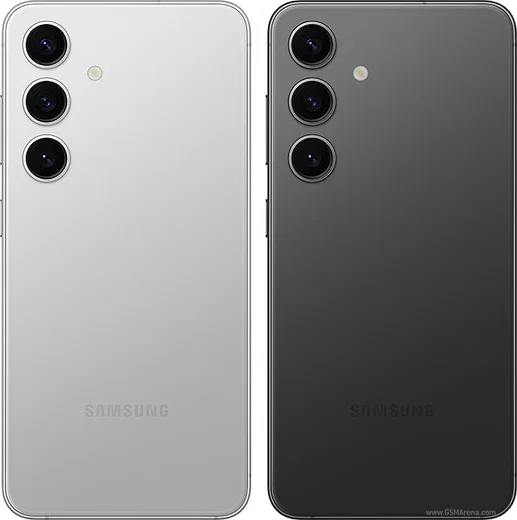
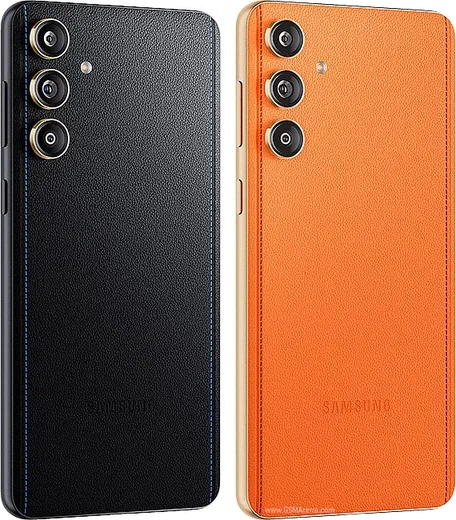
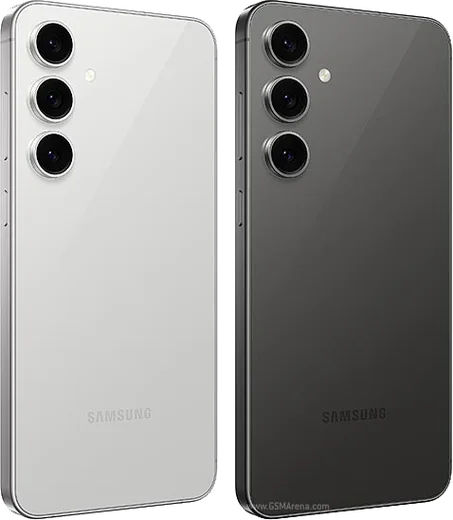
WhatsApp on Samsung Galaxy S24
Samsung Android

WhatsApp for Samsung Galaxy S24

Exynos 2400/SD8 Gen 3, 6.2-inch FHD+ 120Hz

WhatsApp Messenger 4.7 · 64.2M reviews Free · Android · ~40 MB · by WhatsApp LLC
Download WhatsApp

Ask a question / report a problem

You can ask any question about WhatsApp support on the Samsung Galaxy S24 — leave it below and we'll help.

Ask a question

Can the Samsung Galaxy S24 run WhatsApp?

Fully supported
  • Operating systemAndroid
  • ProcessorExynos 2400/SD8 Gen 3
  • WhatsApp versionLatest supported

Latest known WhatsApp problems on Samsung Galaxy S24

1

WhatsApp is not working properly on my Galaxy S24, no notifications or messages until I open the app

Samsung's aggressive battery management is almost always the cause: go to Settings > Apps > WhatsApp > Battery and set it to Unrestricted, then in Settings > Battery > Background usage limits make sure WhatsApp is NOT in the "Sleeping" or "Deep sleeping" apps list. Also turn off Settings > Battery > (3-dot menu) Automation > Auto optimize daily so the system stops force-closing apps overnight, and confirm Notifications are enabled for WhatsApp in both One UI (Settings > Apps > WhatsApp > Notifications) and inside WhatsApp > Settings > Notifications. See how others solved this on Reddit
2

How do I run two WhatsApp accounts on my Galaxy S24 using Dual Messenger?

Open Settings > Advanced features > Dual Messenger, then toggle WhatsApp on and confirm to create a second cloned instance with its own icon. The cloned copy registers as a separate install, so you verify it with a different phone number. If the second WhatsApp keeps logging out or missing notifications, give the cloned app the same Unrestricted battery setting under Settings > Apps > (cloned WhatsApp) > Battery as the original. See how others solved this on Reddit
3

WhatsApp calls don't show up properly or won't ring on my Galaxy S24

Make sure WhatsApp has the right permissions: Settings > Apps > WhatsApp > Permissions and allow Phone, then enable Settings > Apps > WhatsApp > Appear on top so incoming calls can show full-screen. Set the battery to Unrestricted (Settings > Apps > WhatsApp > Battery), and inside WhatsApp confirm Settings > Notifications has call notifications enabled so the ringer fires even when the screen is locked. Also check that WhatsApp isn't in the Sleeping apps list under Settings > Battery > Background usage limits. See how others solved this on Reddit
4

Can I set WhatsApp as my default messaging app on the Galaxy S24?

No. One UI only lets you set an SMS/RCS app as the default texting app under Settings > Apps > Choose default apps > SMS app, and WhatsApp isn't an SMS app, so it can't replace Messages there. What you can do is remove the Samsung Messages or Google Messages icon from your home screen and place WhatsApp in its spot, and add a direct-chat shortcut by long-pressing a chat in WhatsApp (or long-pressing the app icon) and dragging the contact shortcut to your home screen. See how others solved this on Reddit
5

WhatsApp ignores my custom vibration pattern on the Galaxy S24

One UI's system haptics can override per-app vibration patterns. Go to Settings > Sounds and vibration > Vibration intensity and raise the Notification slider so the vibration is actually felt. Inside WhatsApp, set Settings > Notifications > Vibrate to Long or Default rather than Off, and check that the per-chat custom notification (long-press the chat > Mute/Custom notifications) isn't conflicting. If patterns still get flattened, it's a known One UI limitation rather than a WhatsApp bug. See how others solved this on Reddit
6

WhatsApp calls don't work or won't connect through Android Auto on my Galaxy S24

Android Auto only supports reading and replying to WhatsApp messages by voice, not placing or receiving WhatsApp voice calls, so calls keep ringing on the phone itself rather than routing to the car. Make sure WhatsApp is enabled in the Android Auto app settings under Customize launcher / Notifications, and that WhatsApp has Microphone permission. If message notifications also fail while driving, set WhatsApp battery usage to Unrestricted so it stays alive while connected to the car. See how others solved this on Reddit

Ask a question / report a problem

You can ask any question about WhatsApp support on the Samsung Galaxy S24 — leave it below and we'll help.

Ask a question

Watch: setting up WhatsApp

Prefer to watch? This short walkthrough shows the whole installation and number-verification flow.

How to install WhatsApp on Samsung Galaxy S24 — video walkthrough

How to install WhatsApp on Samsung Galaxy S24

1

Choose how to download

On your Samsung Galaxy S24 you can get the official app two ways: from the Google Play Store — the easiest option, since it keeps WhatsApp updated automatically — or directly from the official website. You can download an APK file, by clicking a link “Download WhatsApp directly”.

2

Open WhatsApp

Launch WhatsApp from your home screen or app drawer and accept the Terms of Service to start setup.

3

Verify your phone number

Enter your phone number. If your Samsung Galaxy S24 uses dual SIM, pick the line you want WhatsApp tied to, then enter the 6-digit code it sends by SMS — it usually fills in automatically.

4

Restore chats and finish setup

Restore your chat history from Google Drive (use the same Google account), add your name and photo, and tap Allow for notifications so messages and calls arrive reliably.

Stay safe: only ever install WhatsApp from the official Android source. The Download button above already points there — modified copies (GB/Plus/Aero WhatsApp) can get your number banned.

Comments (13)

No registration needed. No email required.
T
the_real_kevJun 19, 2026

Clear steps for the Galaxy S24, cheers ❤️

H
halppJun 16, 2026

anyone? does this cost money

AppWhatsOfficialJun 22, 2026

Good question, whatsApp is 100% free to download and use. You only use your normal mobile data or wifi for messages and calls. Glad to help.

N
noah_robMar 10, 2026

Finally best guide for the Samsung Galaxy S24 by far ❤️

E
ella_lucMar 8, 2026

Can i use the same number on two phones

AppWhatsOfficialMar 13, 2026

Yes, use Linked Devices in Settings to add a second phone with the same account. Happy chatting!

M
mia.qOct 22, 2025

por fin todo bien, mil gracias 👍

J
just_valOct 15, 2025

guys my phone is a few years old will it work

AppWhatsOfficialOct 19, 2025

Hi! Older phones can work as long as the app is still offered to them. Updating the OS where possible helps a lot. Happy chatting!

K
kai.kOct 9, 2025

Tbh finally got whatsapp running on my galaxy s24 thx

AppWhatsOfficialOct 11, 2025

Thanks for the feedback!

A
ash92Jul 16, 2025

omggg i cant install it someone heeelp

AppWhatsOfficialJul 20, 2025

Don't worry, you can do this! Use the Download button, install the app, and enter your number to verify. You got this!

I
its_rayJun 12, 2025

Ngl worked even on my old phone

P
pablo_maxMay 27, 2025

So no problems installing on my s24

M
moMay 3, 2025

أخيراً سهل جداً بدون مشاكل

C
confuuusedApr 8, 2025

uff instalado y funcionando en mi galaxy s24

S
speedyFeb 12, 2025

very clear steps :)