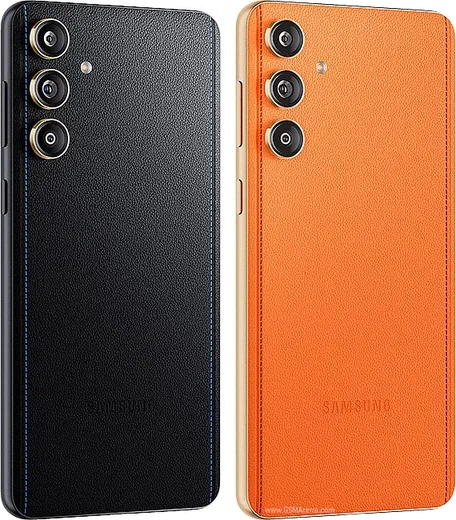
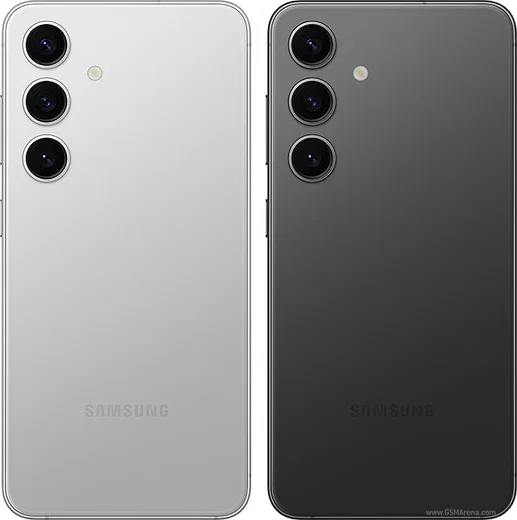
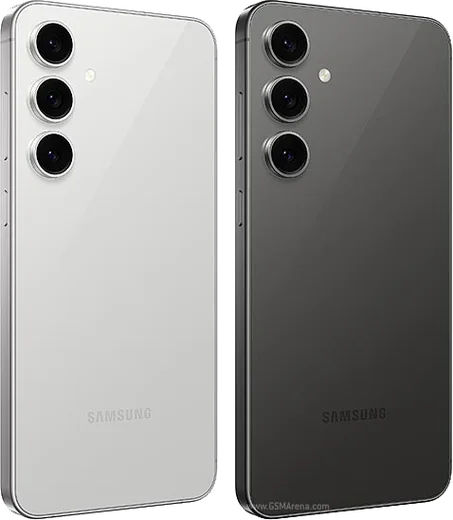
Samsung Android

WhatsApp for Samsung Galaxy F15

Dimensity 6100+, 6.5-inch FHD+ AMOLED, 6000mAh

WhatsApp Messenger 4.7 · 64.2M reviews Free · Android · ~40 MB · by WhatsApp LLC
Download WhatsApp

Ask a question / report a problem

You can ask any question about WhatsApp support on the Samsung Galaxy F15 — leave it below and we'll help.

Ask a question

Can the Samsung Galaxy F15 run WhatsApp?

Fully supported
  • Operating systemAndroid
  • ProcessorDimensity 6100+
  • WhatsApp versionLatest supported

Latest known WhatsApp problems on Samsung Galaxy F15

1

WhatsApp notifications keep getting delayed or don't arrive on my Galaxy F15

Samsung's aggressive battery management is the usual cause. Go to Settings > Apps > WhatsApp > Battery and set it to Unrestricted. Then open Settings > Battery > Background usage limits and make sure WhatsApp is not in the 'Sleeping apps' or 'Deep sleeping apps' lists (remove it if it is). In that same Background usage limits screen, turn off 'Put unused apps to sleep' so One UI stops freezing WhatsApp in the background. Finally, confirm notifications are enabled under Settings > Apps > WhatsApp > Notifications. See how others solved this on Reddit
2

Where are my WhatsApp Dual Messenger files stored on the Galaxy F15?

The cloned (Dual Messenger) WhatsApp stores its media separately from the normal WhatsApp folder. Open My Files, tap the three-dot menu and enable 'Show hidden files', then look under Internal storage > Android/media for a folder tied to the second instance (the dual-app clone uses its own package directory, separate from the standard com.whatsapp folder). The most reliable way to keep that clone's chats is to back them up from inside the cloned app itself via WhatsApp Settings > Chats > Chat backup, which saves to the Google account linked to that instance. See how others solved this on Reddit
3

My wired earphones don't work properly for WhatsApp calls on the Galaxy F15

The Galaxy F15 5G has a 3.5mm headphone jack, so standard analog earphones should plug in directly and work for calls. First reseat the plug fully, as a partial connection often breaks the microphone while still passing audio, and clean any lint out of the jack. During a WhatsApp call, tap the on-screen audio/speaker icon to confirm output is routed to the headset rather than the earpiece or speaker. If the mic still fails, test the same earphones on another device to rule out a faulty cable, and try a different pair to confirm whether the issue is the earphones or the phone's jack. See how others solved this on Reddit
4

WhatsApp says 'You need the official WhatsApp to log in' on my Galaxy F15

This appears when WhatsApp detects a modified or sideloaded build (such as GB/Yo WhatsApp), so uninstall whatever version you have and reinstall WhatsApp only from the Google Play Store. If you used a mod to keep old chats, export a chat backup from inside it first, then sign in to the official app and restore from your Google Drive backup linked to the same Google account. Also set Settings > General management > Date and time to automatic, since a wrong clock can trigger this verification error. See how others solved this on Reddit
5

How do I move WhatsApp and its chats to my new Galaxy F15 after my old phone broke?

If the old phone is dead but your chats were backed up to Google Drive, install WhatsApp from the Play Store on the F15, verify the same phone number, and choose Restore when prompted (the backup must be on the same Google account). If the old device still works, use Samsung Smart Switch via Settings > Accounts and backup > Bring data from old device, which can transfer app data over Wi-Fi or cable. Without any prior backup, older messages can't be recovered, so once you're set up, enable Settings > Chats > Chat backup on the F15 to protect future chats. See how others solved this on Reddit
6

How can I lock WhatsApp with a fingerprint or PIN on the Galaxy F15?

WhatsApp has a built-in lock: open WhatsApp > Settings > Privacy > App lock and turn on Fingerprint unlock so chats require your fingerprint to open. For a stronger system-level option that also hides the app and its notifications, set up Samsung's Secure Folder via Settings > Security and privacy > More security settings > Secure Folder, then add a separate WhatsApp instance inside it. Samsung's native tools are safer than third-party app lockers, which often demand excessive accessibility and overlay permissions. See how others solved this on Reddit

Ask a question / report a problem

You can ask any question about WhatsApp support on the Samsung Galaxy F15 — leave it below and we'll help.

Ask a question

Watch: setting up WhatsApp

Prefer to watch? This short walkthrough shows the whole installation and number-verification flow.

How to install WhatsApp on Samsung Galaxy F15 — video walkthrough

How to install WhatsApp on Samsung Galaxy F15

1

Choose how to download

On your Samsung Galaxy F15 you can get the official app two ways: from the Google Play Store — the easiest option, since it keeps WhatsApp updated automatically — or directly from the official website. You can download an APK file, by clicking a link “Download WhatsApp directly”.

2

Open WhatsApp

Launch WhatsApp from your home screen or app drawer and accept the Terms of Service to start setup.

3

Verify your phone number

Enter your phone number. If your Samsung Galaxy F15 uses dual SIM, pick the line you want WhatsApp tied to, then enter the 6-digit code it sends by SMS — it usually fills in automatically.

4

Restore chats and finish setup

Restore your chat history from Google Drive (use the same Google account), add your name and photo, and tap Allow for notifications so messages and calls arrive reliably.

Stay safe: only ever install WhatsApp from the official Android source. The Download button above already points there — modified copies (GB/Plus/Aero WhatsApp) can get your number banned.

Comments (10)

No registration needed. No email required.
L
lou_xMay 5, 2026

guys installed on my samsung galaxy f15, super simple 👌

AppWhatsOfficialMay 9, 2026

Thanks, enjoy the app!

R
rosa_ashDec 17, 2025

update perfect steps for the Samsung Galaxy F15

A
apploverNov 8, 2025

Anyone? does it work on older android versions ?

AppWhatsOfficialNov 9, 2025

Hey there, older phones can work as long as the app is still offered to them. Updating the OS where possible helps a lot.

X
xX_danJun 28, 2025

Man my new galaxy F15 is all set up now

J
justmeJun 23, 2025

saved me so much time

B
bea_ellMar 26, 2025

guys clear and to the point 😍

K
kate1990Jan 14, 2025

Finalmente whatsapp installato sul mio Samsung Galaxy F15

P
plz help meeDec 27, 2024

stuck on a black screen after install ?

AppWhatsOfficialDec 31, 2024

Hi! Try restarting your phone first. If it still wont open, clear the cache or reinstall the latest version from the official source.

M
ms_gabeOct 23, 2024

por fin gracias, mi f15 ya tiene whatsapp gracias

J
jay_lucSep 8, 2024

been at this for hours pls someone help me 😭

AppWhatsOfficialSep 10, 2024

We are here to help. Hit Download, follow the steps on this page, and if the code is slow just request it again. Reply here if you get stuck.