Samsung Android

WhatsApp for Samsung Galaxy S21

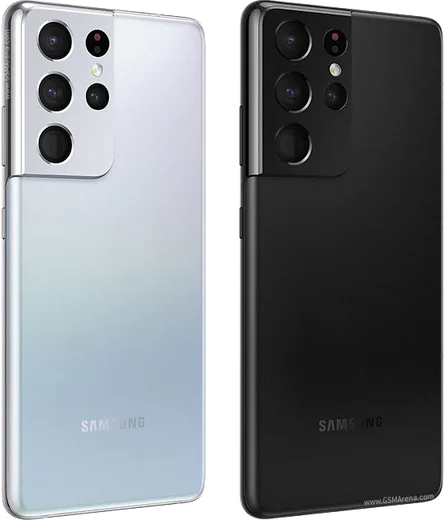
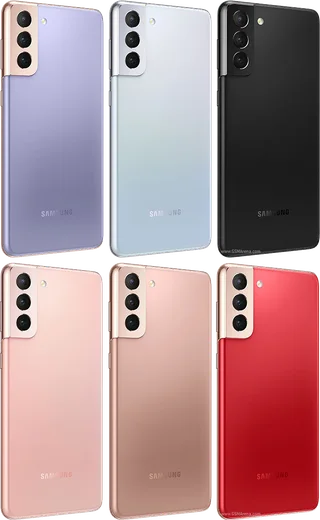
Snapdragon 888/Exynos 2100, 6.2-inch FHD+ 120Hz

WhatsApp Messenger 4.7 · 64.2M reviews Free · Android · ~40 MB · by WhatsApp LLC
Download WhatsApp

Ask a question / report a problem

You can ask any question about WhatsApp support on the Samsung Galaxy S21 — leave it below and we'll help.

Ask a question

Can the Samsung Galaxy S21 run WhatsApp?

Fully supported
  • Operating systemAndroid
  • ProcessorSnapdragon 888/Exynos 2100
  • WhatsApp versionLatest supported

Latest known WhatsApp problems on Samsung Galaxy S21

1

Why does WhatsApp Web keep disconnecting on my Galaxy S21 and say my phone is not connected?

One UI's aggressive battery management puts WhatsApp to sleep in the background, which breaks the link that keeps WhatsApp Web connected. Open Settings > Apps > WhatsApp > Battery and set it to Unrestricted, then go to Settings > Battery and device care > Background usage limits and make sure WhatsApp is not listed under Sleeping apps or Deep sleeping apps. Keeping the WhatsApp app running in the background while you use the web session also helps it stay linked. See how others solved this on Reddit
2

Why are my WhatsApp messages delayed on the Galaxy S21 until I open the app?

This is almost always One UI battery management holding back WhatsApp's background sync until you open it. Set Settings > Apps > WhatsApp > Battery to Unrestricted, then under Settings > Battery and device care > Background usage limits remove WhatsApp from Sleeping apps and Deep sleeping apps. You can also turn off Adaptive battery under Settings > Battery and device care > Battery > More battery settings so the system stops throttling the app. See how others solved this on Reddit
3

Why does WhatsApp take so long to open on my Galaxy S21?

A slow cold start usually means the app was put to sleep and is rebuilding, or its local cache has grown bloated. First exempt it from sleep via Settings > Apps > WhatsApp > Battery > Unrestricted, then clear the cache under Settings > Apps > WhatsApp > Storage > Clear cache, which does not delete your chats. If it persists, update WhatsApp in the Play Store and reboot, since a stale build on One UI can cause laggy launches. See how others solved this on Reddit
4

Why am I not getting any WhatsApp notifications on my Galaxy S21?

Check notifications at both the system and app level: Settings > Apps > WhatsApp > Notifications must be on, and inside WhatsApp go to Settings > Notifications to confirm message and group alerts are enabled with a sound. The most common cause is power saving, so set WhatsApp to Unrestricted under Settings > Apps > WhatsApp > Battery and remove it from Sleeping apps under Settings > Battery and device care > Background usage limits. See how others solved this on Reddit
5

Why do photos I send through WhatsApp look soft and blurry on my Galaxy S21?

WhatsApp compresses images by default, which softens the S21's high-resolution shots. To keep more detail, open WhatsApp > Settings > Storage and data > Media upload quality and choose HD quality. For full resolution, attach the photo as a Document (the paperclip > Document option) instead of through the gallery picker, so WhatsApp sends the original file without compressing it. See how others solved this on Reddit
6

Why won't WhatsApp Web connect on my Galaxy S21 when I'm on mobile data?

If the linked session works on Wi-Fi but not cellular, WhatsApp's background data is being blocked on mobile data. Go to Settings > Apps > WhatsApp > Mobile data and enable both Allow background data usage and Allow data usage while Data saver is on. Also check Settings > Connections > Data usage > Data saver to confirm WhatsApp is allowed, then set its battery to Unrestricted so the connection stays alive off Wi-Fi. See how others solved this on Reddit

Ask a question / report a problem

You can ask any question about WhatsApp support on the Samsung Galaxy S21 — leave it below and we'll help.

Ask a question

Watch: setting up WhatsApp

Prefer to watch? This short walkthrough shows the whole installation and number-verification flow.

How to install WhatsApp on Samsung Galaxy S21 — video walkthrough

How to install WhatsApp on Samsung Galaxy S21

1

Choose how to download

On your Samsung Galaxy S21 you can get the official app two ways: from the Google Play Store — the easiest option, since it keeps WhatsApp updated automatically — or directly from the official website. You can download an APK file, by clicking a link “Download WhatsApp directly”.

2

Open WhatsApp

Launch WhatsApp from your home screen or app drawer and accept the Terms of Service to start setup.

3

Verify your phone number

Enter your phone number. If your Samsung Galaxy S21 uses dual SIM, pick the line you want WhatsApp tied to, then enter the 6-digit code it sends by SMS — it usually fills in automatically.

4

Restore chats and finish setup

Restore your chat history from Google Drive (use the same Google account), add your name and photo, and tap Allow for notifications so messages and calls arrive reliably.

Stay safe: only ever install WhatsApp from the official Android source. The Download button above already points there — modified copies (GB/Plus/Aero WhatsApp) can get your number banned.

Comments (14)

No registration needed. No email required.
K
kai_ellMay 25, 2026

Wow thank u so much ✌️

G
greg_noaMay 8, 2026

uff súper sencillo, ya está listo 🎉

Z
zoe39Apr 16, 2026

wow set up whatsapp on my dads Samsung Galaxy S21 no problem thanks again

Y
yuki30Apr 3, 2026

Finally installed in 2 min

P
phoneaddictDec 23, 2025

clear steps for the Samsung Galaxy S21, cheers thx

S
sara_tomDec 11, 2025

finalmente finalmente whatsapp installato 🎉

A
ash9Oct 22, 2025

installed whatsapp on my s21 with no issues

T
tan56Aug 9, 2025

guys it worked first try thanks again

T
the_real_leoAug 6, 2025

Quick and painless thanks again

M
mia_rajApr 23, 2025

tbh 10 out of 10 lol

N
noobmasterFeb 19, 2025

Did it on my Samsung Galaxy S21 in like 2 minutes

M
moOct 27, 2024

أخيراً شكراً، صار عندي واتساب

R
rob_samSep 27, 2024

Well got my s21 sorted thanks to you

S
saaaaamSep 6, 2024

Help meee i pressed everything and nothing

AppWhatsOfficialSep 8, 2024

Breathe! Follow the steps above one by one, tap Download first, and you will be chatting in no time. Reply here if you get stuck.