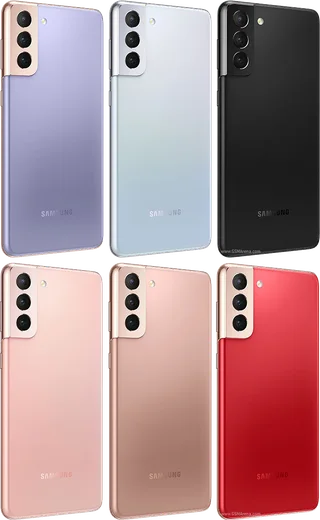
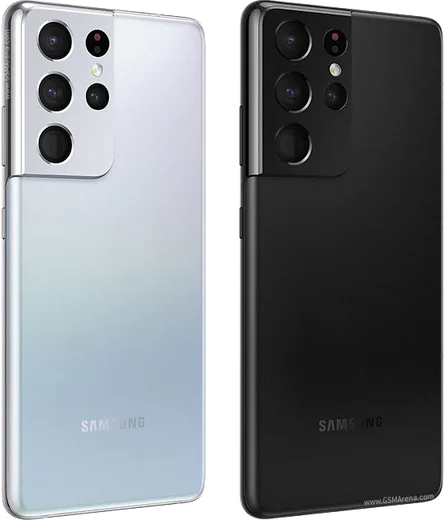
WhatsApp on Samsung Galaxy S21 Plus
Samsung Android

WhatsApp for Samsung Galaxy S21 Plus

Snapdragon 888, 6.7-inch FHD+ 120Hz AMOLED

WhatsApp Messenger 4.7 · 64.2M reviews Free · Android · ~40 MB · by WhatsApp LLC
Download WhatsApp

Ask a question / report a problem

You can ask any question about WhatsApp support on the Samsung Galaxy S21 Plus — leave it below and we'll help.

Ask a question

Can the Samsung Galaxy S21 Plus run WhatsApp?

Fully supported
  • Operating systemAndroid
  • ProcessorSnapdragon 888
  • WhatsApp versionLatest supported

Latest known WhatsApp problems on Samsung Galaxy S21 Plus

1

Why does WhatsApp Web keep disconnecting on my Galaxy S21 Plus?

One UI's aggressive battery optimization is usually the culprit, since it puts WhatsApp to sleep and drops the web session. Go to Settings > Apps > WhatsApp > Battery and set it to Unrestricted, then open Settings > Battery and device care > Battery > Background usage limits and make sure WhatsApp is not in the Sleeping or Deep sleeping apps lists. Keep the phone connected and online during pairing for a stable link. See how others solved this on Reddit
2

WhatsApp Web won't connect when my S21 Plus is on mobile data only

When you are not on Wi-Fi, One UI may restrict WhatsApp's background data, which breaks the web link. Open Settings > Apps > WhatsApp > Mobile data and enable Allow background data usage and Allow data usage while Data saver is on. Also check Settings > Connections > Data usage > Data saver and either turn it off or add WhatsApp as an allowed app. See how others solved this on Reddit
3

My Galaxy S21 Plus keeps running out of storage even after I delete things, partly because of WhatsApp

WhatsApp media is one of the biggest hidden space hogs, so open WhatsApp > Settings > Storage and data > Manage storage to find and delete large files and forwarded media in bulk. Then turn off auto-download under Storage and data > Media auto-download so new photos and videos stop filling your storage. Clearing the WhatsApp cache via Settings > Apps > WhatsApp > Storage > Clear cache also frees space without deleting your chats. See how others solved this on Reddit
4

How do I move my WhatsApp chats from my old Galaxy S21 Plus to a new Samsung phone?

On your S21 Plus, open WhatsApp > Settings > Chats > Chat backup and run a fresh Google Drive backup tied to your Google account. On the new Samsung phone, sign in to WhatsApp with the same number and the same Google account, then choose Restore when prompted. Alternatively, use WhatsApp's built-in QR-code transfer (Settings > Chats > Transfer chats) to move data device-to-device without the cloud. See how others solved this on Reddit
5

Can I change the WhatsApp chat theme or wallpaper on my Galaxy S21 Plus?

WhatsApp on Android only offers Light, Dark, or System default mode rather than full color themes, set under WhatsApp > Settings > Chats > Theme. To personalize the look, change the chat background under Settings > Chats > Wallpaper. Choosing System default makes WhatsApp follow your phone's dark mode setting in Settings > Display. See how others solved this on Reddit
6

My Galaxy S21 Plus no longer gets updates, so is WhatsApp still safe to use?

Samsung has ended the regular update cycle for the S21 series, but WhatsApp keeps updating independently through the Play Store, so install updates via Play Store > profile icon > Manage apps & device. Since you won't get new Android security patches, avoid sideloaded apps and keep Play Protect on under Play Store > profile > Play Protect to reduce risk while the phone stays usable. See how others solved this on Reddit

Ask a question / report a problem

You can ask any question about WhatsApp support on the Samsung Galaxy S21 Plus — leave it below and we'll help.

Ask a question

Watch: setting up WhatsApp

Prefer to watch? This short walkthrough shows the whole installation and number-verification flow.

How to install WhatsApp on Samsung Galaxy S21 Plus — video walkthrough

How to install WhatsApp on Samsung Galaxy S21 Plus

1

Choose how to download

On your Samsung Galaxy S21 Plus you can get the official app two ways: from the Google Play Store — the easiest option, since it keeps WhatsApp updated automatically — or directly from the official website. You can download an APK file, by clicking a link “Download WhatsApp directly”.

2

Open WhatsApp

Launch WhatsApp from your home screen or app drawer and accept the Terms of Service to start setup.

3

Verify your phone number

Enter your phone number. If your Samsung Galaxy S21 Plus uses dual SIM, pick the line you want WhatsApp tied to, then enter the 6-digit code it sends by SMS — it usually fills in automatically.

4

Restore chats and finish setup

Restore your chat history from Google Drive (use the same Google account), add your name and photo, and tap Allow for notifications so messages and calls arrive reliably.

Stay safe: only ever install WhatsApp from the official Android source. The Download button above already points there — modified copies (GB/Plus/Aero WhatsApp) can get your number banned.

Comments (13)

No registration needed. No email required.
M
mo55May 24, 2026

أخيراً ثبّت واتساب شكراً

P
plz help meeMar 10, 2026

Por fin instalado sin problemas 😍

H
heeeelpDec 6, 2025

anyone? will this really work on my samsung galaxy s21 plus ?

AppWhatsOfficialDec 11, 2025

Thanks for asking, the your phone works great with WhatsApp. Keep your system software current and you are good to go. Reach out anytime.

W
whyyyyyNov 21, 2025

whatsapp is working on my samsung galaxy s21 plus now 👍

P
priya7Sep 25, 2025

Hey stuck on a black screen after install

AppWhatsOfficialSep 30, 2025

Of course, restart the phone, and if the black screen stays, clear the app data and install the latest build again. Let us know if you need anything else.

B
bea_realJun 20, 2025

finally you guys are life savers 👍

L
lou31Apr 7, 2025

ngl two thumbs up

D
deni78Mar 18, 2025

Omg my new samsung galaxy s21 plus is all set up now

M
marc.hMar 7, 2025

tbh bookmarking this site for sure

O
omar.yFeb 24, 2025

tbh easy install on my Samsung Galaxy S21 Plus

L
lil_priyaDec 1, 2024

Ehi tutto funziona, mille grazie

G
gabe.cNov 23, 2024

wow my s21 plus has whatsapp now thanks to this

I
im_zoeNov 18, 2024

been at this for hours pls someone help me

AppWhatsOfficialNov 21, 2024

We are here to help. Hit Download, follow the steps on this page, and if the code is slow just request it again. You got this!