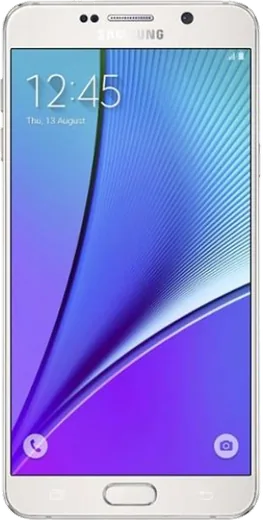
WhatsApp on Samsung Galaxy Note5 Duos
Samsung Android

WhatsApp for Samsung Galaxy Note5 Duos

Install the official WhatsApp on your Samsung Galaxy Note5 Duos in a few simple steps.

WhatsApp Messenger 4.7 · 64.2M reviews Free · Android · ~40 MB · by WhatsApp LLC
Download WhatsApp

Ask a question / report a problem

You can ask any question about WhatsApp support on the Samsung Galaxy Note5 Duos — leave it below and we'll help.

Ask a question

Can the Samsung Galaxy Note5 Duos run WhatsApp?

Fully supported
  • Operating systemAndroid
  • WhatsApp versionLatest supported

Latest known WhatsApp problems on Samsung Galaxy Note5 Duos

1

Is the Galaxy Note5 Duos still usable in 2025, or should I upgrade?

The Note5 still handles calls, messaging and light browsing fine, but its final official update was Android 7.0 Nougat and it stopped getting security patches years ago, so avoid mobile banking and install apps only from the Play Store. If things feel sluggish, open Settings > Apps, pick the heaviest apps and tap Storage > Clear cache. The clearest sign it's time to move on is when apps you rely on refuse to install because they require a newer Android version. See how others solved this on Reddit
2

How do I move my photos and contacts off my old Note5 to a new phone?

For contacts, open Settings > Accounts, tap your Google account and make sure Contacts sync is on; they'll reappear when you sign in to that account on the new phone. For photos, install Google Photos, sign in and turn on Back up & sync so the whole library uploads, or use Samsung Smart Switch to copy everything directly over Wi-Fi or USB. Confirm the upload has finished before you wipe the Note5 via Settings > General management > Reset > Factory data reset. See how others solved this on Reddit
3

My Note5 battery drains fast and I can't replace it myself, what can I do?

The Note5 has a sealed, non-removable battery, so a worn cell after years of use is normal and is best swapped by a repair shop rather than at home. To stretch each charge, lower brightness under Settings > Display, turn on Power saving mode in Settings > Battery, and limit background data under Settings > Connections > Data usage. Avoiding heavy heat (such as charging in a hot car) also slows the degradation. See how others solved this on Reddit
4

I'm switching from iPhone to the Note5, how do I bring my iCloud contacts and photos over?

Use Samsung Smart Switch, which has an iPhone-to-Android wizard: connect the two phones with a cable or sign in with your Apple ID to pull contacts, calendar and photos from iCloud. Alternatively, on iCloud.com export your contacts as a vCard and import them into Google Contacts, then add that Google account to the Note5 under Settings > Accounts. Before you start, turn off iMessage on the iPhone under Settings > Messages so texts from other iPhones still reach you. See how others solved this on Reddit
5

Why is my Note5 running out of storage and getting slow?

The Note5 Duos has fixed internal storage with no microSD slot, so it fills up quickly. Free space under Settings > Device maintenance > Storage, offload your photos to Google Photos before deleting local copies, clear caches for the biggest apps in Settings > Apps, and uninstall apps you no longer use. If it's still sluggish after that, a factory reset via Settings > General management > Reset (after a full backup) usually restores noticeably smoother performance. See how others solved this on Reddit
6

Should I keep my Note5 as a backup or move to a newer Note?

The Note5 makes a decent backup or hand-me-down device thanks to its still-bright screen and S Pen, especially if you keep it on Wi-Fi only and avoid sensitive logins given it no longer gets security patches. If you depend on it daily, a newer Note or S-series phone gives you current updates, a much better camera and more storage. Either way, sign out of your accounts under Settings > Accounts and factory reset before passing it along. See how others solved this on Reddit

Ask a question / report a problem

You can ask any question about WhatsApp support on the Samsung Galaxy Note5 Duos — leave it below and we'll help.

Ask a question

Watch: setting up WhatsApp

Prefer to watch? This short walkthrough shows the whole installation and number-verification flow.

How to install WhatsApp on Samsung Galaxy Note5 Duos — video walkthrough

How to install WhatsApp on Samsung Galaxy Note5 Duos

1

Choose how to download

On your Samsung Galaxy Note5 Duos you can get the official app two ways: from the Google Play Store — the easiest option, since it keeps WhatsApp updated automatically — or directly from the official website. You can download an APK file, by clicking a link “Download WhatsApp directly”.

2

Open WhatsApp

Launch WhatsApp from your home screen or app drawer and accept the Terms of Service to start setup.

3

Verify your phone number

Enter your phone number. If your Samsung Galaxy Note5 Duos uses dual SIM, pick the line you want WhatsApp tied to, then enter the 6-digit code it sends by SMS — it usually fills in automatically.

4

Restore chats and finish setup

Restore your chat history from Google Drive (use the same Google account), add your name and photo, and tap Allow for notifications so messages and calls arrive reliably.

Stay safe: only ever install WhatsApp from the official Android source. The Download button above already points there — modified copies (GB/Plus/Aero WhatsApp) can get your number banned.

Comments (4)

No registration needed. No email required.
L
lina.fDec 2, 2025

omg i tried everything pls help meee install whatsapp on Samsung Galaxy Note5 Duos 😩

AppWhatsOfficialDec 6, 2025

Relax, it is simpler than it looks. Press Download, install, then verify with the SMS code. You got this! It is easier than it looks, promise.

X
xX_samOct 31, 2025

can i use the same number on two phones ?

AppWhatsOfficialNov 3, 2025

Hey there, yes, use Linked Devices in Settings to add a second phone with the same account.

O
omar_rayAug 10, 2025

Omg verified my number on the note5 duos with no trouble

AppWhatsOfficialAug 13, 2025

Thanks, enjoy the app!

B
big_amyMar 17, 2025

por fin lo instalé en el Galaxy Note5 Duos de mi madre sin lío 🙏