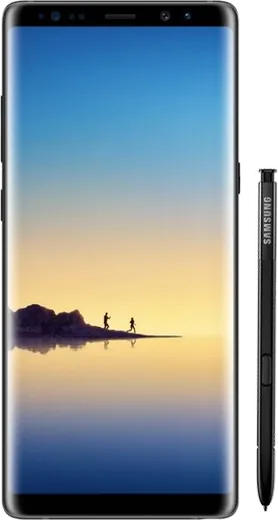
WhatsApp on Samsung Galaxy Note 8
Samsung Android

WhatsApp for Samsung Galaxy Note 8

Install the official WhatsApp on your Samsung Galaxy Note 8 in a few simple steps.

WhatsApp Messenger 4.7 · 64.2M reviews Free · Android · ~40 MB · by WhatsApp LLC
Download WhatsApp

Ask a question / report a problem

You can ask any question about WhatsApp support on the Samsung Galaxy Note 8 — leave it below and we'll help.

Ask a question

Can the Samsung Galaxy Note 8 run WhatsApp?

Fully supported
  • Operating systemAndroid
  • WhatsApp versionLatest supported

Latest known WhatsApp problems on Samsung Galaxy Note 8

1

Is the Samsung Galaxy Note 8 still safe to use with WhatsApp now that it stopped getting security updates?

The Note 8 stopped receiving Samsung security patches years ago, so its Android 9 base no longer gets fixes for newly discovered vulnerabilities, which is a real risk for a messaging app holding your chats. WhatsApp itself still runs and updates from the Play Store for now, but to stay safer keep the app current, enable two-step verification in WhatsApp Settings > Account > Two-step verification, and avoid opening links or media from unknown contacts. If you bank or store sensitive data through chats, treat this device as end-of-life and plan to migrate to a newer phone. See how others solved this on Reddit
2

My Note 8 has screen burn-in and WhatsApp's green bars are now ghosted into the display, what can I do?

The Note 8's AMOLED panel is prone to burn-in from static elements like WhatsApp's top bar, and once it's physically burned in it cannot be fully reversed in software. You can reduce further damage by lowering brightness, shortening the screen timeout under Settings > Display > Screen timeout, and enabling dark mode in WhatsApp under Settings > Chats > Theme > Dark so fewer bright pixels stay lit. A burn-in recovery app from the Play Store may slightly even out mild cases, but heavy burn-in requires a screen replacement. See how others solved this on Reddit
3

Why does my Note 8 microphone sound great in normal calls but bad in WhatsApp voice messages and calls?

The Note 8 has multiple mics, and apps like WhatsApp sometimes pick the wrong one or apply heavy noise suppression, making voice notes sound muffled compared to the system dialer. First make sure WhatsApp has microphone access under Settings > Apps > WhatsApp > Permissions > Microphone, then clear its cache from Settings > Apps > WhatsApp > Storage > Clear cache. If it persists, record voice messages without covering the bottom-edge mic and disable any third-party call recorder, as those can hijack the audio input. See how others solved this on Reddit
4

Why can't I use WhatsApp Web when WhatsApp is cloned with Samsung Dual Messenger on my Note 8?

Samsung's Dual Messenger creates a separate cloned WhatsApp, but the cloned instance cannot link to WhatsApp Web or Desktop in the way the primary app can, which is why pairing often fails. To use WhatsApp Web reliably, open your original (non-cloned) WhatsApp and go to Settings > Linked devices > Link a device, then scan the QR code on web.whatsapp.com. If you must keep an account on the web client, make it your main (non-cloned) WhatsApp rather than the Dual Messenger copy. See how others solved this on Reddit
5

WhatsApp is draining my aging Note 8 battery fast, how can I extend its life?

After years of use the Note 8's battery has degraded, and a constantly syncing app like WhatsApp accelerates the drain. Lower screen brightness and turn off WhatsApp's auto-download under WhatsApp Settings > Storage and data so media isn't constantly fetched, then check background behavior under Settings > Apps > WhatsApp > Battery. To cut standby drain across the system, open Settings > Device care > Battery and use Put apps to sleep / background usage limits for rarely used apps. If standby drain is still heavy, a worn battery may ultimately need replacement. See how others solved this on Reddit

Ask a question / report a problem

You can ask any question about WhatsApp support on the Samsung Galaxy Note 8 — leave it below and we'll help.

Ask a question

Watch: setting up WhatsApp

Prefer to watch? This short walkthrough shows the whole installation and number-verification flow.

How to install WhatsApp on Samsung Galaxy Note 8 — video walkthrough

How to install WhatsApp on Samsung Galaxy Note 8

1

Choose how to download

On your Samsung Galaxy Note 8 you can get the official app two ways: from the Google Play Store — the easiest option, since it keeps WhatsApp updated automatically — or directly from the official website. You can download an APK file, by clicking a link “Download WhatsApp directly”.

2

Open WhatsApp

Launch WhatsApp from your home screen or app drawer and accept the Terms of Service to start setup.

3

Verify your phone number

Enter your phone number. If your Samsung Galaxy Note 8 uses dual SIM, pick the line you want WhatsApp tied to, then enter the 6-digit code it sends by SMS — it usually fills in automatically.

4

Restore chats and finish setup

Restore your chat history from Google Drive (use the same Google account), add your name and photo, and tap Allow for notifications so messages and calls arrive reliably.

Stay safe: only ever install WhatsApp from the official Android source. The Download button above already points there — modified copies (GB/Plus/Aero WhatsApp) can get your number banned.

Comments (4)

No registration needed. No email required.
D
dan_andApr 19, 2026

Ngl i was scared it was a virus but its the real app 👍

G
greg00Mar 21, 2026

So whatsapp is working on my note8 now

AppWhatsOfficialMar 24, 2026

That is great to hear!

R
rosa_miaApr 13, 2025

Excelente guía, funcionó en mi galaxy note 8 🙏

R
rosa_ashNov 10, 2024

whyyy is this so hard pls help me get whatsapp :(

AppWhatsOfficialNov 14, 2024

Relax, it is simpler than it looks. Press Download, install, then verify with the SMS code. You got this!