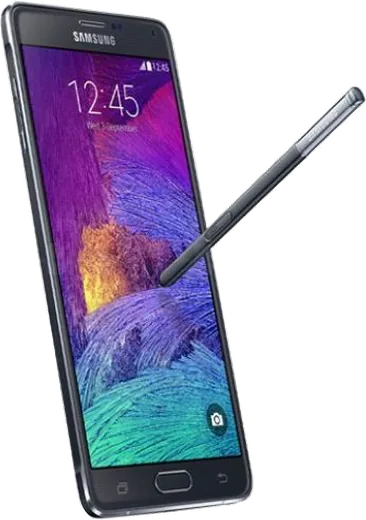
WhatsApp on Samsung Galaxy Note 4
Samsung Android

WhatsApp for Samsung Galaxy Note 4

Install the official WhatsApp on your Samsung Galaxy Note 4 in a few simple steps.

WhatsApp Messenger 4.7 · 64.2M reviews Free · Android · ~40 MB · by WhatsApp LLC
Download WhatsApp

Ask a question / report a problem

You can ask any question about WhatsApp support on the Samsung Galaxy Note 4 — leave it below and we'll help.

Ask a question

Can the Samsung Galaxy Note 4 run WhatsApp?

Supported
  • Operating systemAndroid
  • WhatsApp versionLatest supported

Latest known WhatsApp problems on Samsung Galaxy Note 4

1

Why does WhatsApp no longer support my Galaxy Note 4 on its old Android version?

WhatsApp dropped support for Android 4.1 through 5.0 and is phasing out Android 5.1.1, so older builds eventually fall below the minimum. The Note 4 shipped on Android 4.4 KitKat, and even with Samsung's last official update it tops out at Android 6.0.1 Marshmallow. Check your version under Settings > About phone (or About device) > Software information. If you're still on a 5.0 or earlier firmware you must update to the Note 4's final 6.0.1 build; since no newer official updates exist, the only way to go higher is a custom ROM such as LineageOS. See how others solved this on Reddit
2

Can I still use my Galaxy Note 4 as a daily phone with WhatsApp?

It's doable but aging hardware makes it tight. Stock firmware tops out at Android 6.0.1, which currently still meets WhatsApp's minimum, so the app will install and update from the Play Store. To extend the phone's life further you can flash a maintained custom ROM like LineageOS that targets a newer Android version, then sign in with Google and reinstall WhatsApp. Either way, expect slower performance and shorter battery life, so back up regularly via WhatsApp Settings > Chats > Chat backup to Google Drive. See how others solved this on Reddit
3

WhatsApp won't register or verify my number on my Note 4 after flashing a custom ROM

Verification failures on custom ROMs usually trace to a missing or incomplete Google services setup or a blocked SMS, not WhatsApp itself. Make sure the correct GApps package is flashed for your ROM's Android version, confirm the SIM can receive a normal text, then in WhatsApp request the SMS code and, if it doesn't arrive, use the 'Call me' phone-call verification option. If it still loops, clear WhatsApp's storage under Settings > Apps > WhatsApp > Storage > Clear data and retry on a stable Wi-Fi or mobile data connection. See how others solved this on Reddit
4

Why doesn't WhatsApp replace regular SMS/MMS texting on my Galaxy Note 4?

WhatsApp is a separate internet-based messenger and intentionally does not take over your carrier SMS/MMS, so the two stay in different apps and only work between people who both have WhatsApp installed. On the Note 4, keep using the stock Messages app for SMS and WhatsApp for data-based chats; you can set a default SMS app under Settings > Apps > Default apps > SMS app. There's no setting to merge them, so contacts without WhatsApp will still need a normal text. See how others solved this on Reddit
5

WhatsApp voice notes cut off or stop abruptly on my Samsung Galaxy Note 4

Voice notes stopping early are usually caused by aggressive battery optimization or audio focus being grabbed by another app while recording or playing. Go to Settings > Apps > WhatsApp > Battery and set it to Unrestricted (or remove it from any power-saving and sleeping-app lists), and close media apps like Samsung Music before recording. If playback still stutters, clear the WhatsApp cache under Settings > Apps > WhatsApp > Storage > Clear cache. See how others solved this on Reddit
6

WhatsApp profile pictures keep flickering or won't load on my Note 4

Flickering or blank profile photos are typically a cache and rendering glitch rather than a connection problem. Clear WhatsApp's cache via Settings > Apps > WhatsApp > Storage > Clear cache, then force-stop and reopen the app, and make sure you're on the latest Play Store build. If it persists, check that photos are allowed to download under WhatsApp Settings > Storage and data > Media auto-download. See how others solved this on Reddit

Ask a question / report a problem

You can ask any question about WhatsApp support on the Samsung Galaxy Note 4 — leave it below and we'll help.

Ask a question

Watch: setting up WhatsApp

Prefer to watch? This short walkthrough shows the whole installation and number-verification flow.

How to install WhatsApp on Samsung Galaxy Note 4 — video walkthrough

How to install WhatsApp on Samsung Galaxy Note 4

1

Choose how to download

On your Samsung Galaxy Note 4 you can get the official app two ways: from the Google Play Store — the easiest option, since it keeps WhatsApp updated automatically — or directly from the official website. You can download an APK file, by clicking a link “Download WhatsApp directly”.

2

Open WhatsApp

Launch WhatsApp from your home screen or app drawer and accept the Terms of Service to start setup.

3

Verify your phone number

Enter your phone number. If your Samsung Galaxy Note 4 uses dual SIM, pick the line you want WhatsApp tied to, then enter the 6-digit code it sends by SMS — it usually fills in automatically.

4

Restore chats and finish setup

Restore your chat history from Google Drive (use the same Google account), add your name and photo, and tap Allow for notifications so messages and calls arrive reliably.

Stay safe: only ever install WhatsApp from the official Android source. The Download button above already points there — modified copies (GB/Plus/Aero WhatsApp) can get your number banned.

Comments (4)

No registration needed. No email required.
I
im_noahMay 19, 2026

wow this is the only one that worked for me lol

D
deni.lFeb 22, 2026

Le meilleur site, marché du premier coup sur mon samsung galaxy note 4 👍

C
chris_kAug 31, 2025

well the video helped me understand lol

J
jess1990Apr 15, 2025

i tried everything pls help meee install whatsapp on Samsung Galaxy Note 4 :(

AppWhatsOfficialApr 18, 2025

You are almost there! Tap Download, allow the install, open WhatsApp and confirm your number.