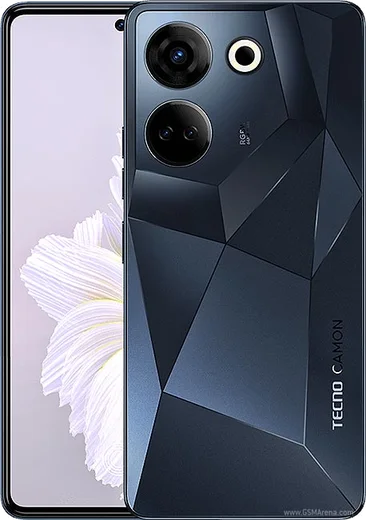
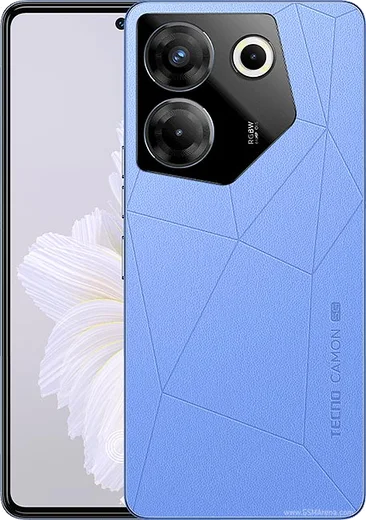
Tecno Android

WhatsApp for Tecno Phantom X2 Pro 5G

Dimensity 9000, 6.8-inch 120Hz AMOLED, retractable lens

WhatsApp Messenger 4.7 · 64.2M reviews Free · Android · ~40 MB · by WhatsApp LLC
Download WhatsApp

Ask a question / report a problem

You can ask any question about WhatsApp support on the Tecno Phantom X2 Pro 5G — leave it below and we'll help.

Ask a question

Can the Tecno Phantom X2 Pro 5G run WhatsApp?

Fully supported
  • Operating systemAndroid
  • ProcessorDimensity 9000
  • WhatsApp versionLatest supported

Latest known WhatsApp problems on Tecno Phantom X2 Pro 5G

1

How do I remove the bloatware and stop the spammy notification ads on my Tecno Phantom X2 Pro 5G?

HiOS ships with preloaded apps (Palmstore, Phoenix Browser, Boomplay, Carlcare and the Phone Master cleaner) that push promotional notifications. Long-press an app icon and choose Uninstall where it's allowed. For system apps you can't remove, go to Settings > Notifications & status bar (or Settings > Apps > [app] > Notifications) and turn that app's notifications off. The biggest offenders are the built-in cleaner/security app and Palmstore, so open each, find the 'recommendations', 'hot apps' or 'content' toggles in its own settings, and switch them off to stop the promoted-app spam. See how others solved this on Reddit
2

Is the Tecno Phantom X2 Pro 5G a good choice compared to other phones, and what should I watch out for?

The hardware is strong (curved AMOLED, the retractable portrait camera, Dimensity 9000 chip), but the main trade-offs are HiOS software polish and slower, less frequent updates than mainstream brands. Before buying, check Settings > System > System update to see your current Android version and security patch level, and keep in mind long-term update support is shorter. If a clean software experience and timely security patches matter more to you than raw specs, weigh that carefully. See how others solved this on Reddit
3

Why does my Tecno Phantom X2 Pro 5G feel laggy over time and how do I speed it up?

HiOS keeps aggressive background processes and accumulated cache that can make the phone stutter after months of use. Clear cache on heavy apps via Settings > Apps > [app] > Storage > Clear cache. Then enable Developer options (Settings > About phone > tap Build number 7 times) and under Settings > System > Developer options set Window, Transition and Animator animation scale to 0.5x for snappier UI. Finally, restrict background activity on apps you rarely use via Settings > Apps > [app] > Battery to cut down background load. See how others solved this on Reddit
4

My Tecno Phantom X2 Pro 5G battery drains faster than expected — how do I fix it?

Real screen-on time depends heavily on background apps, the always-on display and refresh rate. Open Settings > Battery to find the top-draining apps, then set each to 'Restricted' under Settings > Apps > [app] > Battery. Turning off the Always-On Display (Settings > Display > Always-On Display) and dropping the screen to 60Hz under Settings > Display > Refresh rate (or Screen refresh rate) usually give the biggest gains. Enabling battery saver also helps for getting through a full day. See how others solved this on Reddit
5

Can I root my Tecno Phantom X2 Pro 5G, and what are the risks?

Rooting needs an unlocked bootloader plus a patched boot image flashed via Magisk or KernelSU, but Tecno locks the bootloader tightly and unlocking wipes the phone, voids warranty and trips banking apps and Google Play Integrity. If you proceed, enable Settings > System > Developer options > OEM unlocking first, back up everything, then extract the exact boot image matching your firmware build (check Settings > About phone) before patching. A mismatched image will bootloop the device, so only attempt this if you can re-flash the stock firmware. See how others solved this on Reddit

Ask a question / report a problem

You can ask any question about WhatsApp support on the Tecno Phantom X2 Pro 5G — leave it below and we'll help.

Ask a question

Watch: setting up WhatsApp

Prefer to watch? This short walkthrough shows the whole installation and number-verification flow.

How to install WhatsApp on Tecno Phantom X2 Pro 5G — video walkthrough

How to install WhatsApp on Tecno Phantom X2 Pro 5G

1

Choose how to download

On your Tecno Phantom X2 Pro 5G you can get the official app two ways: from the Google Play Store — the easiest option, since it keeps WhatsApp updated automatically — or directly from the official website. You can download an APK file, by clicking a link “Download WhatsApp directly”.

2

Open WhatsApp

Launch WhatsApp from your home screen or app drawer and accept the Terms of Service to start setup.

3

Verify your phone number

Enter your phone number. If your Tecno Phantom X2 Pro 5G uses dual SIM, pick the line you want WhatsApp tied to, then enter the 6-digit code it sends by SMS — it usually fills in automatically.

4

Restore chats and finish setup

Restore your chat history from Google Drive (use the same Google account), add your name and photo, and tap Allow for notifications so messages and calls arrive reliably.

Stay safe: only ever install WhatsApp from the official Android source. The Download button above already points there — modified copies (GB/Plus/Aero WhatsApp) can get your number banned.

Comments (13)

No registration needed. No email required.
I
ivan_solJun 21, 2026

Finally no problems installing on my Tecno Phantom X2 Pro 5G

AppWhatsOfficialJun 24, 2026

Thanks, enjoy the app!

I
im_alexNov 12, 2025

Wow super easy, alles startklar

J
joe87Aug 19, 2025

Tbh all good on my phantom x2 pro 5g now 🔥

L
lucy_ytJul 17, 2025

omg whyyy is this so hard pls help me get whatsapp 😭

AppWhatsOfficialJul 18, 2025

Don't worry, you can do this! Use the Download button, install the app, and enter your number to verify. You got this!

S
stuckkkMay 24, 2025

Pls help my phone has no google services, is it possible anyone

AppWhatsOfficialMay 30, 2025

Hey there, yes you can. Enable 'Install unknown apps' for your browser in Settings, then open the official APK. The steps above cover it. Let us know if you need anything else.

A
apploverMay 19, 2025

Ehi facilissimo, fatto in 2 minuti 💯

L
leo98May 16, 2025

so worked perfect on my tecno phantom x2 pro 5g

A
ali61Apr 13, 2025

أخيراً تمام، واتساب يشتغل

K
kai_priFeb 12, 2025

this worked great on my phantom x2 pro 5g

T
theo_realFeb 6, 2025

perfect, exactly what i needed

N
not_ivanSep 15, 2024

finally had whatsapp on my Tecno Phantom X2 Pro 5G in no time

Z
zoe_officialAug 11, 2024

tbh took me 5 min total thx

B
ben3Jul 10, 2024

Ngl great stuff, much appreciated