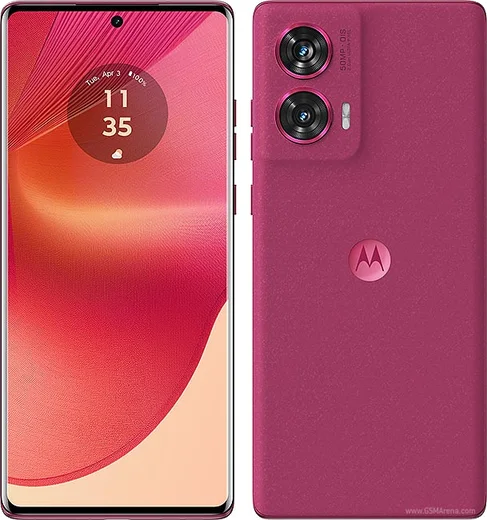
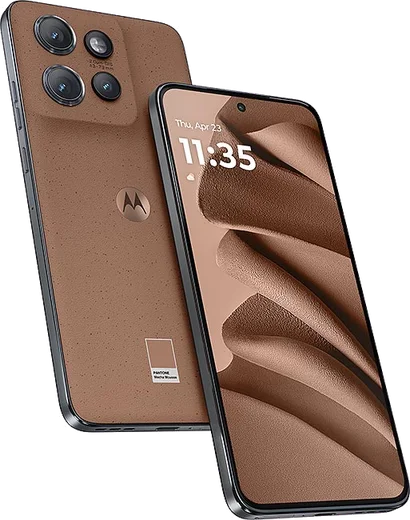
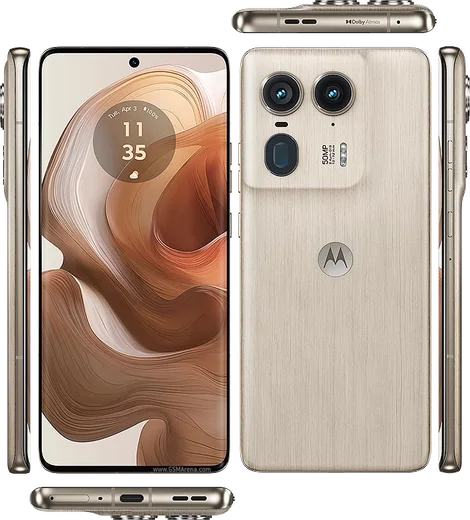
Motorola Android

WhatsApp for Motorola Moto G24

Helio G85, 6.56-inch 90Hz display, 50MP cam

WhatsApp Messenger 4.7 · 64.2M reviews Free · Android · ~40 MB · by WhatsApp LLC
Download WhatsApp

Ask a question / report a problem

You can ask any question about WhatsApp support on the Motorola Moto G24 — leave it below and we'll help.

Ask a question

Can the Motorola Moto G24 run WhatsApp?

Fully supported
  • Operating systemAndroid
  • ProcessorHelio G85
  • WhatsApp versionLatest supported

Latest known WhatsApp problems on Motorola Moto G24

1

Why isn't WhatsApp showing notifications on my Moto G24 unless I open the app?

This is almost always Motorola's aggressive battery optimization killing WhatsApp in the background. Go to Settings > Apps > WhatsApp > Battery and set it to Unrestricted, then open Settings > Battery > Battery optimization, find WhatsApp and choose Don't optimize. Also confirm notifications are allowed under Settings > Apps > WhatsApp > Notifications, and turn off any battery-saver or adaptive battery mode that re-restricts apps after a few days. See how others solved this on Reddit
2

WhatsApp keeps stopping or reloading in the background on my Moto G24 and I miss messages

Motorola closes background apps to save RAM and power, which drops WhatsApp's live connection. Lock WhatsApp in the recent-apps view (tap the recents button, then tap the app icon and select Lock or the padlock), and set Settings > Apps > WhatsApp > Battery to Unrestricted. Disabling Settings > Battery > Adaptive Battery stops the system from re-throttling it later, which keeps messages arriving in real time. See how others solved this on Reddit
3

How do I share WhatsApp and other apps between multiple users on my Moto G24?

Android keeps each user profile separate, so apps installed under one user don't carry over and WhatsApp can only run one account per profile. To install it for another profile, switch users via Settings > System > Multiple users (or the quick-settings user icon), then install WhatsApp from the Play Store inside that profile. If you want two WhatsApp numbers in your own profile, use the built-in WhatsApp dual-account option (Settings > Add account inside WhatsApp) instead of a second user. See how others solved this on Reddit
4

How do I remove the ads, app suggestions and bloatware that came on my Moto G24?

Motorola preinstalls suggested apps and recommendation panels, but most can be removed or silenced. Long-press unwanted apps and choose Uninstall, or go to Settings > Apps > See all apps, tap the extra app, and pick Disable if Uninstall is greyed out. To kill suggestions in the launcher and folders, open Settings > Home screen (or long-press the home screen > Settings) and turn off Suggestions/App recommendations, and disable the Discover feed. See how others solved this on Reddit
5

Why does my Moto G24 have hidden Facebook apps I never installed, and can I remove them?

Motorola ships preloaded Facebook/Meta service stubs that you can't fully uninstall but can disable so they stop running. Go to Settings > Apps > See all apps, tap the menu and choose Show system, then find entries like Facebook App Manager, Facebook App Installer and Facebook Services and tap Disable on each. Disabling them stops the background activity without affecting a Facebook or WhatsApp app you choose to install yourself. See how others solved this on Reddit
6

Audio and video are out of sync in WhatsApp videos and recordings on my Moto G - how do I fix it?

On budget Moto chips the lag usually comes from a heavy video or a glitchy decoder rather than a hardware fault. Clear WhatsApp's cache via Settings > Apps > WhatsApp > Storage > Clear cache, restart the phone, and try playing the clip in Google Files or VLC to rule out WhatsApp's player. If your own recordings drift, lower the camera resolution and make sure the Camera and WhatsApp apps are updated from the Play Store, since codec fixes often arrive in updates. See how others solved this on Reddit

Ask a question / report a problem

You can ask any question about WhatsApp support on the Motorola Moto G24 — leave it below and we'll help.

Ask a question

Watch: setting up WhatsApp

Prefer to watch? This short walkthrough shows the whole installation and number-verification flow.

How to install WhatsApp on Motorola Moto G24 — video walkthrough

How to install WhatsApp on Motorola Moto G24

1

Choose how to download

On your Motorola Moto G24 you can get the official app two ways: from the Google Play Store — the easiest option, since it keeps WhatsApp updated automatically — or directly from the official website. You can download an APK file, by clicking a link “Download WhatsApp directly”.

2

Open WhatsApp

Launch WhatsApp from your home screen or app drawer and accept the Terms of Service to start setup.

3

Verify your phone number

Enter your phone number. If your Motorola Moto G24 uses dual SIM, pick the line you want WhatsApp tied to, then enter the 6-digit code it sends by SMS — it usually fills in automatically.

4

Restore chats and finish setup

Restore your chat history from Google Drive (use the same Google account), add your name and photo, and tap Allow for notifications so messages and calls arrive reliably.

Stay safe: only ever install WhatsApp from the official Android source. The Download button above already points there — modified copies (GB/Plus/Aero WhatsApp) can get your number banned.

Comments (11)

No registration needed. No email required.
Z
zoe_maxMar 29, 2026

ugh been at this for hours pls someone help me 😭

AppWhatsOfficialMar 31, 2026

Take a breath, we got you. Press Download above, then Install, then verify your number. That is all it takes.

K
kev_realJan 24, 2026

tbh everything working now ✌️

L
lou.iJan 22, 2026

Update good job whoever made this cheers

AppWhatsOfficialJan 26, 2026

Good to hear!

S
sol55Dec 7, 2025

all good on my Motorola Moto G24 now 🎉

R
rob_proNov 11, 2025

guys did it without any help, very simple

S
sara_samSep 20, 2025

Smooth install on the moto g24 :)

L
lil_nickJul 29, 2025

Echt ohne probleme installiert danke

W
whyyyyyFeb 13, 2025

Franchement le meilleur site, marché du premier coup

L
leo_omaJan 25, 2025

ngl my motorola moto g24 was being difficult but this sorted it

J
jess36Oct 24, 2024

Couldnt install whatsapp on my moto g24 until i found this

S
sam2000Sep 27, 2024

Guys had whatsapp on my Moto G24 in no time