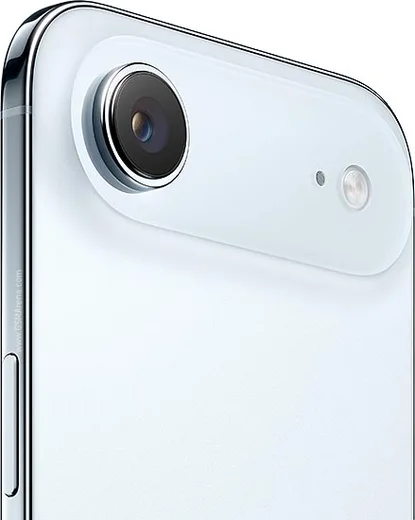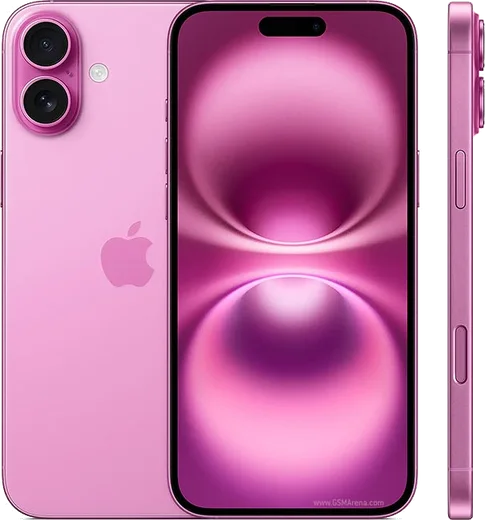
WhatsApp on iPhone 17 Air
Apple iOS

WhatsApp for iPhone 17 Air

Apple A19, 6.6-inch ultra-thin OLED

WhatsApp Messenger 4.7 · 64.2M reviews Free · iOS · ~40 MB · by WhatsApp LLC
Download WhatsApp

Ask a question / report a problem

You can ask any question about WhatsApp support on the iPhone 17 Air — leave it below and we'll help.

Ask a question

Can the iPhone 17 Air run WhatsApp?

Fully supported
  • Operating systemiOS
  • ProcessorApple A19
  • WhatsApp versionLatest supported

Latest known WhatsApp problems on iPhone 17 Air

1

Why is WhatsApp so slow and laggy on my iPhone 17 Air with iOS 26?

This is a known WhatsApp/iOS 26 issue, not a fault with the Air's hardware. First force-close WhatsApp: swipe up from the bottom edge and pause in the middle to open the App Switcher, then flick the WhatsApp card up. Update to the latest build from the App Store, since recent releases have targeted the sluggishness. If it persists, go to Settings > General > iPhone Storage > WhatsApp and tap Offload App, then reinstall from the App Store to clear a bloated cache without losing your chats (your messages stay backed up in iCloud). See how others solved this on Reddit
2

WhatsApp calls lag and stutter on my iPhone 17 Air, how do I fix it?

Call lag on the iPhone 17 lineup is usually a software or connectivity problem rather than the Air's modem. In WhatsApp go to Settings > Storage and Data and turn on Use Less Data for Calls, and make sure both you and the person you are calling are on the newest app version. If it only happens on Wi-Fi, try toggling Settings > Wi-Fi, tap the info (i) button next to your network, and turn Private Wi-Fi Address off, or test the call on cellular data to see if the network is the bottleneck. See how others solved this on Reddit
3

My WhatsApp didn't transfer when I moved to my new iPhone 17 Air, what now?

Move to iOS (Apple's switch tool) does not always carry WhatsApp chats across by itself, so the data often has to be moved separately. If you came from another iPhone, on your old phone open WhatsApp > Settings > Chats > Chat Backup and run a fresh iCloud backup using the same Apple ID, then reinstall WhatsApp on the Air with the same phone number and restore when prompted. If you came from Android, you must use WhatsApp's built-in chat-transfer flow during the new phone's setup, since iCloud backups don't cross platforms and a Move to iOS data transfer can miss WhatsApp. See how others solved this on Reddit
4

Why do photos I send on WhatsApp from my iPhone 17 Air come through as Live Photos or look wrong?

WhatsApp does not send the Live portion, so a Live Photo is shared as a still and can lose the frame you expected. When attaching a picture, tap the LIVE badge in the top corner of the editor to switch it off before sending. To stop shooting Live by default, open the Camera app, tap the Live Photos icon (the circles at the top) to turn it off, and set Settings > Camera > Preserve Settings > Live Photo on so it stays off. For sharper results, choose HD when WhatsApp's quality prompt appears instead of Standard. See how others solved this on Reddit
5

Voice messages won't play or record properly in WhatsApp on my iPhone 17 Air, how do I fix it?

This usually traces back to a microphone permission or audio-routing glitch after an iOS update or restore. Go to Settings > Apps > WhatsApp (or Settings > WhatsApp) and confirm Microphone is enabled. If voice notes still fail to record or play, disconnect any paired Bluetooth headset, force-quit WhatsApp, and restart the Air, since iOS can route the mic or playback to a phantom audio device. See how others solved this on Reddit
6

Is the iPhone 17 Air a good choice for heavy WhatsApp use, or should I get the 17 or 17 Pro?

For WhatsApp specifically, the Air handles messaging, calls, and media just as well as the standard 17 and 17 Pro, since all three run the same iOS 26 app. The Air's real trade-off is battery life and the single rear camera, not WhatsApp performance, so if you make long video calls daily the larger battery in the 17 or 17 Pro may serve you better. Any lag you read about affects the whole iPhone 17 family equally and is fixed on the app side, not by picking a pricier model. See how others solved this on Reddit

Ask a question / report a problem

You can ask any question about WhatsApp support on the iPhone 17 Air — leave it below and we'll help.

Ask a question

Watch: setting up WhatsApp

Prefer to watch? This short walkthrough shows the whole installation and number-verification flow.

How to install WhatsApp on iPhone 17 Air — video walkthrough

How to install WhatsApp on iPhone 17 Air

1

Open the App Store

Unlock your iPhone 17 Air and tap the blue App Store icon on the Home Screen. WhatsApp is not preinstalled on any iPhone, so you install it from here.

2

Search for WhatsApp Messenger

Tap the Search tab at the bottom right, type WhatsApp Messenger, and confirm the publisher shows as WhatsApp Inc. so you don't download a copycat app.

3

Download and install

Tap Get, then authenticate with Face ID or Touch ID (or your Apple Account password). The app downloads to your Home Screen in a few seconds.

4

Verify your phone number

Open WhatsApp, accept the terms, and enter your phone number. If your iPhone 17 Air uses dual SIM, pick the line you want WhatsApp tied to, then enter the 6-digit code it sends by SMS — it usually fills in automatically.

5

Restore chats and finish setup

Sign in to iCloud with the same Apple Account to restore an existing chat backup, add your name and photo, and tap Allow for notifications so messages and calls arrive reliably.

Stay safe: only ever install WhatsApp from the official iOS source. The Download button above already points there — modified copies (GB/Plus/Aero WhatsApp) can get your number banned.

Comments (17)

No registration needed. No email required.
S
sara_samJun 10, 2026

so did this on my iPhone 17 Air and it just worked thanks again

O
omar10May 27, 2026

Guys the app opens to a black screen pls

AppWhatsOfficialJun 2, 2026

Thanks for asking, restart the phone, and if the black screen stays, clear the app data and install the latest build again. Glad to help.

J
joe_sarApr 3, 2026

Honestly my new 17 air is all set up now 🔥

M
mr_omarMar 27, 2026

Update whatsapp works fine on my 17 air 🎉

P
pleaseeeJan 3, 2026

Anyone? is this gb whatsapp pls

AppWhatsOfficialJan 7, 2026

Sure, it is the official WhatsApp from the real app store. We do not recommend modded versions like GB or Plus, they can get your number banned.

J
just_pabloNov 13, 2025

perfect steps for the iPhone 17 Air 🔥

AppWhatsOfficialNov 17, 2025

Thanks, enjoy the app!

B
big_rosaOct 10, 2025

Ehi il miglior sito, al primo colpo

A
ahmed67Oct 2, 2025

أخيراً تمام، واتساب يشتغل

D
deni_greSep 24, 2025

tutto funziona, mille grazie

P
priya_noaJul 15, 2025

Hey can i use the same number on two phones thanks

AppWhatsOfficialJul 21, 2025

You can link extra devices from Settings, that lets the same number work on another phone. Feel free to ask if you get stuck.

M
mr_rajMay 20, 2025

hey where do i change my profile photo

AppWhatsOfficialMay 26, 2025

No worries, in Settings tap your profile at the top, then the camera icon lets you pick or take a new picture.

S
speedyApr 22, 2025

Hi the code never arrives, what do i do anyone

AppWhatsOfficialApr 23, 2025

Double check the country code and that you have signal, then request a fresh SMS code. If it still fails, wait a few minutes before trying again. Feel free to ask if you get stuck.

K
kate_kaiDec 19, 2024

pls help stuck on a black screen after install thanks

AppWhatsOfficialDec 25, 2024

Thanks for asking, try restarting your phone first. If it still wont open, clear the cache or reinstall the latest version from the official source. Reach out anytime.

B
ben_solNov 4, 2024

finalmente ha funzionato subito sul mio iphone 17air

T
techguyOct 16, 2024

Someone help meee i pressed everything and nothing

AppWhatsOfficialOct 17, 2024

Don't worry, you can do this! Use the Download button, install the app, and enter your number to verify. You will be set up on your phone in no time.

N
noah_proJul 19, 2024

Omg super easy to follow

P
priya.rJul 13, 2024

Omg no registration needed, love that