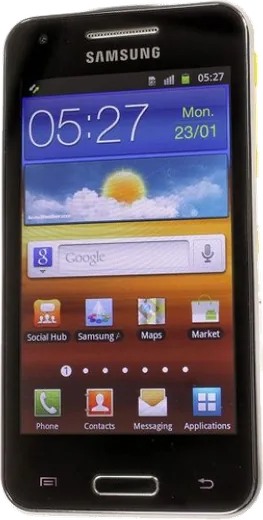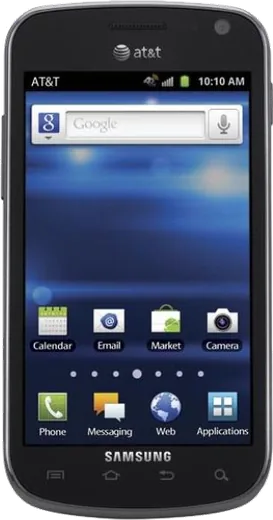
WhatsApp on Samsung I8530 Galaxy Beam
Samsung Android

WhatsApp for Samsung I8530 Galaxy Beam

Install the official WhatsApp on your Samsung I8530 Galaxy Beam in a few simple steps.

WhatsApp Messenger 4.7 · 64.2M reviews Free · Android · ~40 MB · by WhatsApp LLC
Download WhatsApp

Ask a question / report a problem

You can ask any question about WhatsApp support on the Samsung I8530 Galaxy Beam — leave it below and we'll help.

Ask a question

Can the Samsung I8530 Galaxy Beam run WhatsApp?

Not supported
  • Operating systemAndroid
  • WhatsApp versionNot supported

Latest known WhatsApp problems on Samsung I8530 Galaxy Beam

1

Can the Samsung Galaxy Beam still run WhatsApp and social media apps in 2025?

No. The Galaxy Beam tops out at Android 4.1.2 Jelly Bean, but WhatsApp dropped support for anything below Android 5.0 years ago, so the current app will not install or activate from the Play Store. Facebook and Instagram also block these old OS versions, so the Beam can only run very old archived APKs that usually no longer log in reliably. See how others solved this on Reddit
2

Is there a custom ROM to get Android 5 or higher on the Galaxy Beam I8530?

There is no official or maintained LineageOS build for the I8530, so you cannot cleanly reach Android 5+. The dual-core chipset and 768 MB of RAM mean only experimental community ports exist, and they tend to break the projector, camera, or radio. If you want to experiment, flash via Odin in Download mode (hold Volume Down, Home, and Power), but back up your stock firmware first. For daily use, stay on the latest official firmware via Settings, About phone, Software update. See how others solved this on Reddit
3

What still works if I use a Galaxy Beam as my main phone today?

Calls, SMS, the camera, the built-in projector, and offline tools still work fine, and you can sideload older APKs for basic tasks. What breaks is anything needing modern TLS or current app versions: banking apps, WhatsApp, and many websites in the old browser fail to connect. Use it on Wi-Fi with a lightweight browser and treat data-heavy or login-based apps as unreliable. See how others solved this on Reddit
4

Why does the Galaxy Beam's built-in projector drain the battery and get warm so fast?

The DLP pico projector uses a high-power LED that pulls far more current than the screen, which is exactly why the Beam shipped with a large 2000 mAh battery for its era. Heavy drain and noticeable heat during projection are normal. Keep it on the charger while projecting, lower the projector brightness, and limit sessions to short clips. If it shuts off, let it cool, since a thermal cutoff protects the lamp. See how others solved this on Reddit
5

How do I check what Android version my Galaxy Beam is running and whether it's the final update?

Go to Settings, then About phone (or About device), and read the Android version and Baseband/Build number fields. The I8530 launched on Gingerbread 2.3 and received an official Android 4.1.2 Jelly Bean update in many regions, which is the last official build. Use Software update on Wi-Fi to confirm you are current; nothing newer is delivered by Samsung for this model. See how others solved this on Reddit
6

Can I use the Galaxy Beam for VoIP or WhatsApp calling on Wi-Fi?

VoIP quality is poor on this hardware because the old OS lacks modern audio codecs and the dual-core, 768 MB setup struggles with real-time encoding, causing lag and dropouts. Current SIP and WhatsApp calling apps also refuse to install on Android 4.1. If you must, use an old SIP client over a strong Wi-Fi signal and keep expectations low; for reliable calls, use the normal cellular voice network instead. See how others solved this on Reddit

Ask a question / report a problem

You can ask any question about WhatsApp support on the Samsung I8530 Galaxy Beam — leave it below and we'll help.

Ask a question

Watch: setting up WhatsApp

Prefer to watch? This short walkthrough shows the whole installation and number-verification flow.

How to install WhatsApp on Samsung I8530 Galaxy Beam — video walkthrough

How to install WhatsApp on Samsung I8530 Galaxy Beam

1

Choose how to download

On your Samsung I8530 Galaxy Beam you can get the official app two ways: from the Google Play Store — the easiest option, since it keeps WhatsApp updated automatically — or directly from the official website. You can download an APK file, by clicking a link “Download WhatsApp directly”.

2

Open WhatsApp

Launch WhatsApp from your home screen or app drawer and accept the Terms of Service to start setup.

3

Verify your phone number

Enter your phone number. If your Samsung I8530 Galaxy Beam uses dual SIM, pick the line you want WhatsApp tied to, then enter the 6-digit code it sends by SMS — it usually fills in automatically.

4

Restore chats and finish setup

Restore your chat history from Google Drive (use the same Google account), add your name and photo, and tap Allow for notifications so messages and calls arrive reliably.

Stay safe: only ever install WhatsApp from the official Android source. The Download button above already points there — modified copies (GB/Plus/Aero WhatsApp) can get your number banned.

Comments (4)

No registration needed. No email required.
A
andy_noaMar 27, 2026

Whatsapp is working on my i8530 galaxy Beam now

Q
quickfixJan 16, 2026

hey i tried everything pls help meee install whatsapp on i8530 galaxy beam :(

AppWhatsOfficialJan 18, 2026

Don't worry, you can do this! Use the Download button, install the app, and enter your number to verify.

A
anonJul 5, 2025

Ngl finally got whatsapp running on my Samsung I8530 Galaxy Beam thanks again

M
mike_xSep 30, 2024

hey auf dem I8530 Galaxy Beam meiner mutter problemlos installiert danke