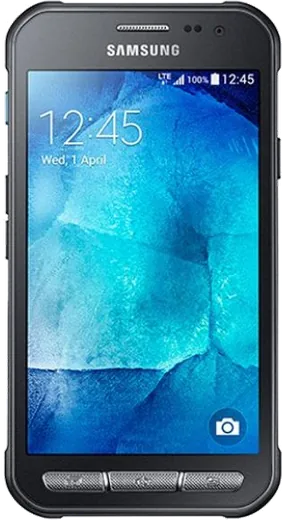
WhatsApp on Samsung Galaxy XCover 3
Samsung Android

WhatsApp for Samsung Galaxy XCover 3

Install the official WhatsApp on your Samsung Galaxy XCover 3 in a few simple steps.

WhatsApp Messenger 4.7 · 64.2M reviews Free · Android · ~40 MB · by WhatsApp LLC
Download WhatsApp

Ask a question / report a problem

You can ask any question about WhatsApp support on the Samsung Galaxy XCover 3 — leave it below and we'll help.

Ask a question

Can the Samsung Galaxy XCover 3 run WhatsApp?

Support ending soon
  • Operating systemAndroid
  • WhatsApp versionLatest supported

Latest known WhatsApp problems on Samsung Galaxy XCover 3

1

Will WhatsApp stop working on my Samsung Galaxy XCover 3?

Most likely yes. The XCover 3 shipped with Android 4.4 KitKat and can be updated to Android 5.1.1 Lollipop at best, which is below WhatsApp's current minimum (Android 5.1 is the borderline cutoff and newer features increasingly require more). Once your device falls under the minimum, WhatsApp stops getting updates and eventually stops connecting. Back up your chats now and plan to move to a newer phone running a current Android version if you rely on WhatsApp daily. See how others solved this on Reddit
2

How do I get WhatsApp popup notifications back on my Galaxy XCover 3?

In WhatsApp, tap the three-dot menu > Settings > Notifications and make sure Message notifications are on with Popup set to 'Always show popup' and a sound/light selected. Then open the phone's Settings > Apps (or Application manager) > WhatsApp > Notifications and confirm 'Show notifications' is enabled. On the XCover 3 (Android 5.1) also check Settings > Apps > WhatsApp and ensure it isn't restricted, and disable any third-party battery-saver or task-killer app that may be closing WhatsApp in the background. See how others solved this on Reddit
3

WhatsApp media won't download on my Samsung XCover 3 - how do I fix it?

First open Settings > Apps (Application manager) > WhatsApp > Permissions and confirm Storage is allowed, since the XCover 3 often saves media to the microSD card and a blocked permission stops downloads. Then in WhatsApp go to Settings > Storage and data > Media auto-download and enable photos/video for mobile data and Wi-Fi. Finally verify the phone's date and time are correct (Settings > Date and time > Automatic), because a wrong clock breaks WhatsApp's secure connection and blocks media. See how others solved this on Reddit
4

What's the best way to transfer my WhatsApp chats off the Galaxy XCover 3 to a new phone?

On the XCover 3, open WhatsApp > Settings > Chats > Chat backup and run a backup to Google Drive (and a local backup to the SD card as a fallback) using the same Google account you'll use on the new phone. When you install WhatsApp on the new Android device and verify the same phone number, it detects the Google Drive backup and offers to restore your chats. Moving to an iPhone instead requires WhatsApp's official Move to iOS / transfer tool, as Google Drive backups don't restore on iPhone. See how others solved this on Reddit
5

WhatsApp keeps disconnecting or freezing on my Samsung Galaxy XCover 3 - what's wrong?

On this older device it's usually a third-party battery/power-saving app or a rugged-phone power-saving mode closing WhatsApp in the background, plus a full cache slowing things down. Make sure WhatsApp is excluded from any battery-saver or task-killer app, keep Settings > Accounts auto-sync on, and clear WhatsApp's cache via Settings > Apps (Application manager) > WhatsApp > Storage > Clear cache (this is safe and won't delete chats). If it still freezes, reinstalling WhatsApp after a Google Drive backup often helps on the aging XCover 3. See how others solved this on Reddit
6

How do I undo an 'Always open with' choice that's sending WhatsApp links to the wrong app?

Open Settings > Apps (Application manager), find the app currently set as the default, tap it and choose 'Clear defaults' to remove the 'Always open with' association so the phone asks you again next time. If you can't find which app it is, use the three-dot menu in Settings > Apps and pick 'Reset app preferences' to clear all default-app choices at once (this won't delete any data). See how others solved this on Reddit

Ask a question / report a problem

You can ask any question about WhatsApp support on the Samsung Galaxy XCover 3 — leave it below and we'll help.

Ask a question

Watch: setting up WhatsApp

Prefer to watch? This short walkthrough shows the whole installation and number-verification flow.

How to install WhatsApp on Samsung Galaxy XCover 3 — video walkthrough

How to install WhatsApp on Samsung Galaxy XCover 3

1

Choose how to download

On your Samsung Galaxy XCover 3 you can get the official app two ways: from the Google Play Store — the easiest option, since it keeps WhatsApp updated automatically — or directly from the official website. You can download an APK file, by clicking a link “Download WhatsApp directly”.

2

Open WhatsApp

Launch WhatsApp from your home screen or app drawer and accept the Terms of Service to start setup.

3

Verify your phone number

Enter your phone number. If your Samsung Galaxy XCover 3 uses dual SIM, pick the line you want WhatsApp tied to, then enter the 6-digit code it sends by SMS — it usually fills in automatically.

4

Restore chats and finish setup

Restore your chat history from Google Drive (use the same Google account), add your name and photo, and tap Allow for notifications so messages and calls arrive reliably.

Stay safe: only ever install WhatsApp from the official Android source. The Download button above already points there — modified copies (GB/Plus/Aero WhatsApp) can get your number banned.

Comments (7)

No registration needed. No email required.
B
big_kevMay 11, 2026

Ehi installato sul xcover 3 di mia madre senza problemi grazie

J
just_kateFeb 10, 2026

yo did this on my Samsung Galaxy XCover 3 and it just worked 🎉

B
ben2000Jan 28, 2026

the Galaxy XCover 3 steps actually work unlike other sites

A
amy00Nov 18, 2025

Well my new Galaxy XCover 3 is all set up now :)

W
whatsappfanApr 26, 2025

Finally a guide that makes sense 😍

N
noah_xFeb 1, 2025

someone my whole family is waiting pls help me install it 😭😭

AppWhatsOfficialFeb 2, 2025

Take a breath, we got you. Press Download above, then Install, then verify your number. That is all it takes. It is easier than it looks, promise.

A
andy_kSep 19, 2024

Honestly this fixed whatsapp on my xcover3

AppWhatsOfficialSep 23, 2024

Thanks for the feedback!