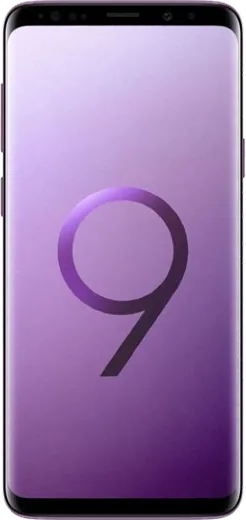
WhatsApp on Samsung Galaxy S9+
Samsung Android

WhatsApp for Samsung Galaxy S9+

Install the official WhatsApp on your Samsung Galaxy S9+ in a few simple steps.

WhatsApp Messenger 4.7 · 64.2M reviews Free · Android · ~40 MB · by WhatsApp LLC
Download WhatsApp

Ask a question / report a problem

You can ask any question about WhatsApp support on the Samsung Galaxy S9+ — leave it below and we'll help.

Ask a question

Can the Samsung Galaxy S9+ run WhatsApp?

Fully supported
  • Operating systemAndroid
  • WhatsApp versionLatest supported

Latest known WhatsApp problems on Samsung Galaxy S9+

1

How do I restore my WhatsApp chat backup on the Galaxy S9+?

Make sure the same phone number and the same Google account that created the backup are signed in, then uninstall and reinstall WhatsApp from the Play Store. During setup, after you verify your number, WhatsApp checks Google Drive and prompts you to restore. If the prompt never appears, confirm the backup exists under WhatsApp > Settings > Chats > Chat backup, and that the Google account listed there matches the one tied to your S9+ in Settings > Accounts and backup. See how others solved this on Reddit
2

I lost years of WhatsApp chats while switching phones, can I get them back?

Restore only works from a backup tied to the same phone number, so check WhatsApp > Settings > Chats > Chat backup for the date of your last Google Drive backup before doing anything else. If a local backup file still exists, connect the S9+ to a PC and look in Internal storage > Android > media > com.whatsapp > WhatsApp > Databases, then reinstall WhatsApp and it will offer to restore the newest .crypt file. Never delete the app or wipe storage until you have confirmed a usable backup, since WhatsApp keeps no copy on its servers. See how others solved this on Reddit
3

WhatsApp is eating up too much storage on my S9+, how do I free space?

Open WhatsApp > Settings > Storage and data > Manage storage to see which chats hold the largest files, then delete forwarded videos and big media you no longer need. Turn off auto-download under Settings > Storage and data by unchecking photos, audio, video and documents for mobile and Wi-Fi. You can also clear the cache from the S9+ Settings > Apps > WhatsApp > Storage > Clear cache without losing your messages. See how others solved this on Reddit
4

Why does WhatsApp keep saving every image to my Galaxy gallery?

In WhatsApp go to Settings > Chats and turn off Media visibility to stop new downloads from appearing in your Gallery app. To change it for one conversation, open the chat, tap the contact or group name, choose Media visibility and set it to No. This in-app toggle is the reliable fix on One UI; images already saved stay in the Gallery until you delete them manually. See how others solved this on Reddit
5

WhatsApp crashes whenever I try to send a video on my S9+, what's wrong?

First update WhatsApp from the Play Store, since send crashes are usually fixed in newer builds. Then clear the app cache via Settings > Apps > WhatsApp > Storage > Clear cache, and if large clips still crash, trim them in the Gallery editor or send them as a document so WhatsApp skips its compression step. Freeing storage and restarting the phone also helps, as the S9+ can fail mid-upload when memory is tight. See how others solved this on Reddit
6

WhatsApp is using my mobile data even on Wi-Fi, how do I stop it?

Open WhatsApp > Settings > Storage and data and set auto-download to Wi-Fi only, and turn on Use less data for calls if you want to trim call data. On the S9+, also check Settings > Apps > WhatsApp > Mobile data and turn off Allow background data usage, or restrict it while Data saver is on. Finally, under Settings > Connections > Wi-Fi > Advanced, turn off Switch to mobile data (adaptive Wi-Fi) so the phone does not jump to cellular when the Wi-Fi signal dips. See how others solved this on Reddit

Ask a question / report a problem

You can ask any question about WhatsApp support on the Samsung Galaxy S9+ — leave it below and we'll help.

Ask a question

Watch: setting up WhatsApp

Prefer to watch? This short walkthrough shows the whole installation and number-verification flow.

How to install WhatsApp on Samsung Galaxy S9+ — video walkthrough

How to install WhatsApp on Samsung Galaxy S9+

1

Choose how to download

On your Samsung Galaxy S9+ you can get the official app two ways: from the Google Play Store — the easiest option, since it keeps WhatsApp updated automatically — or directly from the official website. You can download an APK file, by clicking a link “Download WhatsApp directly”.

2

Open WhatsApp

Launch WhatsApp from your home screen or app drawer and accept the Terms of Service to start setup.

3

Verify your phone number

Enter your phone number. If your Samsung Galaxy S9+ uses dual SIM, pick the line you want WhatsApp tied to, then enter the 6-digit code it sends by SMS — it usually fills in automatically.

4

Restore chats and finish setup

Restore your chat history from Google Drive (use the same Google account), add your name and photo, and tap Allow for notifications so messages and calls arrive reliably.

Stay safe: only ever install WhatsApp from the official Android source. The Download button above already points there — modified copies (GB/Plus/Aero WhatsApp) can get your number banned.

Comments (8)

No registration needed. No email required.
R
rob99Apr 1, 2026

Hi im not getting the sms code ?

AppWhatsOfficialApr 6, 2026

Hi! Double check the country code and that you have signal, then request a fresh SMS code. If it still fails, wait a few minutes before trying again. Let us know if you need anything else.

J
just_jayNov 22, 2025

ok so 10 out of 10 🙏

AppWhatsOfficialNov 25, 2025

Happy it helped you!

M
maxx63Nov 22, 2025

hey i tried everything pls help meee install whatsapp on Galaxy S9+ pls

AppWhatsOfficialNov 24, 2025

You are almost there! Tap Download, allow the install, open WhatsApp and confirm your number.

N
nightowlJul 15, 2025

pls help my contacts are not showing up in whatsapp pls

AppWhatsOfficialJul 16, 2025

Of course, add the contact in your phone with the full country code, then open WhatsApp and refresh. They should appear. Enjoy WhatsApp on your your phone!

J
jay.tMay 20, 2025

hé très simple, fait en 2 minutes sur mon samsung galaxy s9+ 🎉

E
eeeeeemmmmmaaaaaFeb 2, 2025

Man smooth install on the Samsung Galaxy S9+ :)

K
kate65Jan 16, 2025

Guys does whatsapp support the galaxy s9+ anyone

AppWhatsOfficialJan 20, 2025

The your phone works great with WhatsApp. Keep your system software current and you are good to go. Feel free to ask if you get stuck.

R
raj_petJul 23, 2024

Ngl all good on my galaxy s9+ now