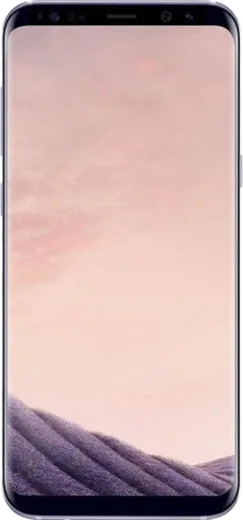
WhatsApp on Samsung Galaxy S8+
Samsung Android

WhatsApp for Samsung Galaxy S8+

Install the official WhatsApp on your Samsung Galaxy S8+ in a few simple steps.

WhatsApp Messenger 4.7 · 64.2M reviews Free · Android · ~40 MB · by WhatsApp LLC
Download WhatsApp

Ask a question / report a problem

You can ask any question about WhatsApp support on the Samsung Galaxy S8+ — leave it below and we'll help.

Ask a question

Can the Samsung Galaxy S8+ run WhatsApp?

Fully supported
  • Operating systemAndroid
  • WhatsApp versionLatest supported

Latest known WhatsApp problems on Samsung Galaxy S8+

1

How do I move WhatsApp and all my chats to my new Galaxy S8+?

The most reliable path on Android is a Google Drive backup. On your old phone open WhatsApp > tap the three dots > Settings > Chats > Chat backup and tap Back Up, making sure it's linked to a Google account you can also sign in to on the S8+. Then install WhatsApp from the Play Store on the S8+, verify the same phone number, and when prompted sign in with that Google account; WhatsApp will detect the backup and offer to restore your chats. Restore only works during this first-time setup, so don't skip it. (Samsung Smart Switch reliably moves apps, photos and contacts, but historically does not transfer WhatsApp message history, so use the Drive backup for your chats.) See how others solved this on Reddit
2

Can I run two WhatsApp accounts at once on the Galaxy S8+?

Yes, the most dependable method on the S8+ is Samsung's Secure Folder. Go to Settings > Biometrics and security > Secure Folder and set it up, then add a second copy of WhatsApp inside the folder and verify it with your second phone number. The app inside Secure Folder runs as a fully separate instance with its own data, so you can keep both accounts logged in side by side. See how others solved this on Reddit
3

Why am I not getting WhatsApp notifications on my S8+ until I open the app?

This is almost always Samsung's battery optimization putting WhatsApp to sleep in the background. Go to Settings > Apps > WhatsApp > Battery and set it to Unrestricted, and remove WhatsApp from any "sleeping" or "deep sleeping" apps list under Settings > Device care (Battery and device care) > Battery > Background usage limits. Then confirm Settings > Apps > WhatsApp > Notifications is on, and that in-app WhatsApp Settings > Notifications has sound and high-priority pop-ups enabled. See how others solved this on Reddit
4

How do I back up my WhatsApp chats on the Galaxy S8+ so I don't lose them?

Open WhatsApp > three dots > Settings > Chats > Chat backup, link your Google account, and tap Back Up to send a copy to Google Drive; you can also set a daily, weekly or monthly schedule and choose whether to include videos. WhatsApp also writes a local backup to internal storage every morning (in the WhatsApp Databases folder), which you can copy to a PC as an extra safety net before any reset or transfer. See how others solved this on Reddit
5

I lost my WhatsApp chats from years ago on my S8 with no backup — can I recover them?

If you never enabled a Google Drive or local backup, the messages lived only in the app's database and there's no official way to bring them back once they're gone. Stop using the phone so you don't overwrite the storage, then check internal storage for any leftover msgstore .db.crypt files in the WhatsApp Databases folder, which you can try restoring on a fresh install using the same phone number. If nothing remains, only a professional data-recovery service has even a slim chance, and success on years-old deleted app data is far from guaranteed. See how others solved this on Reddit
6

Is the Galaxy S8+ still safe to use for WhatsApp in 2026?

The S8+ is stuck on Android 9 with no more security updates, and WhatsApp periodically raises its minimum supported Android version, so at some point newer releases may stop installing or updating from the Play Store. Avoid modded clients like GBWhatsApp as a workaround, since they risk account bans and have no security backing; keep the official app updated for as long as it's supported. For everyday messaging the phone still works fine, but plan to migrate your number and Drive backup to a newer device before official support ends. See how others solved this on Reddit

Ask a question / report a problem

You can ask any question about WhatsApp support on the Samsung Galaxy S8+ — leave it below and we'll help.

Ask a question

Watch: setting up WhatsApp

Prefer to watch? This short walkthrough shows the whole installation and number-verification flow.

How to install WhatsApp on Samsung Galaxy S8+ — video walkthrough

How to install WhatsApp on Samsung Galaxy S8+

1

Choose how to download

On your Samsung Galaxy S8+ you can get the official app two ways: from the Google Play Store — the easiest option, since it keeps WhatsApp updated automatically — or directly from the official website. You can download an APK file, by clicking a link “Download WhatsApp directly”.

2

Open WhatsApp

Launch WhatsApp from your home screen or app drawer and accept the Terms of Service to start setup.

3

Verify your phone number

Enter your phone number. If your Samsung Galaxy S8+ uses dual SIM, pick the line you want WhatsApp tied to, then enter the 6-digit code it sends by SMS — it usually fills in automatically.

4

Restore chats and finish setup

Restore your chat history from Google Drive (use the same Google account), add your name and photo, and tap Allow for notifications so messages and calls arrive reliably.

Stay safe: only ever install WhatsApp from the official Android source. The Download button above already points there — modified copies (GB/Plus/Aero WhatsApp) can get your number banned.

Comments (7)

No registration needed. No email required.
J
jess69Mar 3, 2026

Perfect steps for the galaxy s8+ ❤️

N
needwhatsappNov 14, 2025

Tbh my Samsung Galaxy S8+ has whatsapp now thanks to this thx

R
raj00May 27, 2025

yo worked like a charm thanks again

R
rob_theApr 12, 2025

hé merci, mon Galaxy S8+ a whatsapp maintenant

N
noobmasterNov 20, 2024

you guys are life savers 😍

L
lil_louJul 27, 2024

finally saved me so much time cheers

B
big_leoJul 25, 2024

stuck and so stressed how do i get whatsapp on Galaxy S8+ pls

AppWhatsOfficialJul 26, 2024

Don't worry, you can do this! Use the Download button, install the app, and enter your number to verify.