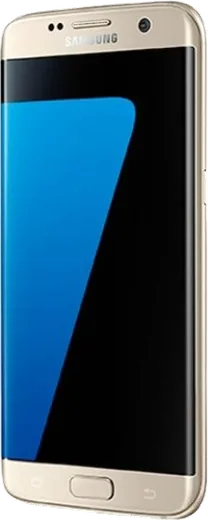
WhatsApp on Samsung Galaxy S7 edge
Samsung Android

WhatsApp for Samsung Galaxy S7 edge

Install the official WhatsApp on your Samsung Galaxy S7 edge in a few simple steps.

WhatsApp Messenger 4.7 · 64.2M reviews Free · Android · ~40 MB · by WhatsApp LLC
Download WhatsApp

Ask a question / report a problem

You can ask any question about WhatsApp support on the Samsung Galaxy S7 edge — leave it below and we'll help.

Ask a question

Can the Samsung Galaxy S7 edge run WhatsApp?

Fully supported
  • Operating systemAndroid
  • WhatsApp versionLatest supported

Latest known WhatsApp problems on Samsung Galaxy S7 edge

1

Will WhatsApp still work on my Galaxy S7 edge, or is support being dropped?

WhatsApp requires Android 5.0 or newer, and the Galaxy S7 edge runs up to Android 8.0 Oreo, so it stays supported well past the cutoffs that affect much older phones. To keep it current, open the Play Store, tap your profile icon, go to Manage apps & device, and update WhatsApp. If an update stalls, clear the store's cache under Settings > Apps > Google Play Store > Storage > Clear cache, then retry, rather than reinstalling. See how others solved this on Reddit
2

Is the Galaxy S7 edge still usable in 2025 for WhatsApp and everyday apps?

Yes, the S7 edge still handles WhatsApp, calls, and messaging fine, though it no longer receives Samsung security patches, so install apps only from the Play Store and keep WhatsApp updated. Free up space via Settings > Device maintenance > Storage and clear cached data, since a near-full 32GB phone is the most common reason WhatsApp feels sluggish or fails to back up. See how others solved this on Reddit
3

WhatsApp keeps losing connection to WhatsApp Web on my S7 edge, how do I fix it?

WhatsApp Web relies on your phone staying online, so disable battery optimization for WhatsApp under Settings > Apps > WhatsApp > Battery > Optimize battery usage and toggle it off, so the system doesn't sleep the app on Wi-Fi. Also turn off Settings > Connections > Wi-Fi > Advanced > Switch to mobile data, then re-link the session from WhatsApp > Settings > Linked devices, since an unstable phone connection is what drops the web pairing. See how others solved this on Reddit
4

There's no Enter key on the keyboard in WhatsApp on my Galaxy S7 edge, how do I add a line break?

This happens because WhatsApp's 'Enter is send' setting turns the return key into a send action. Open WhatsApp > Settings > Chats and toggle off 'Enter is send' so the Enter key inserts a line break instead of sending. If you prefer a dedicated, always-visible Enter key, install Gboard from the Play Store and set it as your keyboard under Settings > General management > Keyboard list and default. See how others solved this on Reddit
5

What does the blinking LED notification light mean for a WhatsApp message on the S7 edge?

The S7 edge has a front LED that blinks for unread notifications, and you can give WhatsApp a distinct color so you know it's a chat at a glance. Enable it under Settings > Display > LED indicator, then inside WhatsApp open Settings > Notifications > Message notifications > Light and pick a color, so a specific blink tells you a WhatsApp message is waiting. See how others solved this on Reddit
6

Is it safe to install WhatsApp Plus on my Galaxy S7 edge?

WhatsApp Plus is an unofficial modified APK that isn't on the Play Store, so installing it means sideloading from an untrusted source and risking a permanent ban of your number by WhatsApp. Stick with the official app from the Play Store; if you want extra features safely, install WhatsApp Business instead, which is official and downloads normally on the S7 edge. See how others solved this on Reddit

Ask a question / report a problem

You can ask any question about WhatsApp support on the Samsung Galaxy S7 edge — leave it below and we'll help.

Ask a question

Watch: setting up WhatsApp

Prefer to watch? This short walkthrough shows the whole installation and number-verification flow.

How to install WhatsApp on Samsung Galaxy S7 edge — video walkthrough

How to install WhatsApp on Samsung Galaxy S7 edge

1

Choose how to download

On your Samsung Galaxy S7 edge you can get the official app two ways: from the Google Play Store — the easiest option, since it keeps WhatsApp updated automatically — or directly from the official website. You can download an APK file, by clicking a link “Download WhatsApp directly”.

2

Open WhatsApp

Launch WhatsApp from your home screen or app drawer and accept the Terms of Service to start setup.

3

Verify your phone number

Enter your phone number. If your Samsung Galaxy S7 edge uses dual SIM, pick the line you want WhatsApp tied to, then enter the 6-digit code it sends by SMS — it usually fills in automatically.

4

Restore chats and finish setup

Restore your chat history from Google Drive (use the same Google account), add your name and photo, and tap Allow for notifications so messages and calls arrive reliably.

Stay safe: only ever install WhatsApp from the official Android source. The Download button above already points there — modified copies (GB/Plus/Aero WhatsApp) can get your number banned.

Comments (7)

No registration needed. No email required.
K
kai35May 2, 2026

finally my whatsapp had stopped working but this fixed it

N
not_maxxApr 24, 2026

whyyy is this so hard pls help me get whatsapp 😩

AppWhatsOfficialApr 27, 2026

No panic needed. The Download button takes you to the official app, then just install and verify your number. Reply here if you get stuck.

L
leo13Jan 8, 2026

hey danke, mein s7 edge hat jetzt whatsapp

S
sam_benAug 31, 2025

Tbh whatsapp running great on my s7 edge

AppWhatsOfficialSep 3, 2025

Happy it helped you!

C
coolcatMar 29, 2025

Why cant i see my contacts in the app pls

AppWhatsOfficialMar 30, 2025

Hi! Add the contact in your phone with the full country code, then open WhatsApp and refresh. They should appear. Enjoy WhatsApp on your your phone!

L
lil_gabeFeb 5, 2025

finally got whatsapp running on my galaxy s7 edge

R
ray_sarAug 9, 2024

Hi why cant i see my contacts in the app pls

AppWhatsOfficialAug 11, 2024

Good question, add the contact in your phone with the full country code, then open WhatsApp and refresh. They should appear. Hope that helps!