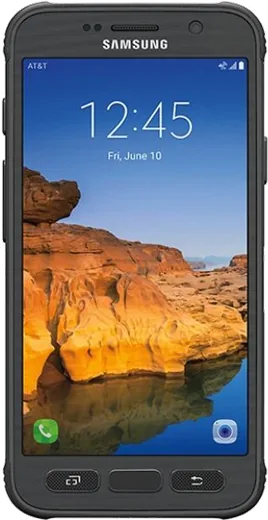
WhatsApp on Samsung Galaxy S7 active
Samsung Android

WhatsApp for Samsung Galaxy S7 active

Install the official WhatsApp on your Samsung Galaxy S7 active in a few simple steps.

WhatsApp Messenger 4.7 · 64.2M reviews Free · Android · ~40 MB · by WhatsApp LLC
Download WhatsApp

Ask a question / report a problem

You can ask any question about WhatsApp support on the Samsung Galaxy S7 active — leave it below and we'll help.

Ask a question

Can the Samsung Galaxy S7 active run WhatsApp?

Fully supported
  • Operating systemAndroid
  • WhatsApp versionLatest supported

Latest known WhatsApp problems on Samsung Galaxy S7 active

1

My Galaxy S7 Active says no updates are available - is it stuck on an old Android version?

The S7 Active stopped receiving official Samsung updates years ago (its final OS was Android 8.0 Oreo), so under Settings > Software update > Download and install you will correctly see that the latest version is already installed - there is nothing more to pull. To stay safe on this old build, keep your apps current through the Play Store; the only way to reach a newer Android version is a custom ROM, which requires unlocking the bootloader and is only worth it if you are comfortable with that process. See how others solved this on Reddit
2

Is the Galaxy S7 still usable in 2025 or is it too slow now?

The S7 Active still handles calls, messaging, browsing and most everyday apps, but its 2016 hardware struggles with heavy modern apps and the aging software no longer gets security patches. A clean wipe via Settings > General management > Reset > Factory data reset, plus removing unused apps and keeping a few GB of storage free, gives the snappiest experience if you plan to keep using it. See how others solved this on Reddit
3

Why does my Galaxy S7 Active feel laggy and stuttery after a couple of years of use?

Years of accumulated app cache, background services and a nearly full storage partition are the usual cause of slowdown on this phone. Clear cache on heavy apps under Settings > Apps, disable or uninstall anything you don't use, and reduce the Window, Transition and Animator scales to 0.5x in Developer options - if it stays sluggish, a factory reset is the most effective fix. See how others solved this on Reddit
4

What apps can I add to Ultra power saving mode on the S7?

Ultra power saving mode (Settings > Device maintenance > Battery > Ultra power saving mode) strips the phone down to a simple home screen with a small whitelist of apps. You can add a few extra apps by tapping a '+' tile on that grid and choosing from the list Samsung permits - it won't let you add every app. If a critical app isn't selectable, skip this mode and use the standard Power saving mode in the same Battery menu instead, which keeps all apps available while still extending runtime. See how others solved this on Reddit
5

What's a good upgrade from the Galaxy S7 Active if I want to stick with Samsung?

The S7 Active has no direct rugged successor, so most owners move to a mainstream Galaxy (such as an S21, S22 or an A-series) and add a rugged case to replace the Active's toughness. Before switching, back up via Settings > Accounts and backup > Smart Switch (or a Google account backup), then run Smart Switch on the new phone to transfer everything over by Wi-Fi or cable. See how others solved this on Reddit
6

What do most people end up disliking about the Galaxy S7 / S7 Active?

Common complaints are preinstalled bloatware, the non-removable battery, occasional TouchWiz lag and performance that slows over time. You can mitigate this by disabling carrier and Samsung bloat under Settings > Apps (tap the app, then Disable), turning off unused Edge panel features, and keeping at least a few GB of storage free so the phone has room to breathe. See how others solved this on Reddit

Ask a question / report a problem

You can ask any question about WhatsApp support on the Samsung Galaxy S7 active — leave it below and we'll help.

Ask a question

Watch: setting up WhatsApp

Prefer to watch? This short walkthrough shows the whole installation and number-verification flow.

How to install WhatsApp on Samsung Galaxy S7 active — video walkthrough

How to install WhatsApp on Samsung Galaxy S7 active

1

Choose how to download

On your Samsung Galaxy S7 active you can get the official app two ways: from the Google Play Store — the easiest option, since it keeps WhatsApp updated automatically — or directly from the official website. You can download an APK file, by clicking a link “Download WhatsApp directly”.

2

Open WhatsApp

Launch WhatsApp from your home screen or app drawer and accept the Terms of Service to start setup.

3

Verify your phone number

Enter your phone number. If your Samsung Galaxy S7 active uses dual SIM, pick the line you want WhatsApp tied to, then enter the 6-digit code it sends by SMS — it usually fills in automatically.

4

Restore chats and finish setup

Restore your chat history from Google Drive (use the same Google account), add your name and photo, and tap Allow for notifications so messages and calls arrive reliably.

Stay safe: only ever install WhatsApp from the official Android source. The Download button above already points there — modified copies (GB/Plus/Aero WhatsApp) can get your number banned.

Comments (6)

No registration needed. No email required.
D
deni20Nov 23, 2025

great stuff, much appreciated cheers

N
nooooOct 27, 2025

i tried everything pls help meee install whatsapp on s7 active 😩

AppWhatsOfficialOct 28, 2025

Take a breath, we got you. Press Download above, then Install, then verify your number. That is all it takes. It is easier than it looks, promise.

N
nick.iSep 19, 2025

ey instalado y funcionando en mi galaxy s7 active

G
gabe40Aug 24, 2025

Guys how do i hide my last seen anyone

AppWhatsOfficialAug 30, 2025

In Privacy settings you can set Last Seen and Online to Nobody, so no one sees when you are active. Feel free to ask if you get stuck.

A
ash00Nov 16, 2024

verified my number on the s7active with no trouble 🙏

M
mia_ytSep 19, 2024

honestly all set up and chatting now 💯