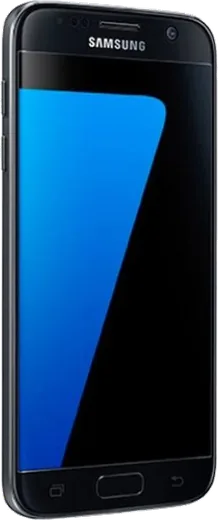
WhatsApp on Samsung Galaxy S7
Samsung Android

WhatsApp for Samsung Galaxy S7

Install the official WhatsApp on your Samsung Galaxy S7 in a few simple steps.

WhatsApp Messenger 4.7 · 64.2M reviews Free · Android · ~40 MB · by WhatsApp LLC
Download WhatsApp

Ask a question / report a problem

You can ask any question about WhatsApp support on the Samsung Galaxy S7 — leave it below and we'll help.

Ask a question

Can the Samsung Galaxy S7 run WhatsApp?

Fully supported
  • Operating systemAndroid
  • WhatsApp versionLatest supported

Latest known WhatsApp problems on Samsung Galaxy S7

1

Will WhatsApp stop working on my Galaxy S7?

The Galaxy S7 shipped with Android 6 and received updates up to Android 8 (Oreo), and WhatsApp's current minimum requirement is Android 5.0, so it still runs fine. Make sure your phone is on its final available build by going to Settings > Software update > Download and install. WhatsApp does periodically retire very old Android versions, but the S7 on Android 8 sits comfortably above the cutoff, so you don't need to worry in the near term. See how others solved this on Reddit
2

WhatsApp says my Android version is no longer supported on my S7

WhatsApp drops support for outdated Android versions over time, but this only affects phones stuck on very old builds (well below the current Android 5.0 minimum); the S7 on Android 7 or 8 is above that line. First confirm your build under Settings > Software update, then update WhatsApp itself in the Play Store, since an outdated app version can trigger a false warning. If you ever do hit a genuine cutoff, back up your chats to Google Drive (WhatsApp > Settings > Chats > Chat backup) beforehand so nothing is lost. See how others solved this on Reddit
3

Is it safe to install WhatsApp Plus on my Galaxy S7?

WhatsApp Plus is an unofficial modified APK that is not on the Google Play Store, so installing it means sideloading from an outside source and enabling 'Install unknown apps' for your browser under Settings > Apps > Special access > Install unknown apps. It is not recommended: these mods violate WhatsApp's terms and can get your number temporarily or permanently banned, and they carry a real malware risk. Stick to the official WhatsApp from the Play Store on your S7. See how others solved this on Reddit
4

WhatsApp keeps crashing or freezing on my S7 / S7 Edge

Crashes and freezes on the S7 are usually fixed by clearing the app's cache under Settings > Apps > WhatsApp > Storage > Clear cache (this won't delete your chats). If it persists, update WhatsApp in the Play Store and restart the phone, since the older S7 software can leave stale processes running. As a last resort, back up your chats in WhatsApp > Settings > Chats > Chat backup, then uninstall and reinstall the app fresh. See how others solved this on Reddit
5

Why does WhatsApp Web keep losing connection on my Galaxy S7?

On older phones, WhatsApp Web drops when Android's battery optimization puts WhatsApp to sleep in the background, cutting the link to your computer. Go to Settings > Apps > WhatsApp > Battery and set it to Unrestricted (or remove WhatsApp from any battery-optimization or power-saving list) so it can stay connected. Also keep the phone online and on Wi-Fi near the computer, since the linked session depends on the phone staying connected. See how others solved this on Reddit
6

Does the Galaxy S7 come with WhatsApp pre-installed, or do I have to download it?

WhatsApp is not pre-installed on the Galaxy S7 or S7 Edge; any social apps bundled by Samsung or your carrier are typically Facebook or Microsoft apps, not WhatsApp. Open the Google Play Store, search for WhatsApp Messenger, tap Install, then verify your phone number to set it up. If a carrier-bundled messaging app is already there, it won't be WhatsApp, so install the official one separately. See how others solved this on Reddit

Ask a question / report a problem

You can ask any question about WhatsApp support on the Samsung Galaxy S7 — leave it below and we'll help.

Ask a question

Watch: setting up WhatsApp

Prefer to watch? This short walkthrough shows the whole installation and number-verification flow.

How to install WhatsApp on Samsung Galaxy S7 — video walkthrough

How to install WhatsApp on Samsung Galaxy S7

1

Choose how to download

On your Samsung Galaxy S7 you can get the official app two ways: from the Google Play Store — the easiest option, since it keeps WhatsApp updated automatically — or directly from the official website. You can download an APK file, by clicking a link “Download WhatsApp directly”.

2

Open WhatsApp

Launch WhatsApp from your home screen or app drawer and accept the Terms of Service to start setup.

3

Verify your phone number

Enter your phone number. If your Samsung Galaxy S7 uses dual SIM, pick the line you want WhatsApp tied to, then enter the 6-digit code it sends by SMS — it usually fills in automatically.

4

Restore chats and finish setup

Restore your chat history from Google Drive (use the same Google account), add your name and photo, and tap Allow for notifications so messages and calls arrive reliably.

Stay safe: only ever install WhatsApp from the official Android source. The Download button above already points there — modified copies (GB/Plus/Aero WhatsApp) can get your number banned.

Comments (7)

No registration needed. No email required.
L
lou65Dec 11, 2025

So thank u, whatsapp installed on my s7 👌

M
mobilegeekJul 21, 2025

pleaseee my Galaxy S7 wont install whatsapp i give up 🙏

AppWhatsOfficialJul 22, 2025

Take a breath, we got you. Press Download above, then Install, then verify your number. That is all it takes.

M
maxx.dApr 25, 2025

honestly saved me so much time thanks again

AppWhatsOfficialApr 27, 2025

Love to hear it!

M
mike27Mar 22, 2025

Tbh no registration needed, love that 👌

L
lurkerMar 8, 2025

davvero facilissimo, fatto in 2 minuti sul mio Galaxy S7

N
nick.bNov 26, 2024

Honestly two thumbs up

L
lurkerNov 22, 2024

finally respect, this helped alot :)