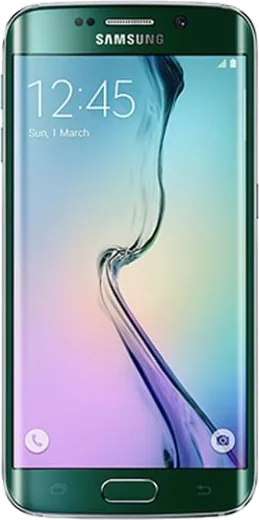
WhatsApp on Samsung Galaxy S6 edge (CDMA)
Samsung Android

WhatsApp for Samsung Galaxy S6 edge (CDMA)

Install the official WhatsApp on your Samsung Galaxy S6 edge (CDMA) in a few simple steps.

WhatsApp Messenger 4.7 · 64.2M reviews Free · Android · ~40 MB · by WhatsApp LLC
Download WhatsApp

Ask a question / report a problem

You can ask any question about WhatsApp support on the Samsung Galaxy S6 edge (CDMA) — leave it below and we'll help.

Ask a question

Can the Samsung Galaxy S6 edge (CDMA) run WhatsApp?

Fully supported
  • Operating systemAndroid
  • WhatsApp versionLatest supported

Latest known WhatsApp problems on Samsung Galaxy S6 edge (CDMA)

1

Why does my Galaxy S6 edge battery drain so fast and how do I fix it?

On older S6 edge units the sealed battery has degraded and background apps add to the drain. Go to Settings > Device maintenance > Battery, tap into the app list, and set heavy apps to Sleeping or Deep sleeping. Turn off Always On Display and reduce Edge lighting and Edge panels under Settings > Display, since the curved AMOLED edge is a notable consumer. If the phone still dies within a few hours of a full charge, the battery itself is worn out and needs a professional replacement (it is not user-removable). See how others solved this on Reddit
2

My S6 edge stopped getting updates and feels insecure, what should I do?

The Galaxy S6 edge stopped receiving official Samsung and Android security patches years ago (it tops out at Android 7.0), so the OS itself can no longer be patched. Keep Google Play Protect enabled (open the Play Store, tap your profile icon > Play Protect > Settings) and keep individual apps updated from the Play Store. Avoid sideloading APKs from outside the store and consider removing banking or other sensitive apps. For ongoing OS-level security you would need a custom ROM such as LineageOS, which is an advanced route that voids the warranty. See how others solved this on Reddit
3

How do I move my photos and contacts off my old S6 edge before retiring it?

Sign in under Settings > Accounts > Google and turn on sync for Contacts. Then open the Google Photos app and enable Back up & sync so your gallery uploads to your Google account. For a full transfer to a newer phone, use Samsung Smart Switch (wireless or USB cable), which copies photos, messages, contacts, and apps in one pass. Once everything appears in Google Photos and Contacts on the new device, you can safely factory reset the S6 edge. See how others solved this on Reddit
4

My Galaxy S6 edge gets warm during charging or heavy use, is that a problem?

Some warmth is normal, but persistent heat usually comes from a worn battery or heavy background processes. Close apps from the Recents view and check Settings > Device maintenance > Battery for misbehaving apps. Remove any thick case while charging, use the original Adaptive Fast Charging adapter, and avoid using the phone while it charges. If it becomes too hot to hold or the back/screen starts to bulge, stop using it immediately: a swollen battery is a safety hazard and the phone should be replaced or serviced. See how others solved this on Reddit
5

My S6 edge keeps showing storage full even though I deleted things, how do I fix it?

The S6 edge has fixed internal storage and no microSD slot, so it fills up quickly. Go to Settings > Device maintenance > Storage and use the Clean now option to clear cached and junk files. Back up photos and videos to Google Photos, then delete the local copies, and clear the cache for chat apps like WhatsApp whose media folders grow over time (Settings > Apps > the app > Storage > Clear cache). As a last resort, back up your data and factory reset to reclaim space lost to accumulated system clutter. See how others solved this on Reddit

Ask a question / report a problem

You can ask any question about WhatsApp support on the Samsung Galaxy S6 edge (CDMA) — leave it below and we'll help.

Ask a question

Watch: setting up WhatsApp

Prefer to watch? This short walkthrough shows the whole installation and number-verification flow.

How to install WhatsApp on Samsung Galaxy S6 edge (CDMA) — video walkthrough

How to install WhatsApp on Samsung Galaxy S6 edge (CDMA)

1

Choose how to download

On your Samsung Galaxy S6 edge (CDMA) you can get the official app two ways: from the Google Play Store — the easiest option, since it keeps WhatsApp updated automatically — or directly from the official website. You can download an APK file, by clicking a link “Download WhatsApp directly”.

2

Open WhatsApp

Launch WhatsApp from your home screen or app drawer and accept the Terms of Service to start setup.

3

Verify your phone number

Enter your phone number. If your Samsung Galaxy S6 edge (CDMA) uses dual SIM, pick the line you want WhatsApp tied to, then enter the 6-digit code it sends by SMS — it usually fills in automatically.

4

Restore chats and finish setup

Restore your chat history from Google Drive (use the same Google account), add your name and photo, and tap Allow for notifications so messages and calls arrive reliably.

Stay safe: only ever install WhatsApp from the official Android source. The Download button above already points there — modified copies (GB/Plus/Aero WhatsApp) can get your number banned.

Comments (10)

No registration needed. No email required.
N
noobmasterJul 2, 2026

guys is the s6edge compatible with whatsapp

AppWhatsOfficialJul 3, 2026

The your phone works great with WhatsApp. Keep your system software current and you are good to go. Happy chatting!

N
nightowlJan 21, 2026

man had whatsapp on my Galaxy S6 edge in no time

M
mr_kevJan 11, 2026

hey how do i hide my last seen

AppWhatsOfficialJan 13, 2026

In Privacy settings you can set Last Seen and Online to Nobody, so no one sees when you are active. Happy chatting!

M
ms_rosaOct 20, 2025

clear steps for the s6edge, cheers 💯

AppWhatsOfficialOct 23, 2025

Good to hear!

S
sam07Jul 13, 2025

Update got my Samsung Galaxy S6 edge sorted thanks to you

R
randomuserJun 28, 2025

Sehr einfach, in 2 minuten erledigt danke

K
kev_benJun 1, 2025

wow finalmente whatsapp installato grazie

M
maxx_rayMay 22, 2025

Ngl set up whatsapp on my dads s6 edge no problem 😍

G
gabe_ellMar 27, 2025

Finally everything working now 👍

P
pablo60Nov 21, 2024

Help meee i pressed everything and nothing

AppWhatsOfficialNov 24, 2024

Don't worry, you can do this! Use the Download button, install the app, and enter your number to verify. It is easier than it looks, promise.