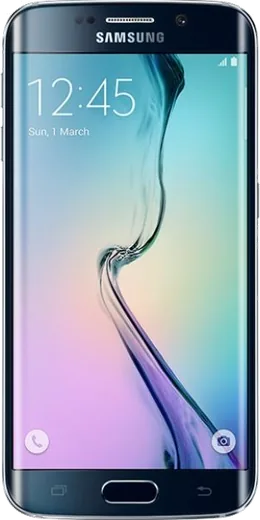
WhatsApp on Samsung Galaxy S6 edge
Samsung Android

WhatsApp for Samsung Galaxy S6 edge

Install the official WhatsApp on your Samsung Galaxy S6 edge in a few simple steps.

WhatsApp Messenger 4.7 · 64.2M reviews Free · Android · ~40 MB · by WhatsApp LLC
Download WhatsApp

Ask a question / report a problem

You can ask any question about WhatsApp support on the Samsung Galaxy S6 edge — leave it below and we'll help.

Ask a question

Can the Samsung Galaxy S6 edge run WhatsApp?

Fully supported
  • Operating systemAndroid
  • WhatsApp versionLatest supported

Latest known WhatsApp problems on Samsung Galaxy S6 edge

1

WhatsApp keeps closing in the background and reloading messages on my Galaxy S6 edge

The S6 edge has 3GB of RAM and TouchWiz/Grace UX aggressively kills background apps, so WhatsApp gets purged and has to reconnect when you reopen it. Open Settings > Apps > WhatsApp > Battery and set it to Unrestricted (on Nougat firmware, go to Settings > Device maintenance > Battery, open the three-dot menu > Settings, and remove WhatsApp from the apps that are put to sleep / add it to the unmonitored apps list). Also disable any RAM-cleaning or 'memory boost' tool, since clearing memory forcibly closes WhatsApp and is the main cause of reconnect delays. See how others solved this on Reddit
2

WhatsApp Web won't load or scan the QR code in Samsung Internet on my S6 edge

Samsung Internet often serves WhatsApp the mobile site, which hides the QR code, so request the desktop version: tap the menu (three lines) in Samsung Internet, then 'Desktop site' (or the PC-monitor icon), and reload web.whatsapp.com. If it still fails, clear the browser cache under Settings > Apps > Samsung Internet > Storage > Clear cache, or just use Chrome instead, since WhatsApp Web is meant to run on a computer browser while your phone stays online and connected. See how others solved this on Reddit
3

The edge lighting / curved-screen notification glow doesn't work for WhatsApp on my S6 edge

Edge lighting only triggers for apps you explicitly enable, so open Settings > Display > Edge screen > Edge lighting, turn it on, then tap 'Manage notifications' and toggle WhatsApp on. Make sure WhatsApp notifications themselves are allowed under Settings > Apps > WhatsApp > Notifications, and note the glow generally only shows when the screen is off and the phone is face-up, so it won't light up while you're actively using the device. See how others solved this on Reddit
4

People say my voice is too quiet on WhatsApp calls from my Galaxy S6 edge

First clean the bottom microphone pinhole, since lint clogging it is the most common cause of low call volume on aging S6 edge units. Then check that no case is covering the mic, and confirm the right mic is active by recording a quick voice note in WhatsApp; if your voice is faint in that recording and across other apps too, the mic module itself may be worn and a repair or replacement is the only real fix on this older hardware. See how others solved this on Reddit
5

I want to reuse my old Galaxy S6 edge just for WhatsApp - is that safe and will it still work?

WhatsApp still installs and runs on the S6 edge, but the phone stopped getting security updates years ago, so treat it as a secondary device: factory reset it via Settings > General management > Reset > Factory data reset, then sign in fresh and restore your chat history from Google Drive during setup. Keep only WhatsApp and a browser on it, connect over Wi-Fi, and avoid storing sensitive accounts, since the outdated Android version no longer receives patches. See how others solved this on Reddit
6

WhatsApp won't update from the Play Store on my Galaxy S6 edge anymore

Newer WhatsApp releases require a higher Android version than the S6 edge can run, so the Play Store may show the app as incompatible or refuse to update it. Clear the store cache via Settings > Apps > Google Play Store > Storage > Clear cache, and if updates still fail you can sideload the last compatible APK directly from WhatsApp's official site (whatsapp.com/android); back up your chats to Google Drive first so nothing is lost if you have to reinstall. See how others solved this on Reddit

Ask a question / report a problem

You can ask any question about WhatsApp support on the Samsung Galaxy S6 edge — leave it below and we'll help.

Ask a question

Watch: setting up WhatsApp

Prefer to watch? This short walkthrough shows the whole installation and number-verification flow.

How to install WhatsApp on Samsung Galaxy S6 edge — video walkthrough

How to install WhatsApp on Samsung Galaxy S6 edge

1

Choose how to download

On your Samsung Galaxy S6 edge you can get the official app two ways: from the Google Play Store — the easiest option, since it keeps WhatsApp updated automatically — or directly from the official website. You can download an APK file, by clicking a link “Download WhatsApp directly”.

2

Open WhatsApp

Launch WhatsApp from your home screen or app drawer and accept the Terms of Service to start setup.

3

Verify your phone number

Enter your phone number. If your Samsung Galaxy S6 edge uses dual SIM, pick the line you want WhatsApp tied to, then enter the 6-digit code it sends by SMS — it usually fills in automatically.

4

Restore chats and finish setup

Restore your chat history from Google Drive (use the same Google account), add your name and photo, and tap Allow for notifications so messages and calls arrive reliably.

Stay safe: only ever install WhatsApp from the official Android source. The Download button above already points there — modified copies (GB/Plus/Aero WhatsApp) can get your number banned.

Comments (7)

No registration needed. No email required.
M
maxx07Feb 22, 2026

ngl couldnt be easier 👌

T
theo99Dec 20, 2025

Ok so no problems installing on my Samsung Galaxy S6 edge 🔥

K
kev_kevOct 23, 2025

Guys official app or a mod

AppWhatsOfficialOct 27, 2025

Good question, only the official app here. Modified versions can get your account banned, so we never link to them. Reach out anytime.

J
justmeJun 30, 2025

wow installé et opérationnel sur mon s6edge

G
gamerxMay 28, 2025

omg been at this for hours pls someone help me 😭

AppWhatsOfficialMay 30, 2025

Take a breath, we got you. Press Download above, then Install, then verify your number. That is all it takes.

J
jess23Jan 27, 2025

Verified my number on the Samsung Galaxy S6 edge with no trouble :)

K
kev61Dec 4, 2024

Honestly this fixed whatsapp on my samsung galaxy s6 edge thanks again

AppWhatsOfficialDec 5, 2024

Awesome, glad it worked!