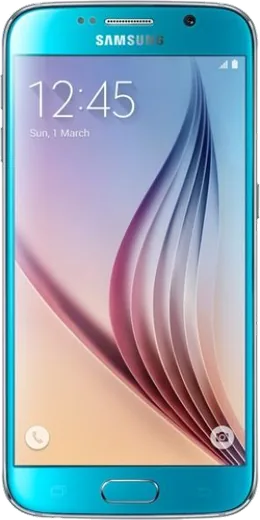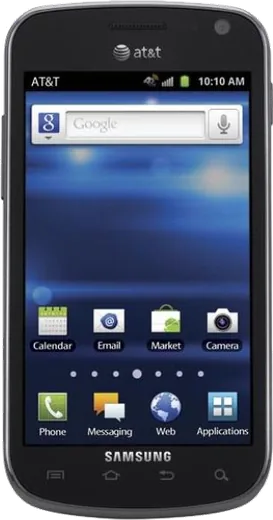
WhatsApp on Samsung Galaxy S6 (CDMA)
Samsung Android

WhatsApp for Samsung Galaxy S6 (CDMA)

Install the official WhatsApp on your Samsung Galaxy S6 (CDMA) in a few simple steps.

WhatsApp Messenger 4.7 · 64.2M reviews Free · Android · ~40 MB · by WhatsApp LLC
Download WhatsApp

Ask a question / report a problem

You can ask any question about WhatsApp support on the Samsung Galaxy S6 (CDMA) — leave it below and we'll help.

Ask a question

Can the Samsung Galaxy S6 (CDMA) run WhatsApp?

Fully supported
  • Operating systemAndroid
  • WhatsApp versionLatest supported

Latest known WhatsApp problems on Samsung Galaxy S6 (CDMA)

1

Why does WhatsApp keep stopping or running slowly on my Galaxy S6 (CDMA)?

The S6 has limited RAM by today's standards, so close background apps and clear WhatsApp's cache under Settings > Apps > WhatsApp > Storage > Clear cache (do not pick Clear data, which wipes chats). Also free up internal storage and restart the phone, since a nearly full storage partition can make the app crash on launch. See how others solved this on Reddit
2

WhatsApp messages won't send over mobile data on my Galaxy S6 (CDMA)

On older CDMA Samsung models this is usually a data toggle or APN glitch: open Settings > Connections > Data usage and confirm Mobile data is on, then toggle Airplane mode off and on to re-register on the network. If it persists, go to Settings > Connections > Mobile networks > Access Point Names and reset to default, since WhatsApp needs a working data path even when calls and texts work fine. See how others solved this on Reddit
3

WhatsApp drains my Galaxy S6 (CDMA) battery and the phone gets hot

The S6 has a non-removable battery that has aged, so reduce WhatsApp's load: open WhatsApp > Settings > Storage and data and turn off Media auto-download for photos and videos, which cuts constant background data and CPU use. You can also limit its background activity under Settings > Apps > WhatsApp > Battery (or Battery optimization), and lower screen brightness while chatting. See how others solved this on Reddit
4

Can I still install or update WhatsApp on a Galaxy S6 (CDMA) running old Android?

The S6's final update is Android 7.0 Nougat, which newer WhatsApp builds are starting to drop support for, so update via the Play Store while you still can. If the Play Store blocks the update, keep your current working version installed rather than uninstalling it, and back up chats first via WhatsApp > Settings > Chats > Chat backup to Google Drive so you don't lose history. See how others solved this on Reddit
5

How do I move my WhatsApp chats off my old Galaxy S6 (CDMA) to a new phone?

Before switching, open WhatsApp > Settings > Chats > Chat backup and run a manual backup to Google Drive using the same Google account you'll use on the new device. On the new phone, install WhatsApp, verify the same phone number, and choose Restore when prompted, since the move only works if that Drive backup completed on the S6 first. See how others solved this on Reddit
6

WhatsApp voice calls cut out or fail on my Galaxy S6 (CDMA)

WhatsApp calls run over your data connection, which is weaker on aging CDMA hardware, so connect to a strong Wi-Fi network when possible and avoid switching between Wi-Fi and mobile data mid-call. Check Settings > Apps > WhatsApp > Permissions to confirm Microphone and Phone access are granted, and if calls keep dropping on cellular, toggle Airplane mode off and on to force a fresh network connection. See how others solved this on Reddit

Ask a question / report a problem

You can ask any question about WhatsApp support on the Samsung Galaxy S6 (CDMA) — leave it below and we'll help.

Ask a question

Watch: setting up WhatsApp

Prefer to watch? This short walkthrough shows the whole installation and number-verification flow.

How to install WhatsApp on Samsung Galaxy S6 (CDMA) — video walkthrough

How to install WhatsApp on Samsung Galaxy S6 (CDMA)

1

Choose how to download

On your Samsung Galaxy S6 (CDMA) you can get the official app two ways: from the Google Play Store — the easiest option, since it keeps WhatsApp updated automatically — or directly from the official website. You can download an APK file, by clicking a link “Download WhatsApp directly”.

2

Open WhatsApp

Launch WhatsApp from your home screen or app drawer and accept the Terms of Service to start setup.

3

Verify your phone number

Enter your phone number. If your Samsung Galaxy S6 (CDMA) uses dual SIM, pick the line you want WhatsApp tied to, then enter the 6-digit code it sends by SMS — it usually fills in automatically.

4

Restore chats and finish setup

Restore your chat history from Google Drive (use the same Google account), add your name and photo, and tap Allow for notifications so messages and calls arrive reliably.

Stay safe: only ever install WhatsApp from the official Android source. The Download button above already points there — modified copies (GB/Plus/Aero WhatsApp) can get your number banned.

Comments (7)

No registration needed. No email required.
S
sam_tinMar 8, 2026

How do i hide my last seen anyone

AppWhatsOfficialMar 10, 2026

No worries, open Settings, then Privacy, and adjust Last Seen and Online there to keep your activity hidden. Reach out anytime.

Z
zoe_theMar 7, 2026

Ehi ha funzionato subito sul mio Samsung Galaxy S6 🙏

C
confuuusedDec 18, 2025

update whatsapp works fine on my s6 thanks again

A
anonNov 27, 2025

Honestly i tried 3 other guides before this one

F
finn_kOct 23, 2025

hi can i recover my chats ?

AppWhatsOfficialOct 29, 2025

Thanks for asking, your chats can come back from a backup. Sign in with the same number and tap Restore when prompted.

W
whyyyyyMay 7, 2025

Ugh omggg i cant install it someone heeelp

AppWhatsOfficialMay 9, 2025

Breathe! Follow the steps above one by one, tap Download first, and you will be chatting in no time. You got this!

S
saaaaamFeb 19, 2025

wow quick and painless 😍