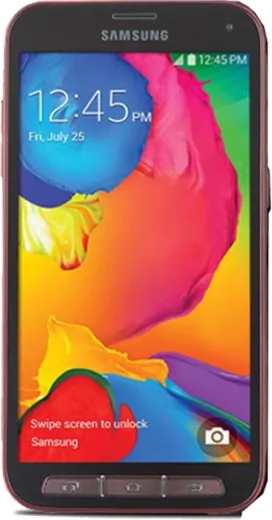
WhatsApp on Samsung Galaxy S5 Sport
Samsung Android

WhatsApp for Samsung Galaxy S5 Sport

Install the official WhatsApp on your Samsung Galaxy S5 Sport in a few simple steps.

WhatsApp Messenger 4.7 · 64.2M reviews Free · Android · ~40 MB · by WhatsApp LLC
Download WhatsApp

Ask a question / report a problem

You can ask any question about WhatsApp support on the Samsung Galaxy S5 Sport — leave it below and we'll help.

Ask a question

Can the Samsung Galaxy S5 Sport run WhatsApp?

Support ending soon
  • Operating systemAndroid
  • WhatsApp versionLatest supported

Latest known WhatsApp problems on Samsung Galaxy S5 Sport

1

Why won't WhatsApp install or update on my Galaxy S5 Sport anymore?

The Galaxy S5 Sport shipped with Android 4.4/5.0, and current WhatsApp builds require a newer Android version, so the Play Store may block the install or only offer an outdated build. First take every available update under Settings > About device > Software update. If your Android version is still too old, you can sideload the last compatible WhatsApp APK from whatsapp.com/android while it can still register, but this only buys time. Long term the only real fix is moving the account to a newer phone, since WhatsApp regularly drops support for old Android releases. See how others solved this on Reddit
2

How do I get my WhatsApp calls to show up properly on my Galaxy S5 Sport?

On older Samsung Androids, WhatsApp calls often fail to ring or display because battery and background-data restrictions are putting the app to sleep. Go to Settings > Applications > Application manager > WhatsApp and confirm Notifications are enabled and the microphone permission is granted. Then exclude WhatsApp from any battery saver or 'Smart manager' sleep/optimization setting under Settings > Battery so it can wake for incoming calls. Keeping the app allowed to run in the background is what restores the incoming-call screen. See how others solved this on Reddit
3

Is it still worth using a Galaxy S5 Sport in 2025 for WhatsApp and basic apps?

It can still handle WhatsApp messaging, calls, and light browsing, but the aging Android version means newer app features and security patches are gone, and a worn battery will struggle. Replacing the (removable) battery is a cheap reliability boost, and you can clear space under Settings > Storage > Cached data and uninstall heavy apps to free RAM. For WhatsApp specifically, keep the app updated as long as the Play Store allows, since support for this Android version is being phased out. See how others solved this on Reddit
4

My Galaxy S5 Sport is slow and laggy with WhatsApp open, how do I speed it up?

Years of cached data and background apps are the usual culprits on the S5 Sport. Clear WhatsApp's cache via Settings > Applications > Application manager > WhatsApp > Storage > Clear cache, speed up the UI by setting the window and transition animation scales to 0.5x (or off) under Settings > Developer options, and reduce media auto-download in WhatsApp's own Settings > Storage and data. If it stays sluggish, a factory reset after backing up your chats to Google Drive often restores noticeable speed. See how others solved this on Reddit
5

My Galaxy S5 Sport got wet, what should I do before using WhatsApp again?

Power it off immediately, pull the removable back cover and battery, and remove the SIM and microSD so nothing corrodes. Dry everything with a towel and let the parts sit in a sealed container with silica gel packets for a day or two (rice is a last resort and leaves dust); do not charge or power on while damp. Once fully dry, reinsert the battery and boot it, then re-check WhatsApp and your messages after confirming the screen and speaker work. See how others solved this on Reddit

Ask a question / report a problem

You can ask any question about WhatsApp support on the Samsung Galaxy S5 Sport — leave it below and we'll help.

Ask a question

Watch: setting up WhatsApp

Prefer to watch? This short walkthrough shows the whole installation and number-verification flow.

How to install WhatsApp on Samsung Galaxy S5 Sport — video walkthrough

How to install WhatsApp on Samsung Galaxy S5 Sport

1

Choose how to download

On your Samsung Galaxy S5 Sport you can get the official app two ways: from the Google Play Store — the easiest option, since it keeps WhatsApp updated automatically — or directly from the official website. You can download an APK file, by clicking a link “Download WhatsApp directly”.

2

Open WhatsApp

Launch WhatsApp from your home screen or app drawer and accept the Terms of Service to start setup.

3

Verify your phone number

Enter your phone number. If your Samsung Galaxy S5 Sport uses dual SIM, pick the line you want WhatsApp tied to, then enter the 6-digit code it sends by SMS — it usually fills in automatically.

4

Restore chats and finish setup

Restore your chat history from Google Drive (use the same Google account), add your name and photo, and tap Allow for notifications so messages and calls arrive reliably.

Stay safe: only ever install WhatsApp from the official Android source. The Download button above already points there — modified copies (GB/Plus/Aero WhatsApp) can get your number banned.

Comments (8)

No registration needed. No email required.
J
jay00May 1, 2026

omg this worked great on my Samsung Galaxy S5 Sport

N
nina_ashApr 14, 2026

Guys got it working on my s5sport first try 💯

AppWhatsOfficialApr 17, 2026

Thanks for sharing!

C
confuuusedDec 29, 2025

Man 10 out of 10

N
nick18Oct 28, 2025

thank u, whatsapp installed on my galaxy s5 sport 🙏

J
joe_realAug 14, 2025

someone i tried everything pls help meee install whatsapp on s5 sport 😭😭

AppWhatsOfficialAug 17, 2025

Hey, no need to stress! Tap the green Download button at the top, follow the steps, and you will have WhatsApp in a minute.

P
pete_denMay 27, 2025

Honestly much better then the other sites thx

R
raj_sarFeb 25, 2025

Do i need to uninstall my old whatsapp first

AppWhatsOfficialFeb 27, 2025

Thanks for asking, no need. Installing the latest version updates the existing app and keeps your chats. Just follow the steps above.

S
sol61Sep 21, 2024

hat bei mir sofort geklappt auf dem s5sport