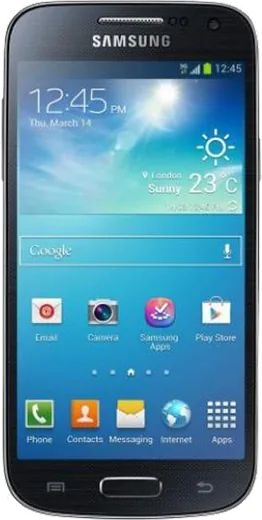
WhatsApp on Samsung Galaxy S5 mini
Samsung Android

WhatsApp for Samsung Galaxy S5 mini

Install the official WhatsApp on your Samsung Galaxy S5 mini in a few simple steps.

WhatsApp Messenger 4.7 · 64.2M reviews Free · Android · ~40 MB · by WhatsApp LLC
Download WhatsApp

Ask a question / report a problem

You can ask any question about WhatsApp support on the Samsung Galaxy S5 mini — leave it below and we'll help.

Ask a question

Can the Samsung Galaxy S5 mini run WhatsApp?

Not supported
  • Operating systemAndroid
  • WhatsApp versionNot supported

Latest known WhatsApp problems on Samsung Galaxy S5 mini

1

Why do my WhatsApp notifications not show up at all on my Galaxy S5 mini?

Open WhatsApp, tap the menu > Settings > Notifications, and make sure message and group notifications are enabled with a tone selected. Then go to Settings > Applications > Application manager > WhatsApp and confirm 'Show notifications' is ticked. Finally, open Settings > Power saving (or Battery) and turn off Ultra power saving mode, since aggressive power saving on TouchWiz is the most common reason WhatsApp stops alerting in the background. See how others solved this on Reddit
2

Why are my WhatsApp notifications coming through silent with no sound on my Galaxy S5 mini?

Open WhatsApp > menu > Settings > Notifications and confirm a notification tone is selected for both messages and groups rather than 'None'. Check that the conversation isn't muted (open the chat > menu > Mute). Then make sure the phone isn't in Do Not Disturb / Blocking mode (Settings > Sounds and notifications > Do not disturb) and that media/notification volume is up. See how others solved this on Reddit
3

Why do WhatsApp notifications disappear from my Galaxy S5 mini lock screen after a few seconds?

Go to Settings > Lock screen > Notifications (or Sounds and notifications > When device is locked) and set it to show notification content so messages stay on the lock screen. Also disable any third-party battery or RAM cleaner app you've installed, as these often auto-clear the notification panel on older Samsung devices. See how others solved this on Reddit
4

Why do my WhatsApp notifications get dismissed on their own before I can read them on my Galaxy S5 mini?

Self-clearing notifications are usually caused by a task killer or memory cleaner wiping the panel, so uninstall or disable any such app and turn off Ultra power saving mode under Settings > Power saving. Then confirm WhatsApp can run in the background: Settings > Applications > Application manager > WhatsApp, ensure it isn't disabled and that 'Restrict background data' is off under Settings > Data usage. Reboot afterwards. See how others solved this on Reddit
5

How do I get WhatsApp popup notifications to show on screen again on my Galaxy S5 mini?

Open WhatsApp > menu > Settings > Notifications and scroll to 'Popup notification', then set it to 'Always show popup' (or 'Only when screen on') for both messages and groups. Confirm 'Show notifications' is also enabled for WhatsApp under Settings > Applications > Application manager > WhatsApp so the popup is allowed to appear. See how others solved this on Reddit
6

WhatsApp notifications stopped working entirely on my Galaxy S5 mini even though the app is open, how do I fix it?

Clear the app cache via Settings > Applications > Application manager > WhatsApp > Storage > Clear cache, then update WhatsApp from the Play Store, since very old versions can stop working on the S5 mini's older Android. If alerts still fail, toggle notifications off and back on in WhatsApp > Settings > Notifications, restart the phone, and make sure Ultra power saving mode is off so background apps aren't suspended. See how others solved this on Reddit

Ask a question / report a problem

You can ask any question about WhatsApp support on the Samsung Galaxy S5 mini — leave it below and we'll help.

Ask a question

Watch: setting up WhatsApp

Prefer to watch? This short walkthrough shows the whole installation and number-verification flow.

How to install WhatsApp on Samsung Galaxy S5 mini — video walkthrough

How to install WhatsApp on Samsung Galaxy S5 mini

1

Choose how to download

On your Samsung Galaxy S5 mini you can get the official app two ways: from the Google Play Store — the easiest option, since it keeps WhatsApp updated automatically — or directly from the official website. You can download an APK file, by clicking a link “Download WhatsApp directly”.

2

Open WhatsApp

Launch WhatsApp from your home screen or app drawer and accept the Terms of Service to start setup.

3

Verify your phone number

Enter your phone number. If your Samsung Galaxy S5 mini uses dual SIM, pick the line you want WhatsApp tied to, then enter the 6-digit code it sends by SMS — it usually fills in automatically.

4

Restore chats and finish setup

Restore your chat history from Google Drive (use the same Google account), add your name and photo, and tap Allow for notifications so messages and calls arrive reliably.

Stay safe: only ever install WhatsApp from the official Android source. The Download button above already points there — modified copies (GB/Plus/Aero WhatsApp) can get your number banned.

Comments (7)

No registration needed. No email required.
M
mike73Apr 7, 2026

so my s5 mini was being difficult but this sorted it

S
sam84Mar 21, 2026

Omg best guide for the Samsung Galaxy S5 mini by far

R
raj.rOct 14, 2025

Easy install on my s5mini 👍

AppWhatsOfficialOct 15, 2025

Thanks for sharing!

C
chris.uSep 30, 2025

Well perfect steps for the galaxy s5 mini 🔥

M
ms_benJan 7, 2025

guys im so confused someone help meeee :(

AppWhatsOfficialJan 11, 2025

We are here to help. Hit Download, follow the steps on this page, and if the code is slow just request it again. It is easier than it looks, promise.

B
bea_kDec 22, 2024

endlich hat bei mir sofort geklappt auf dem Samsung Galaxy S5 mini

B
big_rajJul 26, 2024

Guys much better then the other sites 😍