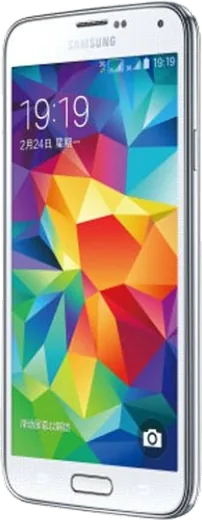
WhatsApp on Samsung Galaxy S5 CDMA
Samsung Android

WhatsApp for Samsung Galaxy S5 CDMA

Install the official WhatsApp on your Samsung Galaxy S5 CDMA in a few simple steps.

WhatsApp Messenger 4.7 · 64.2M reviews Free · Android · ~40 MB · by WhatsApp LLC
Download WhatsApp

Ask a question / report a problem

You can ask any question about WhatsApp support on the Samsung Galaxy S5 CDMA — leave it below and we'll help.

Ask a question

Can the Samsung Galaxy S5 CDMA run WhatsApp?

Support ending soon
  • Operating systemAndroid
  • WhatsApp versionLatest supported

Latest known WhatsApp problems on Samsung Galaxy S5 CDMA

1

My Galaxy S5 CDMA can't make calls or texts after my carrier shut down its 3G/CDMA network

Verizon, Sprint and other US carriers have retired their CDMA networks, and the S5 CDMA lacks VoLTE on most of them, so calls and SMS stop working even when you see signal bars. There is no on-phone setting that fixes this. As a workaround, use data/Wi-Fi apps like Google Voice or WhatsApp for calls and texts, and ask your carrier about a free VoLTE-capable replacement device. Open Settings > About phone to confirm your exact model, since only some S5 variants ever got VoLTE provisioning. See how others solved this on Reddit
2

I can't activate my Galaxy S5 CDMA on a prepaid carrier like Page Plus

CDMA phones are activated by their MEID/ESN rather than by swapping a SIM, so the carrier has to whitelist the phone's serial number before it will connect. Find the MEID under Settings > About phone > Status, then give it to the prepaid carrier and ask them to provision the device on their CDMA list. If they can't add it, the phone is likely still locked to the original carrier and needs unlocking first, or you'll have to move to a GSM/LTE plan instead. See how others solved this on Reddit
3

Can I use my US Galaxy S5 CDMA in Korea or another country?

CDMA-only S5 variants won't connect to most overseas networks, which run on GSM/LTE, so abroad the phone often works only over Wi-Fi. Check whether your unit physically has a SIM slot (most S5 models do), and if so, ask your carrier to unlock it and insert a local prepaid SIM. If it's CDMA-only with no usable SIM, rely on Wi-Fi with Google Voice or WhatsApp, or rent a local handset. See how others solved this on Reddit
4

My Galaxy S5 still receives calls and texts even with Airplane mode on while traveling

Airplane mode should cut all cellular radios, so if messages still arrive you most likely have Wi-Fi or Wi-Fi Calling still enabled, which routes calls over the internet. Swipe down the notification panel and toggle off Wi-Fi (and Wi-Fi Calling if your carrier app shows it) in addition to Airplane mode, or simply remove the SIM. To stay fully unreachable, also switch off mobile data via the quick-settings toggle or under Settings > Connections > Data usage. See how others solved this on Reddit
5

Is my Galaxy S5 CDMA still safe and usable in 2024 even though it's so old?

The S5 stopped getting security updates years ago, so avoid banking and other sensitive logins on it, but it still handles media, calls and light apps if you keep it lean. Disable bloatware and clear space under Settings > Application manager, use a lightweight browser, and only run updated apps that still install from the Play Store. Swapping in a fresh removable battery is the single biggest thing that makes it feel usable again. See how others solved this on Reddit
6

Is it worth keeping my 3-4 year old Galaxy S5 CDMA running or should I replace it?

Many owners keep the S5 going long past its update window thanks to its removable battery and microSD slot, but the dead CDMA network and missing security patches are the real limits. If your carrier still supports it, drop in a fresh battery and a larger microSD card and it remains a fine backup phone. Once calls and texts stop working on your network, it's time to move to a VoLTE-capable device. See how others solved this on Reddit

Ask a question / report a problem

You can ask any question about WhatsApp support on the Samsung Galaxy S5 CDMA — leave it below and we'll help.

Ask a question

Watch: setting up WhatsApp

Prefer to watch? This short walkthrough shows the whole installation and number-verification flow.

How to install WhatsApp on Samsung Galaxy S5 CDMA — video walkthrough

How to install WhatsApp on Samsung Galaxy S5 CDMA

1

Choose how to download

On your Samsung Galaxy S5 CDMA you can get the official app two ways: from the Google Play Store — the easiest option, since it keeps WhatsApp updated automatically — or directly from the official website. You can download an APK file, by clicking a link “Download WhatsApp directly”.

2

Open WhatsApp

Launch WhatsApp from your home screen or app drawer and accept the Terms of Service to start setup.

3

Verify your phone number

Enter your phone number. If your Samsung Galaxy S5 CDMA uses dual SIM, pick the line you want WhatsApp tied to, then enter the 6-digit code it sends by SMS — it usually fills in automatically.

4

Restore chats and finish setup

Restore your chat history from Google Drive (use the same Google account), add your name and photo, and tap Allow for notifications so messages and calls arrive reliably.

Stay safe: only ever install WhatsApp from the official Android source. The Download button above already points there — modified copies (GB/Plus/Aero WhatsApp) can get your number banned.

Comments (8)

No registration needed. No email required.
G
gabe_danMay 20, 2026

cheers for the clear instructions thx

X
xX_leoApr 27, 2026

installé et opérationnel sur mon galaxy s5 cdma 💯

K
kate34Dec 8, 2025

man my Samsung Galaxy S5 CDMA was being difficult but this sorted it

K
kev.bNov 24, 2025

It crashes right after the splash screen thanks

AppWhatsOfficialNov 28, 2025

Hi! Try clearing the cache and updating your phone software, then install the latest version again. That usually stops the crashing. Enjoy WhatsApp on your your phone!

J
joe_theJun 11, 2025

So had whatsapp on my s5 cdma in no time 🙏

T
theuserMay 23, 2025

omg my galaxy s5 cdma was being difficult but this sorted it 👍

T
theo75May 5, 2025

omg HELP it just wont work on my Galaxy S5 CDMA

AppWhatsOfficialMay 7, 2025

You are almost there! Tap Download, allow the install, open WhatsApp and confirm your number. Reply here if you get stuck.

Z
zoe_danAug 14, 2024

Best site for this honestly