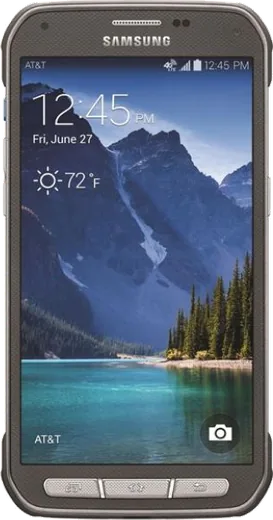
WhatsApp on Samsung Galaxy S5 Active
Samsung Android

WhatsApp for Samsung Galaxy S5 Active

Install the official WhatsApp on your Samsung Galaxy S5 Active in a few simple steps.

WhatsApp Messenger 4.7 · 64.2M reviews Free · Android · ~40 MB · by WhatsApp LLC
Download WhatsApp

Ask a question / report a problem

You can ask any question about WhatsApp support on the Samsung Galaxy S5 Active — leave it below and we'll help.

Ask a question

Can the Samsung Galaxy S5 Active run WhatsApp?

Support ending soon
  • Operating systemAndroid
  • WhatsApp versionLatest supported

Latest known WhatsApp problems on Samsung Galaxy S5 Active

1

How do I fix terrible battery drain on my Galaxy S5 Active?

Go to Settings > Battery to see which apps eat the most power, then force-stop or uninstall the worst offenders, since background sync from old social apps is usually the culprit. Also turn off radios you don't need under Settings > Connections (Bluetooth, NFC, and Location) when idle, and consider a fresh battery, as the original cell is over a decade old and its capacity has degraded badly. After backing up your data, a factory reset (Settings > Backup and reset > Factory data reset) often clears rogue processes draining the cell. See how others solved this on Reddit
2

My Galaxy S5 Active got wet, what should I do?

Power it off immediately and do not try to charge or turn it on, since pushing current through a wet board causes short circuits. The S5 Active is rated IP67 like the standard S5, but that protection fades as the seals and port flap age, so pull the back cover and remove the battery, SIM, and microSD, then dry everything and leave it in a warm, dry place for at least 48 hours before reassembling. Skip rice (dust gets into the ports); silica gel packets or simple air-drying work better. See how others solved this on Reddit
3

Can I still use a Galaxy S5 Active in 2025 for everyday tasks?

Yes, but the S5 Active is stuck on Android 6 Marshmallow, so many modern apps from the Play Store will refuse to install or update because they require a newer Android version. It works fine for calls, texts, music, an alarm clock, and as a basic camera or dashcam, but expect banking, newer chat, and social apps to fail. Installing a lightweight custom ROM like LineageOS can extend its life if you want more current app support. See how others solved this on Reddit
4

Why did WhatsApp stop working on my Galaxy S5 Active?

WhatsApp dropped support for older Android versions, and the S5 Active runs Android 6 or lower, which falls below their current minimum requirement, so the app stops receiving updates and eventually refuses to connect. There is no real fix on the stock OS; your options are to flash a custom ROM that brings the phone to a newer Android version (such as LineageOS), or move your account to a supported device. Back up your chats first via WhatsApp > Settings > Chats > Chat backup to Google Drive so you don't lose history. See how others solved this on Reddit
5

How do I unlock the network on my Galaxy S5 Active so I can use another carrier?

Carrier unlocking is tied to the original network, so contact the carrier the S5 Active was bought from and request an unlock code, which they'll usually provide once the device is paid off and out of contract. Once you have the code, insert a SIM from the new carrier and the phone will prompt you to enter the unlock code. If the original carrier won't help, reputable third-party unlock services can generate a code from the IMEI you'll find under Settings > About phone > Status. See how others solved this on Reddit
6

What are the most common hardware issues on the Galaxy S5 and how can I address them?

The recurring complaints are the swipe fingerprint scanner being finicky, the microUSB 3.0 charging flap being awkward, occasional overheating, and the home button wearing out. For the fingerprint sensor, re-register your prints under Settings > Lock screen and security and swipe straight down rather than tapping; for overheating, check Settings > Battery for a stuck app and avoid charging while gaming. Many of these are software-related and clear up after a factory reset or by replacing the aging battery. See how others solved this on Reddit

Ask a question / report a problem

You can ask any question about WhatsApp support on the Samsung Galaxy S5 Active — leave it below and we'll help.

Ask a question

Watch: setting up WhatsApp

Prefer to watch? This short walkthrough shows the whole installation and number-verification flow.

How to install WhatsApp on Samsung Galaxy S5 Active — video walkthrough

How to install WhatsApp on Samsung Galaxy S5 Active

1

Choose how to download

On your Samsung Galaxy S5 Active you can get the official app two ways: from the Google Play Store — the easiest option, since it keeps WhatsApp updated automatically — or directly from the official website. You can download an APK file, by clicking a link “Download WhatsApp directly”.

2

Open WhatsApp

Launch WhatsApp from your home screen or app drawer and accept the Terms of Service to start setup.

3

Verify your phone number

Enter your phone number. If your Samsung Galaxy S5 Active uses dual SIM, pick the line you want WhatsApp tied to, then enter the 6-digit code it sends by SMS — it usually fills in automatically.

4

Restore chats and finish setup

Restore your chat history from Google Drive (use the same Google account), add your name and photo, and tap Allow for notifications so messages and calls arrive reliably.

Stay safe: only ever install WhatsApp from the official Android source. The Download button above already points there — modified copies (GB/Plus/Aero WhatsApp) can get your number banned.

Comments (8)

No registration needed. No email required.
H
halppMar 22, 2026

ok so bookmarking this site for sure :)

M
mr_deniFeb 17, 2026

Honestly the samsung galaxy s5 active guide was spot on cheers

N
newphoneJan 15, 2026

sorry but does it work on older android versions

AppWhatsOfficialJan 16, 2026

If the store lets you install it, you are supported. Very old systems may eventually lose support though.

J
jay.nDec 28, 2025

great stuff, much appreciated 🔥

C
chris.fNov 19, 2025

well even my grandma could do this ✌️

AppWhatsOfficialNov 20, 2025

Awesome, glad it worked!

N
noobmasterNov 5, 2025

Echt alles läuft auf meinem s5 active, vielen dank

I
im_noahJul 31, 2025

hey my whole family is waiting pls help me install it 😭

AppWhatsOfficialAug 2, 2025

We are here to help. Hit Download, follow the steps on this page, and if the code is slow just request it again. It is easier than it looks, promise.

A
andy.xMar 2, 2025

man the s5 active guide was spot on