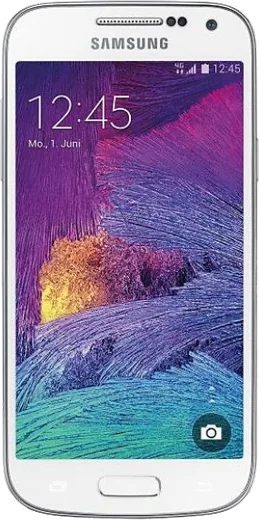
WhatsApp on Samsung Galaxy S4 mini I9195I
Samsung Android

WhatsApp for Samsung Galaxy S4 mini I9195I

Install the official WhatsApp on your Samsung Galaxy S4 mini I9195I in a few simple steps.

WhatsApp Messenger 4.7 · 64.2M reviews Free · Android · ~40 MB · by WhatsApp LLC
Download WhatsApp

Ask a question / report a problem

You can ask any question about WhatsApp support on the Samsung Galaxy S4 mini I9195I — leave it below and we'll help.

Ask a question

Can the Samsung Galaxy S4 mini I9195I run WhatsApp?

Not supported
  • Operating systemAndroid
  • WhatsApp versionNot supported

Latest known WhatsApp problems on Samsung Galaxy S4 mini I9195I

1

Samsung Galaxy S4 mini I9195I is stuck on Android 4.4 KitKat — can I install LineageOS or a newer custom ROM?

The I9195I variant (codename serranovelte) is not officially supported by LineageOS, but unofficial LineageOS 14.1 (Android 7.1) and even higher builds exist on the XDA forums for serranovelte. On this 2013-era Samsung you flash TWRP recovery via Odin in Download mode on a PC (no 'OEM unlock' toggle exists on KitKat — that setting only appeared on Android 5.0+), then install the ROM ZIP plus matching GApps from TWRP. Back up everything first since this wipes the phone. If you want stability instead of chasing unofficial builds, consider a used phone that ships with LineageOS support out of the box. See how others solved this on Reddit
2

What modern phone should I buy to replace the Galaxy S4 mini I9195I and still get LineageOS support?

Look for devices on the official LineageOS download page (download.lineageos.org), since that list guarantees ongoing builds — popular small, well-supported choices have included the Google Pixel line and the Fairphone series. Match the size and price you liked about the S4 mini, and verify the exact model number on the wiki before buying because regional variants often differ in support. Buying a supported device avoids the unofficial-build instability you get trying to keep the aging serranovelte hardware alive. See how others solved this on Reddit
3

My Galaxy S4 mini I9195I no longer gets WhatsApp updates and the app keeps warning it will stop working — what can I do?

WhatsApp dropped support for older Android versions, and the I9195I's KitKat 4.4 falls below the current minimum, so newer APKs won't install. The most reliable fix is to flash a custom ROM that raises the Android version (LineageOS 14.1 or higher for serranovelte) so a current WhatsApp build will run. As a stopgap, back up your chats via WhatsApp > Settings > Chats > Chat backup to Google Drive before the app stops working, so you can restore them on a new or reflashed device. See how others solved this on Reddit
4

After flashing a custom ROM on my Galaxy S4 mini I9195I, the Play Store and Google apps are missing — how do I fix this?

Custom ROMs like LineageOS ship without Google services, so you must flash a GApps package separately. Download an ARM, Android-version-matched GApps build (such as MindTheGapps or OpenGApps for the exact Android release of your ROM) and flash it from TWRP immediately after the ROM, before the first boot. Keep the GApps variant small (pico or nano) given the S4 mini's limited storage, then sign in to your Google account during first-time setup. See how others solved this on Reddit
5

Is it worth keeping my Galaxy S4 mini I9195I going, or is the hardware just too old now?

The serranovelte hardware (dual-core CPU, 1.5GB RAM) struggles with modern apps even on a newer custom ROM, so current WhatsApp and browser versions will feel sluggish. It works well as a secondary or offline device, a media remote, or for running LineageOS without Google services for privacy. If it's your daily phone and apps are dropping support, a current LineageOS-supported device will be far less frustrating than fighting aging unofficial builds. See how others solved this on Reddit

Ask a question / report a problem

You can ask any question about WhatsApp support on the Samsung Galaxy S4 mini I9195I — leave it below and we'll help.

Ask a question

Watch: setting up WhatsApp

Prefer to watch? This short walkthrough shows the whole installation and number-verification flow.

How to install WhatsApp on Samsung Galaxy S4 mini I9195I — video walkthrough

How to install WhatsApp on Samsung Galaxy S4 mini I9195I

1

Choose how to download

On your Samsung Galaxy S4 mini I9195I you can get the official app two ways: from the Google Play Store — the easiest option, since it keeps WhatsApp updated automatically — or directly from the official website. You can download an APK file, by clicking a link “Download WhatsApp directly”.

2

Open WhatsApp

Launch WhatsApp from your home screen or app drawer and accept the Terms of Service to start setup.

3

Verify your phone number

Enter your phone number. If your Samsung Galaxy S4 mini I9195I uses dual SIM, pick the line you want WhatsApp tied to, then enter the 6-digit code it sends by SMS — it usually fills in automatically.

4

Restore chats and finish setup

Restore your chat history from Google Drive (use the same Google account), add your name and photo, and tap Allow for notifications so messages and calls arrive reliably.

Stay safe: only ever install WhatsApp from the official Android source. The Download button above already points there — modified copies (GB/Plus/Aero WhatsApp) can get your number banned.

Comments (8)

No registration needed. No email required.
S
sam_pabMay 21, 2026

this is the only one that worked for me cheers

R
ray16Apr 13, 2026

finally couldnt be easier

I
its_andySep 17, 2025

pleaseee my s4 mini i9195i wont install whatsapp i give up :(

AppWhatsOfficialSep 21, 2025

Hey, no need to stress! Tap the green Download button at the top, follow the steps, and you will have WhatsApp in a minute.

S
sol75Apr 29, 2025

no registration needed, love that ❤️

AppWhatsOfficialMay 1, 2025

Love to hear it!

N
nightowlApr 25, 2025

So got it working on my s4minii9195i first try :)

B
big_tinaApr 14, 2025

Anyone? how to add a profile photo

AppWhatsOfficialApr 17, 2025

Of course, head to Settings, tap your name, then the camera icon to choose your profile photo. Enjoy WhatsApp on your your phone!

X
xX_tomApr 3, 2025

Honestly installed on my s4minii9195i, super simple 👌

H
helpmeJan 19, 2025

endlich hat bei mir sofort geklappt auf dem galaxy s4minii9195i