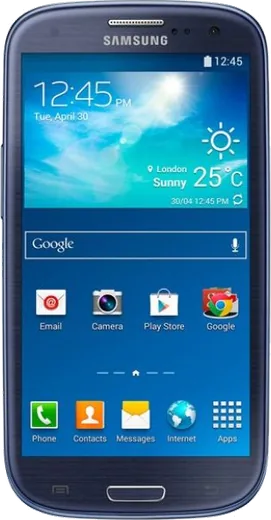
WhatsApp on Samsung Galaxy S3 I9301I Neo
Samsung Android

WhatsApp for Samsung Galaxy S3 I9301I Neo

Install the official WhatsApp on your Samsung Galaxy S3 I9301I Neo in a few simple steps.

WhatsApp Messenger 4.7 · 64.2M reviews Free · Android · ~40 MB · by WhatsApp LLC
Download WhatsApp

Ask a question / report a problem

You can ask any question about WhatsApp support on the Samsung Galaxy S3 I9301I Neo — leave it below and we'll help.

Ask a question

Can the Samsung Galaxy S3 I9301I Neo run WhatsApp?

Not supported
  • Operating systemAndroid
  • WhatsApp versionNot supported

Latest known WhatsApp problems on Samsung Galaxy S3 I9301I Neo

1

My Galaxy S3 Neo I9301I is too old and slow on its stock Android — can I install LineageOS to keep it usable?

Yes, the I9301I (codename s3ve3gjv) had unofficial LineageOS builds, but support has now ended, so install only from a trusted archived source for the exact s3ve3gjv variant. Samsung phones don't use a fastboot-style unlock code; instead you flash a custom recovery like TWRP with Odin from a PC (in download mode), then sideload the LineageOS zip plus GApps and do a full wipe (Data, Cache, Dalvik) in recovery first. Always make a Nandroid backup in TWRP before flashing so you can roll back if something breaks. See how others solved this on Reddit
2

LineageOS for my S3 Neo is no longer being updated — is it still safe to keep using it for WhatsApp?

Once a build stops receiving updates it no longer gets Android security patches, so treat it as risky for banking or anything sensitive, though casual WhatsApp use is usually fine. Keep WhatsApp itself current from the Play Store as long as it still supports your Android version, and turn on two-step verification in WhatsApp under Settings > Account > Two-step verification. When WhatsApp eventually drops your Android release, back up your chats first via WhatsApp Settings > Chats > Chat backup before the app stops working. See how others solved this on Reddit
3

I'm trying to flash LineageOS 17.1 on my Galaxy S3 Neo from the stock ROM but the install keeps failing — what am I doing wrong?

LineageOS 17.1 usually can't be flashed directly over old stock firmware because the bundled recovery is outdated, so flash a recent TWRP build for s3ve3gjv first. Reboot into recovery, format the Data partition (not just wipe it) to clear any encryption, then sideload the ROM zip; a device assert error means you grabbed a build for a different S3 variant. Confirm your model is truly I9301I under Settings > About device before downloading anything. See how others solved this on Reddit
4

After choosing the LineageOS zip in recovery on my S3 Neo I get an error 7 or 'this package is for device' message — how do I fix it?

Error 7 means the ROM's built-in device check doesn't match what your phone reports, which is common when an old TWRP sends the wrong device name. Update TWRP to a current s3ve3gjv version so it identifies the phone correctly, and double-check you downloaded the s3ve3gjv build rather than the s3ve3g or i9300 one. Don't edit the updater-script to bypass the check, since flashing the wrong variant can hard-brick the device. See how others solved this on Reddit
5

How do I get my Galaxy S3 Neo into download mode to flash a custom recovery with Odin?

The I9301I uses Samsung's download mode rather than a fastboot unlock, so install Odin and the Samsung USB drivers on a PC first. Power the phone off, then hold Volume Down + Home + Power and confirm with Volume Up to enter download mode, connect via USB, and flash the TWRP .tar in Odin's AP slot. After that you can boot to recovery with Volume Up + Home + Power and sideload LineageOS — keep Kies or Smart Switch closed so it doesn't grab the USB port. See how others solved this on Reddit
6

My S3 Neo gets stuck on the boot logo after flashing LineageOS — how do I recover it?

A bootloop after flashing almost always means leftover data or a skipped full wipe, so boot back into TWRP with Volume Up + Home + Power. Go to Wipe > Advanced Wipe and select Dalvik, Cache, System and Data, then re-flash the LineageOS zip followed by GApps in the same session before rebooting. If it still won't boot, restore the Nandroid backup you made earlier, or use Odin to flash stock I9301I firmware to return to factory Android. See how others solved this on Reddit

Ask a question / report a problem

You can ask any question about WhatsApp support on the Samsung Galaxy S3 I9301I Neo — leave it below and we'll help.

Ask a question

Watch: setting up WhatsApp

Prefer to watch? This short walkthrough shows the whole installation and number-verification flow.

How to install WhatsApp on Samsung Galaxy S3 I9301I Neo — video walkthrough

How to install WhatsApp on Samsung Galaxy S3 I9301I Neo

1

Choose how to download

On your Samsung Galaxy S3 I9301I Neo you can get the official app two ways: from the Google Play Store — the easiest option, since it keeps WhatsApp updated automatically — or directly from the official website. You can download an APK file, by clicking a link “Download WhatsApp directly”.

2

Open WhatsApp

Launch WhatsApp from your home screen or app drawer and accept the Terms of Service to start setup.

3

Verify your phone number

Enter your phone number. If your Samsung Galaxy S3 I9301I Neo uses dual SIM, pick the line you want WhatsApp tied to, then enter the 6-digit code it sends by SMS — it usually fills in automatically.

4

Restore chats and finish setup

Restore your chat history from Google Drive (use the same Google account), add your name and photo, and tap Allow for notifications so messages and calls arrive reliably.

Stay safe: only ever install WhatsApp from the official Android source. The Download button above already points there — modified copies (GB/Plus/Aero WhatsApp) can get your number banned.

Comments (8)

No registration needed. No email required.
A
alex_miaDec 18, 2025

no contacts appear in the app

AppWhatsOfficialDec 23, 2025

Thanks for asking, whatsApp reads contacts from your phone book, so save the number there with the country code, then pull down to refresh your chat list.

N
newbieNov 14, 2025

Tbh did this on my Samsung Galaxy S3 I9301I Neo and it just worked

B
ben7Oct 6, 2025

honestly couldnt be easier thx

AppWhatsOfficialOct 7, 2025

Glad we could help!

O
omar_rayJun 10, 2025

Ok so installed on my samsung galaxy s3 i9301i neo, super simple lol

B
big_ivanMar 1, 2025

anyone? is whatsapp free or do i have to pay pls

AppWhatsOfficialMar 7, 2025

Happy to help, whatsApp is 100% free to download and use. You only use your normal mobile data or wifi for messages and calls.

V
val.vJan 16, 2025

Installiert und läuft auf meinem s3 i9301i neo 🎉

N
needwhatsappOct 11, 2024

ugh pleeeease i really need whatsapp on my Galaxy S3 I9301I Neo today 🙏

AppWhatsOfficialOct 12, 2024

Relax, it is simpler than it looks. Press Download, install, then verify with the SMS code. You got this! You got this!

O
omar.cSep 5, 2024

Clear steps for the galaxy s3 i9301i neo, cheers thanks again