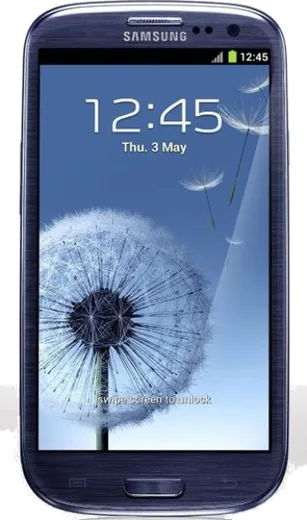
WhatsApp on Samsung Galaxy S III T999
Samsung Android

WhatsApp for Samsung Galaxy S III T999

Install the official WhatsApp on your Samsung Galaxy S III T999 in a few simple steps.

WhatsApp Messenger 4.7 · 64.2M reviews Free · Android · ~40 MB · by WhatsApp LLC
Download WhatsApp

Ask a question / report a problem

You can ask any question about WhatsApp support on the Samsung Galaxy S III T999 — leave it below and we'll help.

Ask a question

Can the Samsung Galaxy S III T999 run WhatsApp?

Not supported
  • Operating systemAndroid
  • WhatsApp versionNot supported

Latest known WhatsApp problems on Samsung Galaxy S III T999

1

How do I update the Android version on my Galaxy S III T999?

Official updates ended years ago, so the T999 (and T999L) maxes out at stock Android 4.3 (some T999L carrier builds reach 4.4) via Settings > About device > Software update, and that button will simply report no updates are available. The only way to get a newer Android version is to flash a custom ROM such as LineageOS, which requires installing a custom recovery first (the S3's bootloader is already unlocked, so no separate unlock is needed). If you just want to confirm you are on the final official 4.x firmware, check the build number under Settings > About device or use Samsung's Smart Switch on a PC. See how others solved this on Reddit
2

Can I really run Android 12 on a Galaxy S III T999 this old?

Yes, unofficial LineageOS 19.1 brings Android 12L to the S III, but it is a community build, not an official Samsung or LineageOS release, so expect rough edges and no guaranteed security patches. You flash it through a custom recovery like TWRP, and you should pick the build that matches the T999 (T-Mobile, codename d2tmo) variant specifically rather than the international i9300. Treat it as a hobby or secondary-device project, since daily-driver stability and app compatibility on Android 12 will be limited by the old hardware. See how others solved this on Reddit
3

Where should I get help if I've never installed a custom ROM before?

Because recent LineageOS builds for the S III are unofficial (the T999 codename is d2tmo), there is no official LineageOS wiki install page for it, so use the XDA forum thread for the specific build you are flashing as your main guide and help source, since people there have flashed the exact same model. Read the full thread once before starting so you have the correct TWRP recovery image, USB drivers, and a full backup ready. For general LineageOS questions the r/LineageOS community can help, but device-specific issues are best answered on XDA. See how others solved this on Reddit
4

Do I need to make backups before flashing LineageOS on my T999?

Yes, flashing wipes the phone, so back up your photos and files by copying them off via USB or to Google Drive, and back up contacts by syncing them to your Google account under Settings > Accounts > Google. Once in custom recovery (TWRP), also make a full "nandroid" backup so you can restore the stock ROM if something goes wrong. After installing LineageOS you will need to flash a Google Apps package separately to get the Play Store (use MindTheGapps for LineageOS 19.1/Android 12L), since custom ROMs ship without it. See how others solved this on Reddit
5

Is it worth installing a custom ROM on an 8-year-old Galaxy S III?

It can be, mainly to extend the life of the phone with a newer, lighter Android than the stock 4.x, which improves browser security and lets some modern apps install. Be realistic though: the 1 GB of RAM and aging battery mean performance on Android 12L will feel sluggish, so it suits a backup device, media player, or tinkering project more than a main phone. If you want fewer bugs, an older stable LineageOS release such as 18.1 (Android 11) often runs smoother on this hardware than the newest 19.1 build. See how others solved this on Reddit

Ask a question / report a problem

You can ask any question about WhatsApp support on the Samsung Galaxy S III T999 — leave it below and we'll help.

Ask a question

Watch: setting up WhatsApp

Prefer to watch? This short walkthrough shows the whole installation and number-verification flow.

How to install WhatsApp on Samsung Galaxy S III T999 — video walkthrough

How to install WhatsApp on Samsung Galaxy S III T999

1

Choose how to download

On your Samsung Galaxy S III T999 you can get the official app two ways: from the Google Play Store — the easiest option, since it keeps WhatsApp updated automatically — or directly from the official website. You can download an APK file, by clicking a link “Download WhatsApp directly”.

2

Open WhatsApp

Launch WhatsApp from your home screen or app drawer and accept the Terms of Service to start setup.

3

Verify your phone number

Enter your phone number. If your Samsung Galaxy S III T999 uses dual SIM, pick the line you want WhatsApp tied to, then enter the 6-digit code it sends by SMS — it usually fills in automatically.

4

Restore chats and finish setup

Restore your chat history from Google Drive (use the same Google account), add your name and photo, and tap Allow for notifications so messages and calls arrive reliably.

Stay safe: only ever install WhatsApp from the official Android source. The Download button above already points there — modified copies (GB/Plus/Aero WhatsApp) can get your number banned.

Comments (8)

No registration needed. No email required.
O
omar64Oct 15, 2025

Hey why is it downloading so slowly

AppWhatsOfficialOct 17, 2025

Sure, a slow download is usually the network. A stable wifi connection will speed it up a lot.

T
tina.nAug 20, 2025

omg SOS i cant figure out how to install whatsapp heeelp :(

AppWhatsOfficialAug 24, 2025

Relax, it is simpler than it looks. Press Download, install, then verify with the SMS code. You got this!

M
maxx.wJul 14, 2025

finally verified my number on the siiit999 with no trouble

M
maxx.oApr 10, 2025

can i recover my chats

AppWhatsOfficialApr 14, 2025

Hey there, yes, as long as you had a backup. Use the same number and choose Restore during setup to bring your messages back.

D
deni39Feb 2, 2025

Ha funzionato benissimo sul mio galaxy s iii t999

M
mmmaaaxxxDec 6, 2024

Honestly couldnt be easier 🔥

D
dan32Oct 17, 2024

ngl running whatsapp on my galaxy siiit999 like new cheers

O
omar_valAug 20, 2024

finally much better then the other sites 🔥

AppWhatsOfficialAug 22, 2024

Glad we could help!