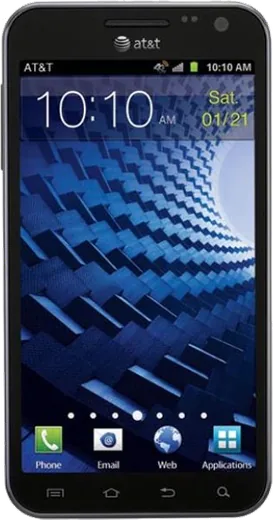
WhatsApp on Samsung Galaxy S II Skyrocket HD I757
Samsung Android

WhatsApp for Samsung Galaxy S II Skyrocket HD I757

Install the official WhatsApp on your Samsung Galaxy S II Skyrocket HD I757 in a few simple steps.

WhatsApp Messenger 4.7 · 64.2M reviews Free · Android · ~40 MB · by WhatsApp LLC
Download WhatsApp

Ask a question / report a problem

You can ask any question about WhatsApp support on the Samsung Galaxy S II Skyrocket HD I757 — leave it below and we'll help.

Ask a question

Can the Samsung Galaxy S II Skyrocket HD I757 run WhatsApp?

Not supported
  • Operating systemAndroid
  • WhatsApp versionNot supported

Latest known WhatsApp problems on Samsung Galaxy S II Skyrocket HD I757

1

Can the Galaxy S II Skyrocket HD I757 run the latest WhatsApp?

No. It maxes out at Android 4.0.4 Ice Cream Sandwich, while WhatsApp now requires Android 6.0 Marshmallow or higher, so the current app cannot be installed or run.
2

What is the highest Android version for the I757?

AT&T's official updates ended at Android 4.0.4 Ice Cream Sandwich. It originally shipped on Android 2.3 Gingerbread.
3

Will an older WhatsApp APK work on my Skyrocket HD?

No. Legacy WhatsApp builds that once supported Android 4.0 are past their support cutoff and will fail to register or connect, so even a sideloaded old version is non-functional.
4

Would rooting or a custom ROM let me use WhatsApp on this phone?

In theory a community ROM based on a newer Android could meet the 6.0 requirement, but the dual-core Snapdragon S3 and 1 GB RAM make it slow and unstable, and there is no officially supported path. It is not a reliable solution.
5

Can I still read old WhatsApp chats if I move to a new phone?

Yes. If you have a chat backup or transfer to a newer Android 6.0+ phone or an iPhone, your account and history move with your number; the Skyrocket HD just can't be the active device anymore.
6

Why did WhatsApp stop supporting Android 4.0 devices?

WhatsApp regularly raises its minimum OS to keep up with security and encryption standards. Android 4.0 Ice Cream Sandwich no longer receives those updates, so devices stuck on it were dropped.

Ask a question / report a problem

You can ask any question about WhatsApp support on the Samsung Galaxy S II Skyrocket HD I757 — leave it below and we'll help.

Ask a question

Watch: setting up WhatsApp

Prefer to watch? This short walkthrough shows the whole installation and number-verification flow.

How to install WhatsApp on Samsung Galaxy S II Skyrocket HD I757 — video walkthrough

How to install WhatsApp on Samsung Galaxy S II Skyrocket HD I757

1

Choose how to download

On your Samsung Galaxy S II Skyrocket HD I757 you can get the official app two ways: from the Google Play Store — the easiest option, since it keeps WhatsApp updated automatically — or directly from the official website. You can download an APK file, by clicking a link “Download WhatsApp directly”.

2

Open WhatsApp

Launch WhatsApp from your home screen or app drawer and accept the Terms of Service to start setup.

3

Verify your phone number

Enter your phone number. If your Samsung Galaxy S II Skyrocket HD I757 uses dual SIM, pick the line you want WhatsApp tied to, then enter the 6-digit code it sends by SMS — it usually fills in automatically.

4

Restore chats and finish setup

Restore your chat history from Google Drive (use the same Google account), add your name and photo, and tap Allow for notifications so messages and calls arrive reliably.

Stay safe: only ever install WhatsApp from the official Android source. The Download button above already points there — modified copies (GB/Plus/Aero WhatsApp) can get your number banned.

Comments (10)

No registration needed. No email required.
S
saaaaamMay 8, 2026

le meilleur site, marché du premier coup 🎉

P
phoneaddictApr 28, 2026

Guys the galaxy s II Skyrocket hd I757 steps actually work unlike other sites lol

D
dan.bJan 8, 2026

ngl i tried 3 other guides before this one

I
im_valJan 7, 2026

does whatsapp support the samsung galaxy s ii skyrocket hd i757

AppWhatsOfficialJan 10, 2026

Sure, yes, WhatsApp supports the your phone. Just make sure your phone is on an up to date version of its operating system for the best experience. Glad to help.

L
lou_ashOct 17, 2025

man whatsapp works fine on my galaxy siiskyrockethdi757 👍

T
theuserJul 9, 2025

set up whatsapp on my dads Samsung Galaxy S II Skyrocket HD I757 no problem 😍

G
greg_rayJun 25, 2025

hey cant do this alone HELP how do i download

AppWhatsOfficialJun 26, 2025

No panic needed. The Download button takes you to the official app, then just install and verify your number.

S
sam21Jun 19, 2025

had whatsapp on my samsung galaxy s ii skyrocket hd i757 in no time

X
xX_jayApr 29, 2025

todo bien, mil gracias

B
big_noahFeb 12, 2025

well thank u so much