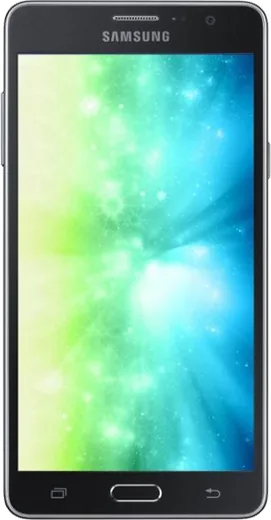
WhatsApp on Samsung Galaxy On7 Pro
Samsung Android

WhatsApp for Samsung Galaxy On7 Pro

Install the official WhatsApp on your Samsung Galaxy On7 Pro in a few simple steps.

WhatsApp Messenger 4.7 · 64.2M reviews Free · Android · ~40 MB · by WhatsApp LLC
Download WhatsApp

Ask a question / report a problem

You can ask any question about WhatsApp support on the Samsung Galaxy On7 Pro — leave it below and we'll help.

Ask a question

Can the Samsung Galaxy On7 Pro run WhatsApp?

Support ending soon
  • Operating systemAndroid
  • WhatsApp versionLatest supported

Latest known WhatsApp problems on Samsung Galaxy On7 Pro

1

Why does WhatsApp say I need the official version on my Galaxy On7 Pro?

This error usually means your WhatsApp is too old or was installed from outside the Play Store, so it fails Meta's integrity check. On the Galaxy On7 Pro, uninstall any sideloaded copy, open the Play Store, search for WhatsApp Messenger by Meta, and install or update to the current build. If the message persists, go to Settings > Apps > Google Play Store > Storage and tap Clear cache, then retry the update. See how others solved this on Reddit
2

Why is WhatsApp draining so much battery on my Galaxy On7 Pro even when I'm not using it?

Heavy background drain is usually caused by constant syncing, auto-downloading media, or a stuck app process. On the On7 Pro, go to Settings > Apps > WhatsApp > Battery and set it to Optimized so it can't run unrestricted in the background. Then turn off auto-download of media under WhatsApp > Settings > Storage and data, since constant downloads keep the CPU and radio awake. If drain continues, clearing the app cache via Settings > Apps > WhatsApp > Storage can help. See how others solved this on Reddit
3

Why are my WhatsApp messages disappearing on the Galaxy On7 Pro?

Vanishing messages are typically caused by an active disappearing-messages setting or by aggressive battery saving interrupting background sync. Open the affected chat, tap the contact or group name, and confirm Disappearing messages is set to Off. Then on the On7 Pro go to Settings > Apps > WhatsApp > Battery and set it to Optimized rather than Restricted, and remove WhatsApp from any deep-sleeping app list so its sync and chat database stay intact. See how others solved this on Reddit
4

Why can't I use WhatsApp on my Samsung watch paired with the Galaxy On7 Pro?

WhatsApp does not offer a true standalone watch app, so the watch only mirrors notifications from the phone rather than running WhatsApp itself. On the On7 Pro, open the Galaxy Wearable app, go to Watch settings > Notifications, and make sure WhatsApp is enabled. Then confirm WhatsApp notifications are turned on under Settings > Apps > WhatsApp > Notifications, since the watch can only relay alerts the phone actually receives. See how others solved this on Reddit

Ask a question / report a problem

You can ask any question about WhatsApp support on the Samsung Galaxy On7 Pro — leave it below and we'll help.

Ask a question

Watch: setting up WhatsApp

Prefer to watch? This short walkthrough shows the whole installation and number-verification flow.

How to install WhatsApp on Samsung Galaxy On7 Pro — video walkthrough

How to install WhatsApp on Samsung Galaxy On7 Pro

1

Choose how to download

On your Samsung Galaxy On7 Pro you can get the official app two ways: from the Google Play Store — the easiest option, since it keeps WhatsApp updated automatically — or directly from the official website. You can download an APK file, by clicking a link “Download WhatsApp directly”.

2

Open WhatsApp

Launch WhatsApp from your home screen or app drawer and accept the Terms of Service to start setup.

3

Verify your phone number

Enter your phone number. If your Samsung Galaxy On7 Pro uses dual SIM, pick the line you want WhatsApp tied to, then enter the 6-digit code it sends by SMS — it usually fills in automatically.

4

Restore chats and finish setup

Restore your chat history from Google Drive (use the same Google account), add your name and photo, and tap Allow for notifications so messages and calls arrive reliably.

Stay safe: only ever install WhatsApp from the official Android source. The Download button above already points there — modified copies (GB/Plus/Aero WhatsApp) can get your number banned.

Comments (6)

No registration needed. No email required.
S
sara_ellMar 18, 2026

Ngl verified my number on the on7 pro with no trouble

AppWhatsOfficialMar 19, 2026

Thanks for the feedback!

N
noobmasterNov 21, 2025

Man best guide for the on7 pro by far thanks again

L
lucy92May 23, 2025

Ça a marché tout de suite sur mon galaxy on7 pro 🙏

Z
zoe.eMar 18, 2025

Ok so saved me so much time

C
chris_xSep 20, 2024

Ok so my new on7pro is all set up now cheers

M
ms_rajSep 6, 2024

Hey my whole family is waiting pls help me install it 🙏

AppWhatsOfficialSep 7, 2024

Hey, no need to stress! Tap the green Download button at the top, follow the steps, and you will have WhatsApp in a minute. It is easier than it looks, promise.