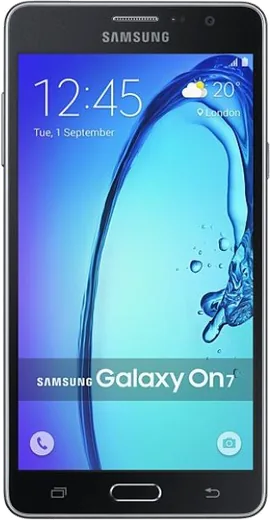
WhatsApp on Samsung Galaxy On7
Samsung Android

WhatsApp for Samsung Galaxy On7

Install the official WhatsApp on your Samsung Galaxy On7 in a few simple steps.

WhatsApp Messenger 4.7 · 64.2M reviews Free · Android · ~40 MB · by WhatsApp LLC
Download WhatsApp

Ask a question / report a problem

You can ask any question about WhatsApp support on the Samsung Galaxy On7 — leave it below and we'll help.

Ask a question

Can the Samsung Galaxy On7 run WhatsApp?

Support ending soon
  • Operating systemAndroid
  • WhatsApp versionLatest supported

Latest known WhatsApp problems on Samsung Galaxy On7

1

WhatsApp says "this version became out of date" and is stuck in a loop on my Galaxy On7

The Galaxy On7 runs an old Android version, so the Play Store may serve an outdated WhatsApp build that loops on the expiry screen. Open the Play Store, search WhatsApp and tap Update; if no update appears there, download the current APK directly from whatsapp.com/android and install it over the existing app (your chats stay intact). If the loop still continues, your Android version is likely now below WhatsApp's minimum supported level, which can only be fixed by moving to a newer phone. See how others solved this on Reddit
2

I get a "you need the official version of WhatsApp" error and my account is blocked on my Galaxy On7

This means an unofficial/modified WhatsApp (like GB WhatsApp or WhatsApp Plus) is installed, which WhatsApp now detects and bans. If you can still open the app, back up your chats to Google Drive first, then uninstall the modded version completely and install the genuine app only from the Google Play Store or whatsapp.com/android. If you are temporarily banned, wait out the timer shown on screen before logging in again with the official app. See how others solved this on Reddit
3

WhatsApp is draining my Galaxy On7 battery even when I'm not using it

Background sync and WhatsApp's persistent connection can drain the On7's older battery. Go to Settings > Apps > WhatsApp > Battery and set it to Optimized or Restricted, and inside WhatsApp open Settings > Storage and data and turn off auto-download on mobile data. If drain continues while idle, also open Settings > Apps > WhatsApp > Mobile data and disable Allow background data usage to stop it syncing in the background. See how others solved this on Reddit
4

Videos I send on WhatsApp look over-saturated or washed out on my Galaxy On7

WhatsApp re-encodes and compresses videos when sending, which can shift colors and saturation regardless of the phone. To keep the original quality and color, send the clip as a Document instead of through the gallery icon (tap the paperclip > Document) so it is delivered without WhatsApp's compression. Trimming the clip shorter or recording at a lower resolution also reduces the heavy re-compression that causes the color shift. See how others solved this on Reddit
5

WhatsApp tells me a received file is corrupt and won't open on my Galaxy On7

Corrupt-file errors usually mean the download was interrupted or the On7's storage filled up mid-transfer. Free up space in Settings > Device care > Storage, then ask the sender to resend so it downloads fully and tap the file again to retry. If it still fails, clear WhatsApp's cache under Settings > Apps > WhatsApp > Storage > Clear cache before re-downloading. See how others solved this on Reddit
6

Can I use WhatsApp on a Samsung smartwatch paired with my Galaxy On7?

WhatsApp has no standalone watch app, so on a Galaxy Watch paired to your On7 you can only see and reply to notifications relayed from the phone. Make sure notification mirroring is enabled in the Galaxy Wearable app on the On7 and that WhatsApp is allowed in that notification list. The phone must stay connected and WhatsApp must be running in the background for the watch to show and answer messages. See how others solved this on Reddit

Ask a question / report a problem

You can ask any question about WhatsApp support on the Samsung Galaxy On7 — leave it below and we'll help.

Ask a question

Watch: setting up WhatsApp

Prefer to watch? This short walkthrough shows the whole installation and number-verification flow.

How to install WhatsApp on Samsung Galaxy On7 — video walkthrough

How to install WhatsApp on Samsung Galaxy On7

1

Choose how to download

On your Samsung Galaxy On7 you can get the official app two ways: from the Google Play Store — the easiest option, since it keeps WhatsApp updated automatically — or directly from the official website. You can download an APK file, by clicking a link “Download WhatsApp directly”.

2

Open WhatsApp

Launch WhatsApp from your home screen or app drawer and accept the Terms of Service to start setup.

3

Verify your phone number

Enter your phone number. If your Samsung Galaxy On7 uses dual SIM, pick the line you want WhatsApp tied to, then enter the 6-digit code it sends by SMS — it usually fills in automatically.

4

Restore chats and finish setup

Restore your chat history from Google Drive (use the same Google account), add your name and photo, and tap Allow for notifications so messages and calls arrive reliably.

Stay safe: only ever install WhatsApp from the official Android source. The Download button above already points there — modified copies (GB/Plus/Aero WhatsApp) can get your number banned.

Comments (4)

No registration needed. No email required.
L
luca_xXApr 26, 2025

Franchement trop facile, mon Galaxy On7 est prêt merci

W
whyyyyyApr 16, 2025

Someone pleeeease i really need whatsapp on my galaxy On7 today

AppWhatsOfficialApr 18, 2025

Breathe! Follow the steps above one by one, tap Download first, and you will be chatting in no time. You got this!

W
whyyyyySep 17, 2024

guys you guys are life savers

AppWhatsOfficialSep 21, 2024

Thanks, enjoy the app!

M
mmmaaaxxxSep 13, 2024

omg running whatsapp on my galaxy on7 like new