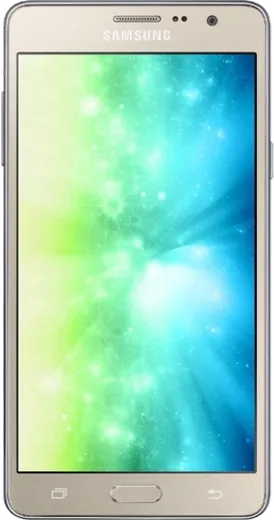
WhatsApp on Samsung Galaxy On5 Pro
Samsung Android

WhatsApp for Samsung Galaxy On5 Pro

Install the official WhatsApp on your Samsung Galaxy On5 Pro in a few simple steps.

WhatsApp Messenger 4.7 · 64.2M reviews Free · Android · ~40 MB · by WhatsApp LLC
Download WhatsApp

Ask a question / report a problem

You can ask any question about WhatsApp support on the Samsung Galaxy On5 Pro — leave it below and we'll help.

Ask a question

Can the Samsung Galaxy On5 Pro run WhatsApp?

Support ending soon
  • Operating systemAndroid
  • WhatsApp versionLatest supported

Latest known WhatsApp problems on Samsung Galaxy On5 Pro

1

Will WhatsApp stop working on my Galaxy On5 Pro?

The On5 Pro shipped on Android 5.1 Lollipop, and WhatsApp has been raising its minimum Android version and dropping support for the oldest releases. The app may still install for now, but on an OS this old it eventually stops getting updates and can lose features or stop connecting. First make sure you are current: open the Play Store, search WhatsApp, and tap Update, and check Settings > Software update for any final firmware. If the Play Store shows WhatsApp as no longer compatible with your device, there is no fix on the phone itself, because WhatsApp will not keep patching unsupported Android versions, and you would need a newer phone. See how others solved this on Reddit
2

WhatsApp notifications are not showing up on my Galaxy On5 Pro until I open the app

This is almost always Samsung's battery optimization putting the app to sleep in the background. Go to Settings > Apps > WhatsApp > Battery and set it to Unrestricted (on older One UI it may be Settings > Device maintenance > Battery > App power management, then remove WhatsApp from the sleeping and deep-sleeping app lists). Then in Settings > Apps > WhatsApp > Notifications confirm notifications are allowed, and make sure WhatsApp is excluded from any Data saver or Power saving mode. See how others solved this on Reddit
3

Only some WhatsApp notifications come through on my Galaxy On5 Pro, others are silent

Inconsistent delivery usually means the system is killing WhatsApp's background connection between messages. In Settings > Apps > WhatsApp > Battery choose Unrestricted, and turn off Settings > Connections > Data usage > Data saver (or allow WhatsApp through it). Inside WhatsApp, open Settings > Notifications and confirm alerts are on, then toggle WhatsApp's notification permission off and back on in Android settings to rebuild the notification channels. See how others solved this on Reddit
4

WhatsApp notifications are grouped as '3 messages from 5 chats' on my Galaxy On5 Pro

That grouped summary is Android's notification bundling, which kicks in when WhatsApp's notifications are throttled or set to a lower importance. In Settings > Apps > WhatsApp > Notifications, open the Message notifications channel and set its importance to High or Urgent so each message posts as its own alert. If the grouping persists, clear WhatsApp's cache in Settings > Apps > WhatsApp > Storage > Clear cache and reboot to refresh the notification channels. See how others solved this on Reddit
5

WhatsApp voice messages and call audio sound broken on my Galaxy On5 Pro

Audio glitches are often caused by another app holding the microphone or by a stale cache, so close background apps and clear WhatsApp's cache under Settings > Apps > WhatsApp > Storage > Clear cache. Confirm the microphone permission is granted in Settings > Apps > WhatsApp > Permissions > Microphone, and test with Bluetooth disconnected, since the On5 Pro can misroute call audio to a paired device. If voice notes still cut out, update WhatsApp from the Play Store, as audio bugs are frequently fixed in newer releases. See how others solved this on Reddit
6

Can I restore my old WhatsApp chats from a .crypt14 backup file on my Galaxy On5 Pro?

A local .crypt14 file can only be restored on the SAME phone number with its matching encryption key, and WhatsApp restores it automatically on a fresh install when the file sits in the WhatsApp > Databases folder (Internal storage > WhatsApp > Databases on older builds, or Android/media/com.whatsapp/WhatsApp > Databases on newer ones). Reinstall WhatsApp from the Play Store, verify the original number, and choose Restore when prompted; without the original key tied to that number, a standalone .crypt14 cannot be opened. Going forward, set up Settings > Chats > Chat backup to Google Drive with the same Google account so future restores work without juggling crypt files. See how others solved this on Reddit

Ask a question / report a problem

You can ask any question about WhatsApp support on the Samsung Galaxy On5 Pro — leave it below and we'll help.

Ask a question

Watch: setting up WhatsApp

Prefer to watch? This short walkthrough shows the whole installation and number-verification flow.

How to install WhatsApp on Samsung Galaxy On5 Pro — video walkthrough

How to install WhatsApp on Samsung Galaxy On5 Pro

1

Choose how to download

On your Samsung Galaxy On5 Pro you can get the official app two ways: from the Google Play Store — the easiest option, since it keeps WhatsApp updated automatically — or directly from the official website. You can download an APK file, by clicking a link “Download WhatsApp directly”.

2

Open WhatsApp

Launch WhatsApp from your home screen or app drawer and accept the Terms of Service to start setup.

3

Verify your phone number

Enter your phone number. If your Samsung Galaxy On5 Pro uses dual SIM, pick the line you want WhatsApp tied to, then enter the 6-digit code it sends by SMS — it usually fills in automatically.

4

Restore chats and finish setup

Restore your chat history from Google Drive (use the same Google account), add your name and photo, and tap Allow for notifications so messages and calls arrive reliably.

Stay safe: only ever install WhatsApp from the official Android source. The Download button above already points there — modified copies (GB/Plus/Aero WhatsApp) can get your number banned.

Comments (10)

No registration needed. No email required.
A
amy66Apr 13, 2026

someone my whole family is waiting pls help me install it

AppWhatsOfficialApr 17, 2026

You are almost there! Tap Download, allow the install, open WhatsApp and confirm your number. Reply here if you get stuck.

B
big_alexMar 19, 2026

tbh did this on my on5 pro and it just worked 😍

S
speedyJan 18, 2026

im not techy and i still managed

S
sam_jayDec 6, 2025

Pls help is the samsung galaxy on5 pro compatible with whatsapp thanks

AppWhatsOfficialDec 11, 2025

Happy to help, yes, WhatsApp supports the your phone. Just make sure your phone is on an up to date version of its operating system for the best experience.

K
kev_ninOct 29, 2025

Tbh im not techy and i still managed

M
mr_solJul 4, 2025

tbh the on5pro guide was spot on 🙏

N
nooooMay 12, 2025

Enfin whatsapp installé 💯

L
leo_realMar 12, 2025

Hey ohne probleme auf meinem on5 pro installiert

R
ray10Jan 27, 2025

No problems installing on my Samsung Galaxy On5 Pro

M
mr_joeJan 16, 2025

hi can i install without google play anyone

AppWhatsOfficialJan 18, 2025

Sure. Turn on unknown sources for your browser and grab the official APK, the guide explains how. Happy chatting!