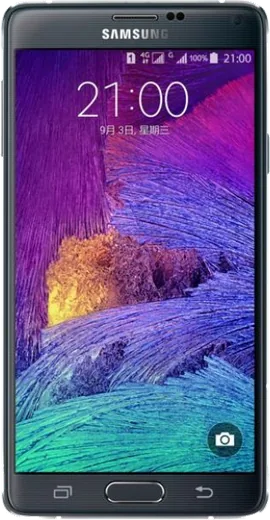
WhatsApp on Samsung Galaxy Note 4 Duos
Samsung Android

WhatsApp for Samsung Galaxy Note 4 Duos

Install the official WhatsApp on your Samsung Galaxy Note 4 Duos in a few simple steps.

WhatsApp Messenger 4.7 · 64.2M reviews Free · Android · ~40 MB · by WhatsApp LLC
Download WhatsApp

Ask a question / report a problem

You can ask any question about WhatsApp support on the Samsung Galaxy Note 4 Duos — leave it below and we'll help.

Ask a question

Can the Samsung Galaxy Note 4 Duos run WhatsApp?

Support ending soon
  • Operating systemAndroid
  • WhatsApp versionLatest supported

Latest known WhatsApp problems on Samsung Galaxy Note 4 Duos

1

No audio during phone calls on my Galaxy Note 4 Duos - I can't hear the other person

First clean the earpiece grille with a soft brush, since dust buildup is a common cause on aging Note 4 units. Then test in Safe Mode (press and hold Power, then long-press 'Power off' until 'Safe mode' appears) to rule out a third-party app, and toggle Bluetooth off in case audio is being routed to a paired device. If it only happens on some calls, clear the Phone app's cache under Settings > Application manager > Phone > Storage > Clear cache. See how others solved this on Reddit
2

Is the Samsung Galaxy Note 4 Duos still usable as a daily phone in 2025?

It can still handle calls, messaging, a browser and light apps, but it's stuck on an old Android version with no security patches, so avoid banking apps and keep it for secondary use. To squeeze out more speed, go to Settings > Application manager, disable bloatware you never open, then in Settings > Developer options reduce the window and transition animation scales. Expect some newer Play Store apps to refuse to install, since they require a higher Android version. See how others solved this on Reddit
3

My old Galaxy Note 4 Duos has become really slow and laggy - how do I speed it up?

Free up internal storage first (Settings > Storage), since the device slows badly once it nears full; move photos to a microSD card or back them up to Google Photos and delete the local copies. Then wipe the cache partition by powering off and holding Volume Up + Home + Power, then selecting 'wipe cache partition' in recovery. As a last resort, a factory reset under Settings > Backup and reset > Factory data reset restores near-original responsiveness after years of buildup. See how others solved this on Reddit
4

The battery on my Galaxy Note 4 Duos drains fast and won't last a day anymore

The Note 4 has a removable battery, so the simplest fix after this many years is to swap in a fresh OEM-spec battery rather than fighting software settings. In the meantime, open Settings > Battery to spot rogue apps, enable Power saving mode, and turn off background sync for accounts you rarely use under Settings > Accounts. Lowering screen brightness and shortening the screen timeout under Settings > Display also stretches each charge noticeably. See how others solved this on Reddit
5

Apps keep crashing or won't update on my aging Galaxy Note 4 Duos

Many modern apps have dropped support for the Note 4's old Android version, so the Play Store will show them as incompatible or stop pushing updates. Clear the Play Store cache (Settings > Application manager > Google Play Store > Storage > Clear cache) and the Google Play services cache to fix download errors, then keep using the older, still-working versions you already have installed. For apps that simply won't run anymore, switch to lightweight 'Go' or 'Lite' alternatives that target older hardware. See how others solved this on Reddit
6

Is it safe to keep using my Galaxy Note 4 Duos for banking and email with no security updates?

Since the Note 4 stopped receiving Android security patches years ago, treat it as not safe for sensitive logins like banking and primary email. If you must, use it only on trusted Wi-Fi, keep Google Play Protect enabled (open the Play Store, tap your profile/menu, then Play Protect), and avoid sideloading APKs from unknown sites. For anything financial, use a newer device and keep the Note 4 for music, alarms, browsing and calls. See how others solved this on Reddit

Ask a question / report a problem

You can ask any question about WhatsApp support on the Samsung Galaxy Note 4 Duos — leave it below and we'll help.

Ask a question

Watch: setting up WhatsApp

Prefer to watch? This short walkthrough shows the whole installation and number-verification flow.

How to install WhatsApp on Samsung Galaxy Note 4 Duos — video walkthrough

How to install WhatsApp on Samsung Galaxy Note 4 Duos

1

Choose how to download

On your Samsung Galaxy Note 4 Duos you can get the official app two ways: from the Google Play Store — the easiest option, since it keeps WhatsApp updated automatically — or directly from the official website. You can download an APK file, by clicking a link “Download WhatsApp directly”.

2

Open WhatsApp

Launch WhatsApp from your home screen or app drawer and accept the Terms of Service to start setup.

3

Verify your phone number

Enter your phone number. If your Samsung Galaxy Note 4 Duos uses dual SIM, pick the line you want WhatsApp tied to, then enter the 6-digit code it sends by SMS — it usually fills in automatically.

4

Restore chats and finish setup

Restore your chat history from Google Drive (use the same Google account), add your name and photo, and tap Allow for notifications so messages and calls arrive reliably.

Stay safe: only ever install WhatsApp from the official Android source. The Download button above already points there — modified copies (GB/Plus/Aero WhatsApp) can get your number banned.

Comments (5)

No registration needed. No email required.
S
sol_ivaMay 29, 2026

guys cant do this alone HELP how do i download pls

AppWhatsOfficialMay 30, 2026

Don't worry, you can do this! Use the Download button, install the app, and enter your number to verify. Reply here if you get stuck.

I
ivan68Aug 12, 2025

pls help no contacts appear in the app

AppWhatsOfficialAug 15, 2025

Thanks for asking, contacts come from your phone address book. Save them with the country code and refresh the app to see them. Glad to help.

B
big_omarApr 7, 2025

Guys worked perfect on my note 4 duos :)

AppWhatsOfficialApr 11, 2025

Awesome, glad it worked!

N
not_ellaApr 3, 2025

This fixed whatsapp on my galaxy note 4 duos

N
nina92Nov 17, 2024

Por fin funcionó perfecto en mi galaxy note 4 Duos 🙏