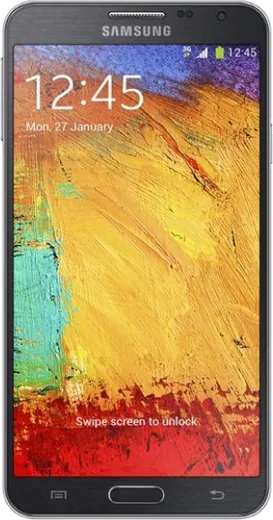
WhatsApp on Samsung Galaxy Note 3 Neo Duos
Samsung Android

WhatsApp for Samsung Galaxy Note 3 Neo Duos

Install the official WhatsApp on your Samsung Galaxy Note 3 Neo Duos in a few simple steps.

WhatsApp Messenger 4.7 · 64.2M reviews Free · Android · ~40 MB · by WhatsApp LLC
Download WhatsApp

Ask a question / report a problem

You can ask any question about WhatsApp support on the Samsung Galaxy Note 3 Neo Duos — leave it below and we'll help.

Ask a question

Can the Samsung Galaxy Note 3 Neo Duos run WhatsApp?

Not supported
  • Operating systemAndroid
  • WhatsApp versionNot supported

Latest known WhatsApp problems on Samsung Galaxy Note 3 Neo Duos

1

Why is my Galaxy Note 3 Neo Duos so slow and laggy after a few years?

TouchWiz plus a near-full internal partition is the usual cause of stutter on this device. Go to Settings > Application manager, swipe to the All tab, open heavy apps like Chrome and Facebook and tap Clear cache, then reboot. Keep at least 1-2GB of internal storage free, since a nearly full partition cripples performance. Disabling unused bloatware via Application manager > (select app) > Turn off frees background RAM and helps noticeably. See how others solved this on Reddit
2

My Note 3 Neo Duos battery drains overnight even when idle, how do I fix it?

Idle drain is usually caused by a rogue app or constant cell-signal hunting in weak-coverage areas. Open Settings > Battery to find the top consumer and force-stop or uninstall it. Turn off location history under Settings > Location > Google Location History (or Locating method), and disable background data for apps you don't need via Settings > Data usage. If drain persists, boot into Safe Mode (hold Power, then long-press the Power off option until the Safe Mode prompt appears) to confirm whether a third-party app is the culprit. See how others solved this on Reddit
3

I'm getting 'Insufficient storage available' on my Note 3 Neo even though I have a microSD card, what's wrong?

On Android KitKat the Note 3 Neo installs apps to the small internal partition rather than the SD card, so it fills up quickly. Move photos and media to the card using My Files, and in Settings > Application manager open each app and tap Move to SD card where the option is available. Clearing the cache partition also helps: power off, then hold Volume Up + Home + Power to enter recovery and select Wipe cache partition with the volume keys, confirming with Power. See how others solved this on Reddit
4

My Note 3 Neo Duos won't update past Android 4.4 KitKat or install new apps, is it dead?

The Note 3 Neo's last official software is Android 4.4.2 KitKat, with no further Samsung updates, so many modern Play Store apps now refuse to install on it. You can still sideload older compatible APK versions from a trusted source like APKMirror, but avoid doing this for banking or login apps that need current security patches. For newer Android, an unofficial custom ROM is the only path, though support for this variant is limited, so research your exact model number first. See how others solved this on Reddit
5

The microSD card on my Note 3 Neo keeps getting unmounted or shows as 'damaged', how do I stop it?

This is typically dirty or worn card contacts, or a card formatted in an incompatible filesystem. Power off, reseat the card, and back up its contents to a PC, then reformat it as FAT32 (or exFAT for cards larger than 32GB) via Settings > Storage > Format SD card. If it still drops out, the card is likely failing and a genuine Class 10 card resolves it; avoid cheap counterfeit cards, which are a common cause on these older phones. See how others solved this on Reddit
6

How do I move my contacts, photos and WhatsApp from my old Note 3 Neo Duos to a new phone?

Sync contacts first via Settings > Accounts > Google and enable Contacts sync so they restore on the new device automatically. For photos, install Google Photos and let it back up over Wi-Fi. For WhatsApp, open it and go to Settings > Chats > Chat backup to push your history to Google Drive before switching. Samsung Smart Switch can also transfer content directly to another Samsung phone over Wi-Fi if both devices support it. See how others solved this on Reddit

Ask a question / report a problem

You can ask any question about WhatsApp support on the Samsung Galaxy Note 3 Neo Duos — leave it below and we'll help.

Ask a question

Watch: setting up WhatsApp

Prefer to watch? This short walkthrough shows the whole installation and number-verification flow.

How to install WhatsApp on Samsung Galaxy Note 3 Neo Duos — video walkthrough

How to install WhatsApp on Samsung Galaxy Note 3 Neo Duos

1

Choose how to download

On your Samsung Galaxy Note 3 Neo Duos you can get the official app two ways: from the Google Play Store — the easiest option, since it keeps WhatsApp updated automatically — or directly from the official website. You can download an APK file, by clicking a link “Download WhatsApp directly”.

2

Open WhatsApp

Launch WhatsApp from your home screen or app drawer and accept the Terms of Service to start setup.

3

Verify your phone number

Enter your phone number. If your Samsung Galaxy Note 3 Neo Duos uses dual SIM, pick the line you want WhatsApp tied to, then enter the 6-digit code it sends by SMS — it usually fills in automatically.

4

Restore chats and finish setup

Restore your chat history from Google Drive (use the same Google account), add your name and photo, and tap Allow for notifications so messages and calls arrive reliably.

Stay safe: only ever install WhatsApp from the official Android source. The Download button above already points there — modified copies (GB/Plus/Aero WhatsApp) can get your number banned.

Comments (4)

No registration needed. No email required.
N
nina.sDec 30, 2025

man whatsapp works fine on my Samsung Galaxy Note 3 Neo Duos :)

T
tan63Dec 24, 2025

finally finally a guide that makes sense 🎉

Z
zoe.dJan 21, 2025

hey i tried everything pls help meee install whatsapp on galaxy note 3 neo duos pls

AppWhatsOfficialJan 25, 2025

Relax, it is simpler than it looks. Press Download, install, then verify with the SMS code. You got this! It is easier than it looks, promise.

N
nina.oNov 25, 2024

ey excelente guía, funcionó en mi Galaxy Note 3 Neo Duos 😍