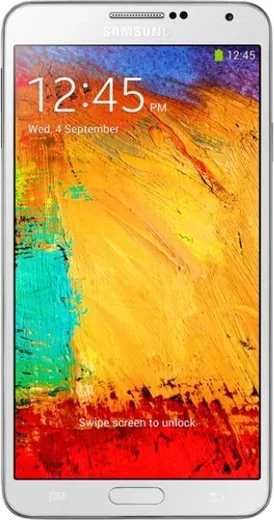
WhatsApp on Samsung Galaxy Note 3
Samsung Android

WhatsApp for Samsung Galaxy Note 3

Install the official WhatsApp on your Samsung Galaxy Note 3 in a few simple steps.

WhatsApp Messenger 4.7 · 64.2M reviews Free · Android · ~40 MB · by WhatsApp LLC
Download WhatsApp

Ask a question / report a problem

You can ask any question about WhatsApp support on the Samsung Galaxy Note 3 — leave it below and we'll help.

Ask a question

Can the Samsung Galaxy Note 3 run WhatsApp?

Supported
  • Operating systemAndroid
  • WhatsApp versionLatest supported

Latest known WhatsApp problems on Samsung Galaxy Note 3

1

Can the Samsung Galaxy Note 3 still run WhatsApp?

The Note 3 shipped with Android 4.3/4.4 and the SM-N9005 can officially update to Android 5.0 Lollipop, which is now WhatsApp's minimum supported version. Check your version under Settings > About device. If you're on 4.4, modern WhatsApp will refuse to install or update, and an old APK that still works today may stop connecting at any time. To get the highest available Android version, go to Settings > About device > Software update, though the Note 3 is past official OTA support so you may already be on the final build. See how others solved this on Reddit
2

My Galaxy Note 3 crashed and now WhatsApp and the whole phone keep freezing

A full-system freeze after a crash on the Note 3 is usually low storage or a corrupt cache rather than a hardware fault. First boot into recovery by holding Volume Up + Home + Power, then use the volume keys to select Wipe cache partition and the power key to confirm; this clears system junk without deleting your data. If it still freezes, free up space via Settings > Application manager > WhatsApp > Storage > Clear cache, since the aging eMMC storage stalls badly when internal memory is nearly full. See how others solved this on Reddit
3

My Galaxy Note 3 internal memory is full and WhatsApp won't save photos

The Note 3's internal storage fills quickly with WhatsApp media, and once it's near capacity the app can't download or save new files. Open Settings > Application manager > WhatsApp > Storage to clear the cache, then inside WhatsApp go to Settings > Chats > Chat backup and back up to Google Drive before deleting old media. Moving WhatsApp's saved images and videos to a microSD card via the My Files app frees the internal memory the app needs to function. See how others solved this on Reddit
4

How do I install or update apps like WhatsApp on my old Galaxy Note 3?

On the Note 3 the Play Store and Google Play Services often become too old to install modern apps. First open the Play Store, let Google Play Services update in the background, and clear the Play Store cache via Settings > Application manager > Google Play Store > Clear cache. If an app reports it's incompatible with your Android version, you'll need an older APK that matches Android 4.4/5.0 from a trusted source such as APKMirror. Before sideloading, enable Settings > Security > Unknown sources so the APK can install. See how others solved this on Reddit
5

WhatsApp profile pictures keep flickering or won't load on my Galaxy Note 3

Flickering or blank profile pictures in WhatsApp on the Note 3 usually come from a corrupted image cache combined with the device's limited RAM. Go to Settings > Application manager > WhatsApp > Storage > Clear cache (not Clear data, which deletes chats), then restart the phone to free memory. If it persists, make sure WhatsApp isn't being blocked from refreshing data by checking Settings > Application manager > WhatsApp > Mobile data and leaving background data allowed so avatars can re-download. See how others solved this on Reddit

Ask a question / report a problem

You can ask any question about WhatsApp support on the Samsung Galaxy Note 3 — leave it below and we'll help.

Ask a question

Watch: setting up WhatsApp

Prefer to watch? This short walkthrough shows the whole installation and number-verification flow.

How to install WhatsApp on Samsung Galaxy Note 3 — video walkthrough

How to install WhatsApp on Samsung Galaxy Note 3

1

Choose how to download

On your Samsung Galaxy Note 3 you can get the official app two ways: from the Google Play Store — the easiest option, since it keeps WhatsApp updated automatically — or directly from the official website. You can download an APK file, by clicking a link “Download WhatsApp directly”.

2

Open WhatsApp

Launch WhatsApp from your home screen or app drawer and accept the Terms of Service to start setup.

3

Verify your phone number

Enter your phone number. If your Samsung Galaxy Note 3 uses dual SIM, pick the line you want WhatsApp tied to, then enter the 6-digit code it sends by SMS — it usually fills in automatically.

4

Restore chats and finish setup

Restore your chat history from Google Drive (use the same Google account), add your name and photo, and tap Allow for notifications so messages and calls arrive reliably.

Stay safe: only ever install WhatsApp from the official Android source. The Download button above already points there — modified copies (GB/Plus/Aero WhatsApp) can get your number banned.

Comments (4)

No registration needed. No email required.
T
the_real_valMar 24, 2026

hey pleaseee my note3 wont install whatsapp i give up 😭😭

AppWhatsOfficialMar 25, 2026

We are here to help. Hit Download, follow the steps on this page, and if the code is slow just request it again. Reply here if you get stuck.

A
apploverFeb 11, 2026

Wow easy install on my Galaxy Note 3 cheers

AppWhatsOfficialFeb 15, 2026

Thanks for sharing!

X
xX_peteJan 26, 2026

man verified my number on the samsung galaxy note 3 with no trouble :)

L
luca.eJul 9, 2025

Davvero finalmente whatsapp installato sul mio Galaxy Note 3 😍