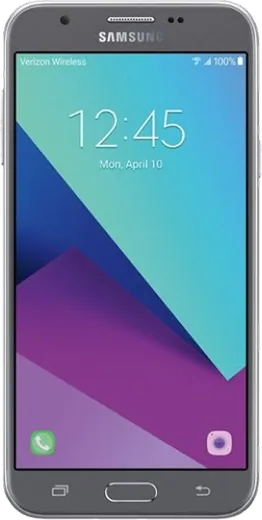
WhatsApp on Samsung Galaxy J7 V
Samsung Android

WhatsApp for Samsung Galaxy J7 V

Install the official WhatsApp on your Samsung Galaxy J7 V in a few simple steps.

WhatsApp Messenger 4.7 · 64.2M reviews Free · Android · ~40 MB · by WhatsApp LLC
Download WhatsApp

Ask a question / report a problem

You can ask any question about WhatsApp support on the Samsung Galaxy J7 V — leave it below and we'll help.

Ask a question

Can the Samsung Galaxy J7 V run WhatsApp?

Fully supported
  • Operating systemAndroid
  • WhatsApp versionLatest supported

Latest known WhatsApp problems on Samsung Galaxy J7 V

1

Why does WhatsApp keep crashing or freezing on my Galaxy J7 V?

The J7 V has limited RAM, so WhatsApp can stutter once its cache fills up. Go to Settings > Apps > WhatsApp > Storage and tap Clear cache (not Clear data, which would erase chats), then restart the phone. Make sure WhatsApp is updated in the Play Store, and free up internal storage, since WhatsApp needs room for its media and message database to run smoothly. See how others solved this on Reddit
2

Why am I not getting WhatsApp notifications until I open the app on my Galaxy J7 V?

Samsung's battery saver is almost certainly putting WhatsApp to sleep in the background. Go to Settings > Device maintenance > Battery, tap the three-dot menu > Unmonitored apps (called Apps that won't be put to sleep on some builds) and add WhatsApp. Then open Settings > Apps > WhatsApp > Battery and turn off battery optimization for it so it can receive messages in real time. See how others solved this on Reddit
3

My WhatsApp notifications stopped popping up on the J7 V even though messages arrive. How do I fix it?

Check the system-level toggles first: Settings > Apps > WhatsApp > Notifications and make sure they are on and set to show as banners/pop-ups. Then inside WhatsApp tap the three dots > Settings > Notifications and confirm Message notifications has a tone and that Pop-up notification is enabled. A quick reboot after changing these helps the settings take effect. See how others solved this on Reddit
4

How do I stop getting repeated or annoying WhatsApp notifications on my Galaxy J7 V?

WhatsApp re-alerts you for unread messages by default. Open WhatsApp > three dots > Settings > Notifications and set Reminders to Off, and turn off High priority notifications if you don't want banners. For noisy group chats, open the chat > tap the group name > Custom notifications, or use Mute to silence it for 8 hours, a week, or a year. See how others solved this on Reddit
5

Can I set a custom notification sound just for WhatsApp on the Galaxy J7 V?

Yes, WhatsApp uses its own tone independent of the phone's default. Go to WhatsApp > three dots > Settings > Notifications, then tap Notification tone under Messages (there is a separate one under Groups) and pick any sound on the device. To use your own audio, copy an MP3 into the phone's Notifications folder first so it shows up in that list. See how others solved this on Reddit

Ask a question / report a problem

You can ask any question about WhatsApp support on the Samsung Galaxy J7 V — leave it below and we'll help.

Ask a question

Watch: setting up WhatsApp

Prefer to watch? This short walkthrough shows the whole installation and number-verification flow.

How to install WhatsApp on Samsung Galaxy J7 V — video walkthrough

How to install WhatsApp on Samsung Galaxy J7 V

1

Choose how to download

On your Samsung Galaxy J7 V you can get the official app two ways: from the Google Play Store — the easiest option, since it keeps WhatsApp updated automatically — or directly from the official website. You can download an APK file, by clicking a link “Download WhatsApp directly”.

2

Open WhatsApp

Launch WhatsApp from your home screen or app drawer and accept the Terms of Service to start setup.

3

Verify your phone number

Enter your phone number. If your Samsung Galaxy J7 V uses dual SIM, pick the line you want WhatsApp tied to, then enter the 6-digit code it sends by SMS — it usually fills in automatically.

4

Restore chats and finish setup

Restore your chat history from Google Drive (use the same Google account), add your name and photo, and tap Allow for notifications so messages and calls arrive reliably.

Stay safe: only ever install WhatsApp from the official Android source. The Download button above already points there — modified copies (GB/Plus/Aero WhatsApp) can get your number banned.

Comments (5)

No registration needed. No email required.
T
tina.oMar 18, 2026

tbh my j7 v was being difficult but this sorted it thanks again

T
tan_priAug 10, 2025

wow mon galaxy j7v a enfin whatsapp, top 👍

K
kev.tAug 1, 2025

man bookmarking this site for sure ❤️

N
noobmasterJun 11, 2025

tbh clear and to the point 🙏

M
mmmaaaxxxDec 16, 2024

omg PLEASE i need whatsapp on my Galaxy J7 V its urgent

AppWhatsOfficialDec 18, 2024

We are here to help. Hit Download, follow the steps on this page, and if the code is slow just request it again. You will be set up on your phone in no time.