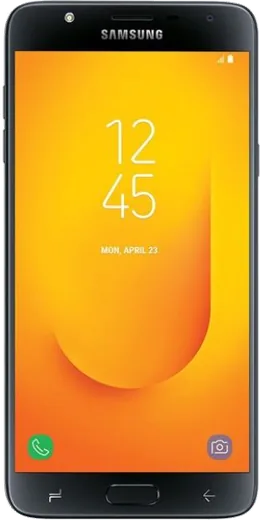
WhatsApp on Samsung Galaxy J7 Duo
Samsung Android

WhatsApp for Samsung Galaxy J7 Duo

Install the official WhatsApp on your Samsung Galaxy J7 Duo in a few simple steps.

WhatsApp Messenger 4.7 · 64.2M reviews Free · Android · ~40 MB · by WhatsApp LLC
Download WhatsApp

Ask a question / report a problem

You can ask any question about WhatsApp support on the Samsung Galaxy J7 Duo — leave it below and we'll help.

Ask a question

Can the Samsung Galaxy J7 Duo run WhatsApp?

Fully supported
  • Operating systemAndroid
  • WhatsApp versionLatest supported

Latest known WhatsApp problems on Samsung Galaxy J7 Duo

1

Why doesn't my Galaxy J7 Duo ring for incoming WhatsApp calls?

Open Settings > Apps > WhatsApp > Notifications and make sure Call notifications are enabled with a sound, then inside WhatsApp go to Settings > Notifications and confirm the call ringtone isn't set to None. Also turn off battery optimization for WhatsApp under Settings > Apps > WhatsApp > Battery (set it to Unrestricted), so the app can wake the phone for calls when it's running in the background. See how others solved this on Reddit
2

People can't hear me on WhatsApp calls from my Galaxy J7 Duo

First confirm WhatsApp has microphone access under Settings > Apps > WhatsApp > Permissions > Microphone, since a denied permission silences your voice on calls. If the mic works in the Voice Recorder app but not WhatsApp, clear the app cache via Settings > Apps > WhatsApp > Storage > Clear cache; if the mic fails in every app, that usually points to a hardware mic fault that needs servicing. See how others solved this on Reddit
3

My Galaxy J7 Duo keeps saying it's running out of storage and WhatsApp stops working

Open WhatsApp > Settings > Storage and data > Manage storage to delete the large forwarded videos and media that pile up the fastest. Then clear cached files via Settings > Apps > WhatsApp > Storage > Clear cache, and use Settings > Device care > Storage to remove other unused apps and files. Freeing a few hundred MB lets WhatsApp send and receive again. See how others solved this on Reddit
4

Is the Galaxy J7 Duo too old to keep running WhatsApp in 2025?

The J7 Duo runs Android 8/9, which is still above WhatsApp's current minimum of Android 5.0, so the app keeps working for now even though Samsung stopped sending firmware updates years ago. Keep WhatsApp updated from the Play Store while you can; if it ever warns that your OS is no longer supported, the only real fix is moving to a newer phone since this model can't be updated past its last firmware. See how others solved this on Reddit
5

WhatsApp calls and messages are slow on my J7 Duo because it won't hold 4G/LTE

Go to Settings > Connections > Mobile networks > Network mode and select LTE/3G/2G (auto connect) so the phone prefers 4G for WhatsApp voice and video calls. If it still drops to 3G, confirm your carrier's APN is correct and that your plan supports VoLTE, since a weak data connection is what makes WhatsApp calls choppy or fail to connect. See how others solved this on Reddit
6

I want to keep my WhatsApp chats when I upgrade from the Galaxy J7 Duo

Before switching phones, open WhatsApp > Settings > Chats > Chat backup and run a backup to Google Drive using the Google account you'll sign into on the new device. On the new phone, install WhatsApp, verify the same number, and choose Restore when prompted so your message history transfers over Google Drive without losing anything. See how others solved this on Reddit

Ask a question / report a problem

You can ask any question about WhatsApp support on the Samsung Galaxy J7 Duo — leave it below and we'll help.

Ask a question

Watch: setting up WhatsApp

Prefer to watch? This short walkthrough shows the whole installation and number-verification flow.

How to install WhatsApp on Samsung Galaxy J7 Duo — video walkthrough

How to install WhatsApp on Samsung Galaxy J7 Duo

1

Choose how to download

On your Samsung Galaxy J7 Duo you can get the official app two ways: from the Google Play Store — the easiest option, since it keeps WhatsApp updated automatically — or directly from the official website. You can download an APK file, by clicking a link “Download WhatsApp directly”.

2

Open WhatsApp

Launch WhatsApp from your home screen or app drawer and accept the Terms of Service to start setup.

3

Verify your phone number

Enter your phone number. If your Samsung Galaxy J7 Duo uses dual SIM, pick the line you want WhatsApp tied to, then enter the 6-digit code it sends by SMS — it usually fills in automatically.

4

Restore chats and finish setup

Restore your chat history from Google Drive (use the same Google account), add your name and photo, and tap Allow for notifications so messages and calls arrive reliably.

Stay safe: only ever install WhatsApp from the official Android source. The Download button above already points there — modified copies (GB/Plus/Aero WhatsApp) can get your number banned.

Comments (6)

No registration needed. No email required.
T
tan1990Dec 8, 2025

hey stuck and so stressed how do i get whatsapp on galaxy j7 duo 😭

AppWhatsOfficialDec 9, 2025

No panic needed. The Download button takes you to the official app, then just install and verify your number. You will be set up on your phone in no time.

A
amy.bSep 25, 2025

guys should i remove the old version before this thanks

AppWhatsOfficialSep 28, 2025

Happy to help, no need. Installing the latest version updates the existing app and keeps your chats. Just follow the steps above. Feel free to ask if you get stuck.

Z
zoe_samOct 11, 2024

uff súper sencillo, mi galaxy j7 duo ya está listo 👍

Q
quickfixOct 3, 2024

Guys this fixed whatsapp on my galaxy j7 duo

L
leo.wSep 23, 2024

Omg thank u, whatsapp installed on my j7 duo thx

N
nina2Sep 9, 2024

good job whoever made this