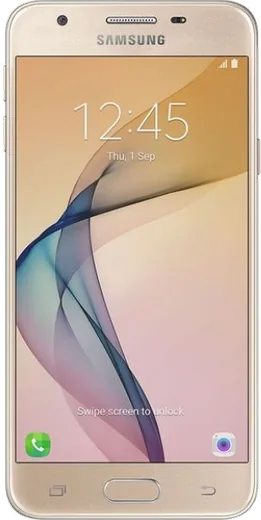
WhatsApp on Samsung Galaxy J5 Prime
Samsung Android

WhatsApp for Samsung Galaxy J5 Prime

Install the official WhatsApp on your Samsung Galaxy J5 Prime in a few simple steps.

WhatsApp Messenger 4.7 · 64.2M reviews Free · Android · ~40 MB · by WhatsApp LLC
Download WhatsApp

Ask a question / report a problem

You can ask any question about WhatsApp support on the Samsung Galaxy J5 Prime — leave it below and we'll help.

Ask a question

Can the Samsung Galaxy J5 Prime run WhatsApp?

Fully supported
  • Operating systemAndroid
  • WhatsApp versionLatest supported

Latest known WhatsApp problems on Samsung Galaxy J5 Prime

1

How do I recover deleted photos and data from my Galaxy J5 Prime?

First check if you had backup enabled: open the Google Photos app and look under Library then Trash, where deleted photos stay for up to 60 days, and check drive.google.com for any synced files. If nothing is there, stop using the phone immediately to avoid overwriting the data, then connect it to a PC and run a recovery tool like DiskDigger (deep scans of internal storage generally require the phone to be rooted, since unrooted Android limits how much can be recovered). Going forward, turn on Google Photos backup in the Google Photos app under Settings then Backup so this does not happen again. See how others solved this on Reddit
2

Is the Galaxy J5 Prime still usable in 2025, or is it too old?

The J5 Prime still works for calls, messaging, and light browsing, but it tops out at Android 8 Oreo with no security updates, so avoid banking apps and treat it as a backup or basic phone. Free up its limited storage by going to Settings then Device maintenance then Storage to clear cache and uninstall unused apps, and move photos to a microSD card to keep it responsive. If apps keep crashing or refusing to install because they require a newer Android version, it may simply be time to retire it. See how others solved this on Reddit
3

My Galaxy J5 Prime is running slow and freezing - how do I speed it up?

Most slowdowns on these J-series phones come from full storage and background apps, so open Settings then Device maintenance, run the optimizer, and clear cached data. Uninstall apps you do not use, and disable pre-installed apps you cannot remove via Settings then Apps, tap the app, then Disable. If it is still sluggish, back up your data and do a factory reset under Settings then General management then Reset then Factory data reset, which usually gives the biggest improvement. See how others solved this on Reddit
4

Is the Galaxy J5 Prime a good phone for an elderly parent?

It is a reasonable simple phone for an older user, but set it up for them: enable Easy mode under Settings then Display then Easy mode to get larger icons and text, and increase font size under Settings then Display then Font size and style. Add important contacts to the home screen and turn off automatic app updates so the interface stays consistent. Just be aware it no longer gets security patches, so handle banking or sensitive logins on your own device. See how others solved this on Reddit
5

My Galaxy J5 Prime battery drains fast and storage is always full - what can I do?

For battery, go to Settings then Device maintenance then Battery to see which apps drain the most, then put them to sleep, lower screen brightness, and turn on Power saving mode. For storage, move photos and videos to a microSD card via the My Files app, clear app caches under Settings then Apps, and uninstall anything unused. Replacing the aging battery at a repair shop can also dramatically restore runtime on a phone this old. See how others solved this on Reddit
6

Should I upgrade from my Galaxy J5 Prime, and how do I move everything to a new phone?

If apps no longer install or update and security is a concern, upgrading is worthwhile since the J5 Prime is well past its support window. Before switching, back up the J5 Prime under Settings then Cloud and accounts then Backup and restore to your Google and Samsung accounts, and make sure contacts and photos are synced. On the new phone use Samsung Smart Switch (or sign into your Google account) to transfer everything over wirelessly or by cable. See how others solved this on Reddit

Ask a question / report a problem

You can ask any question about WhatsApp support on the Samsung Galaxy J5 Prime — leave it below and we'll help.

Ask a question

Watch: setting up WhatsApp

Prefer to watch? This short walkthrough shows the whole installation and number-verification flow.

How to install WhatsApp on Samsung Galaxy J5 Prime — video walkthrough

How to install WhatsApp on Samsung Galaxy J5 Prime

1

Choose how to download

On your Samsung Galaxy J5 Prime you can get the official app two ways: from the Google Play Store — the easiest option, since it keeps WhatsApp updated automatically — or directly from the official website. You can download an APK file, by clicking a link “Download WhatsApp directly”.

2

Open WhatsApp

Launch WhatsApp from your home screen or app drawer and accept the Terms of Service to start setup.

3

Verify your phone number

Enter your phone number. If your Samsung Galaxy J5 Prime uses dual SIM, pick the line you want WhatsApp tied to, then enter the 6-digit code it sends by SMS — it usually fills in automatically.

4

Restore chats and finish setup

Restore your chat history from Google Drive (use the same Google account), add your name and photo, and tap Allow for notifications so messages and calls arrive reliably.

Stay safe: only ever install WhatsApp from the official Android source. The Download button above already points there — modified copies (GB/Plus/Aero WhatsApp) can get your number banned.

Comments (6)

No registration needed. No email required.
J
jay21Apr 17, 2026

Sehr einfach, in 2 minuten auf meinem Samsung Galaxy J5 Prime erledigt 💯

J
just_beaDec 30, 2025

Hi how do i do it without play store

AppWhatsOfficialJan 2, 2026

Hey there, no problem. Without Play Store you can use the official APK, just allow installs from your browser first. Enjoy WhatsApp on your your phone!

B
bea_linSep 26, 2025

update had whatsapp on my Samsung Galaxy J5 Prime in no time

C
chris_zoeMar 23, 2025

yo super easy to follow ✌️

N
newbieMar 14, 2025

finally my Galaxy J5 Prime was being difficult but this sorted it

Y
yuki_kFeb 18, 2025

someone been at this for hours pls someone help me 😭😭

AppWhatsOfficialFeb 20, 2025

Relax, it is simpler than it looks. Press Download, install, then verify with the SMS code. You got this!