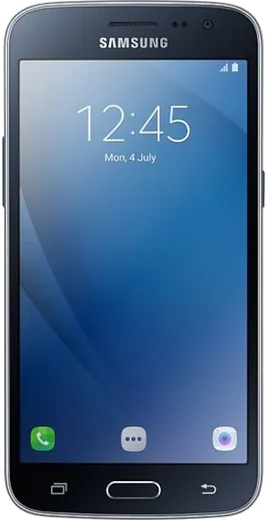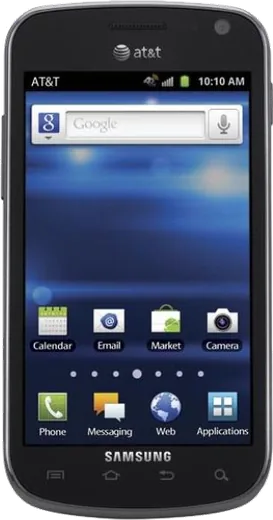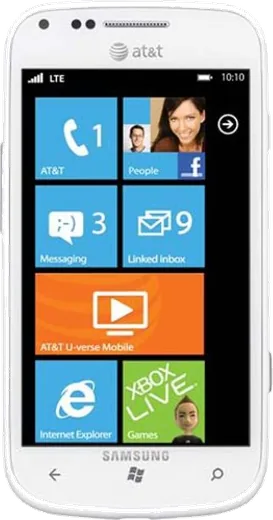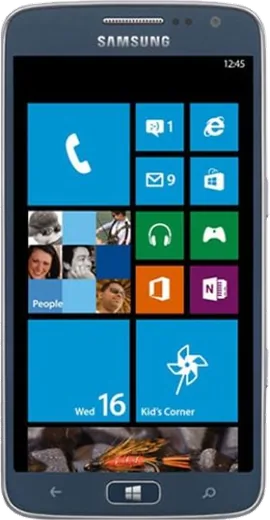
WhatsApp on Samsung Galaxy J2 (2016)
Samsung Android

WhatsApp for Samsung Galaxy J2 (2016)

Install the official WhatsApp on your Samsung Galaxy J2 (2016) in a few simple steps.

WhatsApp Messenger 4.7 · 64.2M reviews Free · Android · ~40 MB · by WhatsApp LLC
Download WhatsApp

Ask a question / report a problem

You can ask any question about WhatsApp support on the Samsung Galaxy J2 (2016) — leave it below and we'll help.

Ask a question

Can the Samsung Galaxy J2 (2016) run WhatsApp?

Support ending soon
  • Operating systemAndroid
  • WhatsApp versionLatest supported

Latest known WhatsApp problems on Samsung Galaxy J2 (2016)

1

Why is my Galaxy J2 (2016) so slow and laggy after a couple of years?

The J2's 1.5GB of RAM and small storage fill up fast, which is the main cause of lag. Uninstall apps you don't use and clear app caches under Settings > Storage. To reduce lag further, unlock Developer options (Settings > About device > tap Build number 7 times), then in Settings > Developer options set Window animation scale, Transition animation scale, and Animator duration scale to .5x or off. Keeping at least 1.5-2GB of internal storage free makes the biggest difference. See how others solved this on Reddit
2

My Galaxy J2 (2016) keeps saying storage full even though I barely have apps installed

The 8GB of built-in storage leaves only around 4-5GB usable after the OS, so it fills quickly. Insert a microSD card and move eligible apps to it via Settings > Applications > select an app > Storage > Change (where available), and set the camera to save to the SD card. Move photos and downloads to the card too, and clear WhatsApp and browser caches, since cached media is usually the silent culprit. See how others solved this on Reddit
3

I can't send photos from the Gallery on my Galaxy J2 (2016) - the share button does nothing

This usually happens when the Gallery or a messaging app's permissions or cache are broken. Go to Settings > Applications > Gallery > Storage > Clear cache, and confirm the app you're sharing to (WhatsApp, Messages, Gmail) has the Storage permission enabled under Settings > Applications > [app] > Permissions. If sharing still fails, open the target app first and attach the photo from inside it rather than using Gallery's share menu. See how others solved this on Reddit
4

Is the Galaxy J2 (2016) still usable in 2026, or should I replace it?

It still works for calls, messaging, and light browsing, but it's stuck on an old Android version (it shipped with Marshmallow) with no security updates, so avoid banking or sensitive logins on it. For continued use, strip it down to essentials, use lightweight apps like WhatsApp and a simple browser, and keep it on Wi-Fi where possible. As a backup or kids' phone it's fine, but for daily driving in 2026 a newer budget model is worth the upgrade. See how others solved this on Reddit
5

Apps keep crashing or won't update on my Galaxy J2 (2016)

Modern apps increasingly require a newer Android version and more RAM than the J2 offers, which causes force-closes. First clear the app's cache (Settings > Applications > [app] > Storage > Clear cache) and update via the Play Store. For apps that still crash, look for a 'Lite' or 'Go' version (Google Go, Gmail Go, Facebook Lite) built for low-end hardware. If an app refuses to install at all, it has likely dropped support for the J2's Android version and won't run. See how others solved this on Reddit
6

The battery on my Galaxy J2 (2016) drains fast and the phone gets warm

Background apps and constant mobile-data syncing are the usual drains on this 2600mAh battery. Turn on Settings > Battery > Power saving mode, restrict background data under Settings > Data usage > tap an app > Restrict background data, and lower screen brightness. If it still dies quickly and the battery is original, the cell is simply aged and a replacement battery will restore most of the runtime. See how others solved this on Reddit

Ask a question / report a problem

You can ask any question about WhatsApp support on the Samsung Galaxy J2 (2016) — leave it below and we'll help.

Ask a question

Watch: setting up WhatsApp

Prefer to watch? This short walkthrough shows the whole installation and number-verification flow.

How to install WhatsApp on Samsung Galaxy J2 (2016) — video walkthrough

How to install WhatsApp on Samsung Galaxy J2 (2016)

1

Choose how to download

On your Samsung Galaxy J2 (2016) you can get the official app two ways: from the Google Play Store — the easiest option, since it keeps WhatsApp updated automatically — or directly from the official website. You can download an APK file, by clicking a link “Download WhatsApp directly”.

2

Open WhatsApp

Launch WhatsApp from your home screen or app drawer and accept the Terms of Service to start setup.

3

Verify your phone number

Enter your phone number. If your Samsung Galaxy J2 (2016) uses dual SIM, pick the line you want WhatsApp tied to, then enter the 6-digit code it sends by SMS — it usually fills in automatically.

4

Restore chats and finish setup

Restore your chat history from Google Drive (use the same Google account), add your name and photo, and tap Allow for notifications so messages and calls arrive reliably.

Stay safe: only ever install WhatsApp from the official Android source. The Download button above already points there — modified copies (GB/Plus/Aero WhatsApp) can get your number banned.

Comments (5)

No registration needed. No email required.
X
xX_alexMay 21, 2026

wow whatsapp works fine on my Samsung Galaxy J2 lol

T
tom_theAug 7, 2025

Man easy install on my galaxy j2 💯

AppWhatsOfficialAug 10, 2025

Glad we could help!

T
tom98Jul 27, 2025

Hey help meee i pressed everything and nothing 😭 :(

AppWhatsOfficialJul 28, 2025

No panic needed. The Download button takes you to the official app, then just install and verify your number.

L
lucy_greMar 10, 2025

finally the j2 guide was spot on

J
joe00Nov 8, 2024

franchement tout fonctionne sur mon Samsung Galaxy J2, merci beaucoup merci