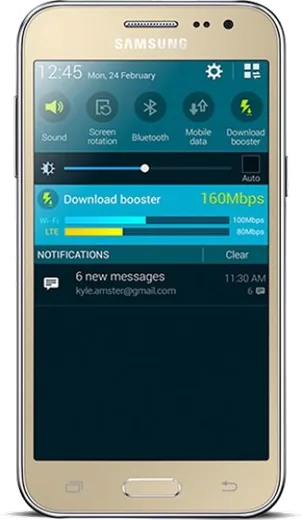
WhatsApp on Samsung Galaxy J2
Samsung Android

WhatsApp for Samsung Galaxy J2

Install the official WhatsApp on your Samsung Galaxy J2 in a few simple steps.

WhatsApp Messenger 4.7 · 64.2M reviews Free · Android · ~40 MB · by WhatsApp LLC
Download WhatsApp

Ask a question / report a problem

You can ask any question about WhatsApp support on the Samsung Galaxy J2 — leave it below and we'll help.

Ask a question

Can the Samsung Galaxy J2 run WhatsApp?

Support ending soon
  • Operating systemAndroid
  • WhatsApp versionLatest supported

Latest known WhatsApp problems on Samsung Galaxy J2

1

WhatsApp keeps saying "You need the official WhatsApp to log in" on my Galaxy J2

This means your Galaxy J2 is running an unofficial or heavily outdated WhatsApp build that WhatsApp's servers no longer accept. Uninstall the current app, then open the Play Store, search WhatsApp Messenger, and install only the official version by WhatsApp LLC. If the Play Store refuses (common on old devices), download the latest APK directly from whatsapp.com/android and allow installs from your browser or Files app under Settings > Apps > Special access > Install unknown apps. Never use modified clients like GBWhatsApp or FMWhatsApp, as they trigger this exact block and can get your number banned. See how others solved this on Reddit
2

WhatsApp won't load or update on my Samsung J2 with Android 6.0.1

Current WhatsApp builds require a fairly recent Android version and keep raising that floor, so a J2 on Android 6.0.1 is near the cutoff. First check that the system clock is correct under Settings > Date and time (a wrong date breaks the secure connection to WhatsApp's servers). Then clear the Play Store cache via Settings > Apps > Google Play Store > Storage > Clear cache and retry. If it still won't install, sideload the last compatible APK from whatsapp.com/android. Be aware this device will eventually lose WhatsApp support entirely as the minimum OS rises. See how others solved this on Reddit
3

My Galaxy J2 keeps killing WhatsApp in the background so I miss messages and calls

Samsung's power saving suspends apps when the screen is off, which delays WhatsApp notifications. On the J2, open Settings > Battery and make sure Power saving / Ultra power saving mode is off, and check that WhatsApp is not in any app-restriction or sleeping-apps list. Confirm notifications are enabled under Settings > Apps > WhatsApp > Notifications. On the J2's stock Android, you can also keep data flowing while the screen is off via Settings > Wi-Fi > Advanced > Keep Wi-Fi on during sleep set to Always. If your J2 was updated to a newer One UI version, the equivalent setting lives under Settings > Apps > WhatsApp > Battery set to Unrestricted. See how others solved this on Reddit
4

Is the Galaxy J2 still worth keeping for WhatsApp in 2026 or should I upgrade?

The J2 was a budget phone with limited RAM and storage, and modern WhatsApp plus its media now strain it, so expect slowdowns and the risk of losing app support as the OS ages out. If it still installs the official app and holds a charge it remains usable for basic messaging, but back up your chats first to Google Drive via WhatsApp > Settings > Chats > Chat backup before deciding. Given how cheap current entry-level phones are, upgrading is the safer long-term path if WhatsApp is essential to you. See how others solved this on Reddit
5

Can I install a custom ROM on my Galaxy J2 to keep WhatsApp running on newer Android?

A custom ROM can move a J-series Samsung onto a newer Android version, which sometimes restores WhatsApp compatibility, but ROM availability for the low-end J2 is thin and the process requires unlocking the bootloader and flashing via Odin or a custom recovery like TWRP. Check XDA Forums for your exact model number (find it under Settings > About phone) and look for a maintained LineageOS or AOSP build before attempting anything. Back up everything first, since flashing wipes the device. If no stable ROM exists for your exact variant, you're better off staying on stock or upgrading the hardware. See how others solved this on Reddit
6

WhatsApp dropped support for my really old Samsung, are there any alternative clients?

When the official app stops working on an aging Samsung, there is now a lightweight Java/J2ME-style WhatsApp client aimed at very old phones that can keep basic messaging alive on hardware too weak for the modern app. It won't match the full app's features or reliability, so treat it as a stopgap rather than a real fix, and first confirm whether the official APK from whatsapp.com/android still installs on your J2. For everyday use, moving your number to a current phone remains the most dependable option. See how others solved this on Reddit

Ask a question / report a problem

You can ask any question about WhatsApp support on the Samsung Galaxy J2 — leave it below and we'll help.

Ask a question

Watch: setting up WhatsApp

Prefer to watch? This short walkthrough shows the whole installation and number-verification flow.

How to install WhatsApp on Samsung Galaxy J2 — video walkthrough

How to install WhatsApp on Samsung Galaxy J2

1

Choose how to download

On your Samsung Galaxy J2 you can get the official app two ways: from the Google Play Store — the easiest option, since it keeps WhatsApp updated automatically — or directly from the official website. You can download an APK file, by clicking a link “Download WhatsApp directly”.

2

Open WhatsApp

Launch WhatsApp from your home screen or app drawer and accept the Terms of Service to start setup.

3

Verify your phone number

Enter your phone number. If your Samsung Galaxy J2 uses dual SIM, pick the line you want WhatsApp tied to, then enter the 6-digit code it sends by SMS — it usually fills in automatically.

4

Restore chats and finish setup

Restore your chat history from Google Drive (use the same Google account), add your name and photo, and tap Allow for notifications so messages and calls arrive reliably.

Stay safe: only ever install WhatsApp from the official Android source. The Download button above already points there — modified copies (GB/Plus/Aero WhatsApp) can get your number banned.

Comments (5)

No registration needed. No email required.
X
xX_finnOct 14, 2025

Clear and to the point 👍

B
bea21Oct 6, 2025

Got it working on my samsung galaxy j2 first try 💯

AppWhatsOfficialOct 9, 2025

Nice one, enjoy WhatsApp!

J
jess_realSep 22, 2025

ohne probleme auf meinem galaxy j2 installiert 🎉

L
lina_solAug 1, 2025

well much better then the other sites

H
helpmeFeb 10, 2025

guys stuck and so stressed how do i get whatsapp on galaxy j2 pls

AppWhatsOfficialFeb 14, 2025

We are here to help. Hit Download, follow the steps on this page, and if the code is slow just request it again. You got this!