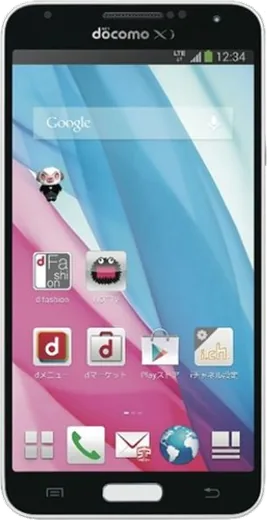
WhatsApp on Samsung Galaxy J
Samsung Android

WhatsApp for Samsung Galaxy J

Install the official WhatsApp on your Samsung Galaxy J in a few simple steps.

WhatsApp Messenger 4.7 · 64.2M reviews Free · Android · ~40 MB · by WhatsApp LLC
Download WhatsApp

Ask a question / report a problem

You can ask any question about WhatsApp support on the Samsung Galaxy J — leave it below and we'll help.

Ask a question

Can the Samsung Galaxy J run WhatsApp?

Support ending soon
  • Operating systemAndroid
  • WhatsApp versionLatest supported

Latest known WhatsApp problems on Samsung Galaxy J

1

Why has WhatsApp stopped working on my Samsung Galaxy J running Android 5.1.1 Lollipop?

WhatsApp has ended support for old Android versions, and the Galaxy J's Android 5.x is below the current minimum, so the app stops receiving updates and eventually refuses to connect. There is no real workaround on the device itself: while it still runs, back up your chats to Google Drive in WhatsApp under Settings > Chats > Chat backup, then move to a phone on a supported Android version (Android 5.1 and below are no longer supported) to restore them. Side-loading an old APK only delays the cutoff and is a security risk. See how others solved this on Reddit
2

I deleted WhatsApp from my Galaxy J and now the Play Store won't let me reinstall it. How do I get it back?

On older phones this usually happens because the current WhatsApp build needs a newer Android version than your Galaxy J has, so the Play Store hides or blocks the install. Open the Play Store, tap your profile icon > Manage apps & device to check for pending updates, then clear the Play Store cache under Settings > Apps > Google Play Store > Storage. If it still won't install, your Android version is simply too old for the latest WhatsApp and the app can no longer run on this device. See how others solved this on Reddit
3

How do I install WhatsApp on my old Samsung Galaxy J?

Open the Google Play Store, sign in with your Google account, search for WhatsApp Messenger and tap Install; if it shows "not compatible," your Galaxy J's Android version is below WhatsApp's minimum. Make sure the phone has free storage and a working data or Wi-Fi connection, and update the Play Store first via profile icon > Settings > About > Update Play Store. Avoid downloading APKs from random websites, as fake WhatsApp installers are common on outdated devices. See how others solved this on Reddit
4

Why is the other person's voice barely audible during WhatsApp voice and video calls on my Galaxy J?

Low call volume is usually call-volume routing rather than a WhatsApp bug: during an active call press the volume up button repeatedly, since the in-call stream is separate from media and ringtone volume. Then check Settings > Sounds and vibration > Volume to confirm Media isn't low, clean the earpiece grille of dust, and toggle the speaker on and off during a call to reset the audio path. If it persists, clear WhatsApp's cache under Settings > Apps > WhatsApp > Storage > Clear cache. See how others solved this on Reddit
5

People can't hear me on WhatsApp voice notes and calls after a software update on my Galaxy J. How do I fix the microphone?

After an update the microphone permission for WhatsApp can get reset, so check Settings > Apps > WhatsApp > Permissions and make sure Microphone is set to Allow. Also confirm no other app is holding the mic, restart the phone, and clear the WhatsApp cache under Settings > Apps > WhatsApp > Storage > Clear cache. If recording works in a voice recorder app but not WhatsApp, reinstalling WhatsApp after a Google Drive chat backup usually restores it. See how others solved this on Reddit
6

Should I keep using WhatsApp on my old Samsung Galaxy J or is it time to replace the phone?

Older Galaxy J models stopped getting Android and security updates years ago, which is exactly why WhatsApp gradually drops support and apps slow down or crash. If WhatsApp still installs, you can keep using it, but once it warns of an end-of-support date you should back up your chats to Google Drive (Settings > Chats > Chat backup) and plan to move to a newer phone. Restoring on a new Samsung is simple: install WhatsApp, verify the same number, and choose Restore from the Google Drive backup. See how others solved this on Reddit

Ask a question / report a problem

You can ask any question about WhatsApp support on the Samsung Galaxy J — leave it below and we'll help.

Ask a question

Watch: setting up WhatsApp

Prefer to watch? This short walkthrough shows the whole installation and number-verification flow.

How to install WhatsApp on Samsung Galaxy J — video walkthrough

How to install WhatsApp on Samsung Galaxy J

1

Choose how to download

On your Samsung Galaxy J you can get the official app two ways: from the Google Play Store — the easiest option, since it keeps WhatsApp updated automatically — or directly from the official website. You can download an APK file, by clicking a link “Download WhatsApp directly”.

2

Open WhatsApp

Launch WhatsApp from your home screen or app drawer and accept the Terms of Service to start setup.

3

Verify your phone number

Enter your phone number. If your Samsung Galaxy J uses dual SIM, pick the line you want WhatsApp tied to, then enter the 6-digit code it sends by SMS — it usually fills in automatically.

4

Restore chats and finish setup

Restore your chat history from Google Drive (use the same Google account), add your name and photo, and tap Allow for notifications so messages and calls arrive reliably.

Stay safe: only ever install WhatsApp from the official Android source. The Download button above already points there — modified copies (GB/Plus/Aero WhatsApp) can get your number banned.

Comments (7)

No registration needed. No email required.
N
nina_xXApr 24, 2026

I tried everything pls help meee install whatsapp on Samsung Galaxy J :(

AppWhatsOfficialApr 27, 2026

Take a breath, we got you. Press Download above, then Install, then verify your number. That is all it takes.

E
ella72Mar 16, 2026

Hey no contacts appear in the app

AppWhatsOfficialMar 20, 2026

Of course, whatsApp reads contacts from your phone book, so save the number there with the country code, then pull down to refresh your chat list. Glad to help.

L
luca99Sep 27, 2025

update smooth and simple, no issues thanks again

A
alex.vJun 5, 2025

Update the video helped me understand 💯

R
ray_ellMay 13, 2025

so running whatsapp on my galaxy j like new

AppWhatsOfficialMay 17, 2025

Happy it helped you!

I
ivan.xOct 12, 2024

Anyone? the code never arrives, what do i do anyone

AppWhatsOfficialOct 16, 2024

Hey there, make sure the number and country code are correct, then ask for a new code. A quick restart of the phone often helps too. Happy chatting!

L
leo.pAug 12, 2024

ey muy fácil, lo hice en 2 minutos en mi j 💯