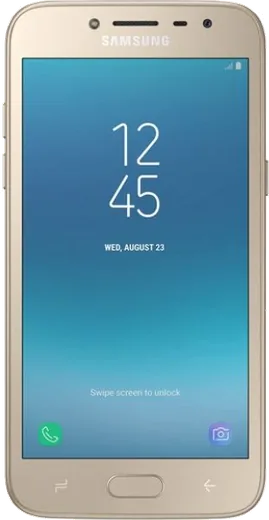
WhatsApp on Samsung Galaxy Grand Prime Pro
Samsung Android

WhatsApp for Samsung Galaxy Grand Prime Pro

Install the official WhatsApp on your Samsung Galaxy Grand Prime Pro in a few simple steps.

WhatsApp Messenger 4.7 · 64.2M reviews Free · Android · ~40 MB · by WhatsApp LLC
Download WhatsApp

Ask a question / report a problem

You can ask any question about WhatsApp support on the Samsung Galaxy Grand Prime Pro — leave it below and we'll help.

Ask a question

Can the Samsung Galaxy Grand Prime Pro run WhatsApp?

Support ending soon
  • Operating systemAndroid
  • WhatsApp versionLatest supported

Latest known WhatsApp problems on Samsung Galaxy Grand Prime Pro

1

Will WhatsApp stop working on my Samsung Galaxy Grand Prime Pro?

The Grand Prime Pro runs Android 5.1 Lollipop, which sits right at WhatsApp's minimum supported version (Android 5.0), so it still works for now but is among the first devices that will be cut off as WhatsApp raises that floor. Keep the app updated from the Play Store while it still installs, and back up your chats now via WhatsApp > Settings > Chats > Chat backup to Google Drive so you can restore on a newer phone if a future update refuses to run. See how others solved this on Reddit
2

How do I unlock my Samsung Galaxy Grand Prime Pro if I forgot the screen lock?

If a Samsung account is already signed in on the phone, the easiest route is Find My Mobile: go to findmymobile.samsung.com on another device, sign in with that account, and use Unlock to clear the lock remotely. If no Samsung account is registered, you'll need a factory reset by holding Volume Up + Home + Power to enter recovery, then choosing Wipe data/factory reset. This erases everything, and on power-up the phone will ask you to verify a Google account that was previously signed in (FRP), so make sure you know those credentials first. See how others solved this on Reddit
3

My Galaxy Grand Prime Pro keeps running out of storage and WhatsApp gets slow, what can I do?

With only 8GB of built-in storage, WhatsApp media is usually the biggest culprit. Go to WhatsApp > Settings > Storage and data > Manage storage and delete large videos and forwarded files, then turn off automatic saving under Settings > Storage and data > Media auto-download. It also helps to add a microSD card and move your camera photos to it, and to clear app caches in Settings > Application manager to free up space. See how others solved this on Reddit
4

Is the Samsung Galaxy Grand Prime Pro still worth keeping as a backup or first phone in 2026?

It remains usable for calls, WhatsApp and light browsing, but with just 1GB of RAM and Android 5.1 it struggles with multitasking, apps reload when you switch between them, and newer versions of WhatsApp or banking apps may run sluggishly or stop receiving updates. If you keep it, disable bloat you never use in Settings > Application manager (open each app and tap Disable) and treat it as a secondary device rather than a daily driver for demanding apps. See how others solved this on Reddit
5

Why does my old Galaxy Grand Prime Pro feel so slow compared to newer Samsung A and S phones?

The Grand Prime Pro uses an entry-level quad-core chip with only 1GB of RAM, so it was always slower than later A and S models and slows further as apps grow heavier over the years. To keep it responsive, clear cached data in Settings > Storage > Cached data, clear individual app caches in Settings > Application manager, restart the phone every few days, and uninstall apps you rarely use. See how others solved this on Reddit

Ask a question / report a problem

You can ask any question about WhatsApp support on the Samsung Galaxy Grand Prime Pro — leave it below and we'll help.

Ask a question

Watch: setting up WhatsApp

Prefer to watch? This short walkthrough shows the whole installation and number-verification flow.

How to install WhatsApp on Samsung Galaxy Grand Prime Pro — video walkthrough

How to install WhatsApp on Samsung Galaxy Grand Prime Pro

1

Choose how to download

On your Samsung Galaxy Grand Prime Pro you can get the official app two ways: from the Google Play Store — the easiest option, since it keeps WhatsApp updated automatically — or directly from the official website. You can download an APK file, by clicking a link “Download WhatsApp directly”.

2

Open WhatsApp

Launch WhatsApp from your home screen or app drawer and accept the Terms of Service to start setup.

3

Verify your phone number

Enter your phone number. If your Samsung Galaxy Grand Prime Pro uses dual SIM, pick the line you want WhatsApp tied to, then enter the 6-digit code it sends by SMS — it usually fills in automatically.

4

Restore chats and finish setup

Restore your chat history from Google Drive (use the same Google account), add your name and photo, and tap Allow for notifications so messages and calls arrive reliably.

Stay safe: only ever install WhatsApp from the official Android source. The Download button above already points there — modified copies (GB/Plus/Aero WhatsApp) can get your number banned.

Comments (7)

No registration needed. No email required.
L
lil_linaMay 7, 2026

mein galaxy grandprimepro hat endlich whatsapp, klasse 😍

R
rob_officialMay 3, 2026

ugh stuck and so stressed how do i get whatsapp on grandprimepro pls

AppWhatsOfficialMay 6, 2026

No panic needed. The Download button takes you to the official app, then just install and verify your number.

K
kev91Dec 13, 2025

honestly im not techy and i still managed thx

B
big_rayNov 22, 2025

wow installed whatsapp on my galaxy grand prime pro with no issues cheers

M
mia90Nov 20, 2025

Is whatsapp free or do i have to pay

AppWhatsOfficialNov 26, 2025

WhatsApp is 100% free to download and use. You only use your normal mobile data or wifi for messages and calls.

T
tom.jDec 26, 2024

best guide for the galaxy grand Prime pro by far 👍

W
whatsappfanAug 26, 2024

So two thumbs up 💯