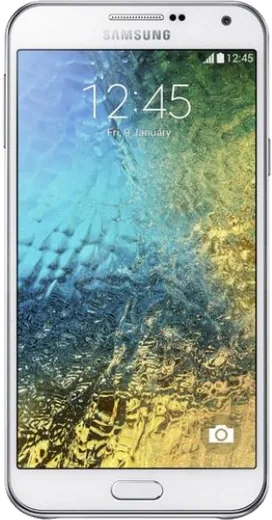
WhatsApp on Samsung Galaxy E7
Samsung Android

WhatsApp for Samsung Galaxy E7

Install the official WhatsApp on your Samsung Galaxy E7 in a few simple steps.

WhatsApp Messenger 4.7 · 64.2M reviews Free · Android · ~40 MB · by WhatsApp LLC
Download WhatsApp

Ask a question / report a problem

You can ask any question about WhatsApp support on the Samsung Galaxy E7 — leave it below and we'll help.

Ask a question

Can the Samsung Galaxy E7 run WhatsApp?

Support ending soon
  • Operating systemAndroid
  • WhatsApp versionLatest supported

Latest known WhatsApp problems on Samsung Galaxy E7

1

Can I install WhatsApp Plus on my Samsung Galaxy E7?

WhatsApp Plus is an unofficial modified app, so it is not on the Google Play Store and you would have to sideload an APK, which risks malware and can get your phone number temporarily or permanently banned from WhatsApp. On your Galaxy E7 you would also need to allow the browser or file manager to install unknown apps under Settings > Apps > Special access > Install unknown apps, but I'd strongly recommend sticking with the official WhatsApp from the Play Store to keep your account and chats safe. See how others solved this on Reddit
2

Will WhatsApp stop working on my older Samsung Galaxy E7?

WhatsApp periodically drops support for older Android versions, so check Settings > About phone > Software information to see your Android version. If an update is available, install it via Settings > Software update first. If the E7 cannot update past a version WhatsApp no longer supports, you can keep using the app until WhatsApp formally cuts it off, after which a newer device is the only long-term fix. See how others solved this on Reddit
3

Videos sent in WhatsApp won't play or show a black screen on my Galaxy E7

This is usually a download or cache issue rather than the video itself. First tap the video to make sure it has fully downloaded, then go to Settings > Apps > WhatsApp > Storage > Clear cache (not Clear data) and restart the phone. If it still fails, update WhatsApp from the Play Store and update Android System WebView from the Play Store, and install any pending system update under Settings > Software update. See how others solved this on Reddit
4

WhatsApp keeps crashing or lagging after a One UI software update on my Galaxy E7

After a One UI update, stale app data often causes WhatsApp to crash or lag. First force stop it via Settings > Apps > WhatsApp > Force stop, then clear the cache under Storage, and set Battery to Unrestricted under Settings > Apps > WhatsApp > Battery so it isn't killed in the background. If problems persist, back up your chats to Google Drive in WhatsApp > Settings > Chats > Chat backup, then reinstall WhatsApp from the Play Store. See how others solved this on Reddit
5

How do I move my WhatsApp chats from my Galaxy E7 to a new phone?

On the Galaxy E7, open WhatsApp > Settings > Chats > Chat backup and back up to Google Drive, making sure the same Google account is signed in under Settings > Accounts and backup. Then install WhatsApp on the new phone, verify the same phone number, and choose Restore when prompted. If the new phone isn't Android, the Google Drive backup won't restore, so use WhatsApp's built-in Chat transfer (move to iPhone) feature instead. See how others solved this on Reddit

Ask a question / report a problem

You can ask any question about WhatsApp support on the Samsung Galaxy E7 — leave it below and we'll help.

Ask a question

Watch: setting up WhatsApp

Prefer to watch? This short walkthrough shows the whole installation and number-verification flow.

How to install WhatsApp on Samsung Galaxy E7 — video walkthrough

How to install WhatsApp on Samsung Galaxy E7

1

Choose how to download

On your Samsung Galaxy E7 you can get the official app two ways: from the Google Play Store — the easiest option, since it keeps WhatsApp updated automatically — or directly from the official website. You can download an APK file, by clicking a link “Download WhatsApp directly”.

2

Open WhatsApp

Launch WhatsApp from your home screen or app drawer and accept the Terms of Service to start setup.

3

Verify your phone number

Enter your phone number. If your Samsung Galaxy E7 uses dual SIM, pick the line you want WhatsApp tied to, then enter the 6-digit code it sends by SMS — it usually fills in automatically.

4

Restore chats and finish setup

Restore your chat history from Google Drive (use the same Google account), add your name and photo, and tap Allow for notifications so messages and calls arrive reliably.

Stay safe: only ever install WhatsApp from the official Android source. The Download button above already points there — modified copies (GB/Plus/Aero WhatsApp) can get your number banned.

Comments (5)

No registration needed. No email required.
I
its_ninaJun 23, 2026

finalmente finalmente whatsapp installato sul mio galaxy e7

R
rosa07Nov 27, 2025

Downloaded and installed on my samsung galaxy e7

B
ben_xMay 7, 2025

yo the download was a bit slow but it worked 👌

A
andy_finJul 22, 2024

tbh my galaxy e7 has whatsapp now thanks to this lol

T
tan98Jul 22, 2024

someone help meee i pressed everything and nothing 😭 😭😭

AppWhatsOfficialJul 24, 2024

We are here to help. Hit Download, follow the steps on this page, and if the code is slow just request it again.