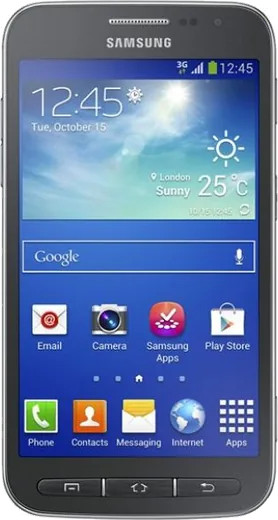
WhatsApp on Samsung Galaxy Core Advance
Samsung Android

WhatsApp for Samsung Galaxy Core Advance

Install the official WhatsApp on your Samsung Galaxy Core Advance in a few simple steps.

WhatsApp Messenger 4.7 · 64.2M reviews Free · Android · ~40 MB · by WhatsApp LLC
Download WhatsApp

Ask a question / report a problem

You can ask any question about WhatsApp support on the Samsung Galaxy Core Advance — leave it below and we'll help.

Ask a question

Can the Samsung Galaxy Core Advance run WhatsApp?

Not supported
  • Operating systemAndroid
  • WhatsApp versionNot supported

Latest known WhatsApp problems on Samsung Galaxy Core Advance

1

How do I move my WhatsApp chats from my Galaxy Core Advance to a new phone?

First make a fresh backup on the Core Advance in WhatsApp under Settings > Chats > Chat backup > Back Up, signed in to the same Google account you'll use on the new phone. On the new device, install WhatsApp from the Play Store, verify the exact same phone number, and when prompted choose Restore from Google Drive so the chats download automatically. Because the Core Advance runs an older Android, keep both phones on Wi-Fi and confirm the Google Drive account matches, or the new phone won't see the backup. See how others solved this on Reddit
2

My WhatsApp chats disappeared on my Galaxy Core Advance, how do I get them back?

If you still have the app installed, check WhatsApp > Settings > Chats > Chat backup to see when the last Google Drive or local backup was made. To restore, uninstall and reinstall WhatsApp, verify your same number, and tap Restore when it detects the backup; if Google Drive shows nothing, look in the phone's internal storage under WhatsApp/Databases for a local msgstore.db.crypt file. Going forward, set Chat backup to a daily schedule so a recent copy always exists before chats vanish again. See how others solved this on Reddit
3

Can I get my Galaxy Buds to read out WhatsApp messages from my Galaxy Core Advance?

WhatsApp has no built-in message readout, so the practical way is to install a notification-reading app (such as one of the 'read notifications aloud' apps on the Play Store) and grant it Notification access under Settings > Apps > Special access > Notification access. That app then speaks new WhatsApp notifications through whatever audio is connected, including your Buds. Make sure WhatsApp notifications are turned on in Settings > Apps > WhatsApp > Notifications, otherwise nothing is triggered for the reader to announce. Note that Android's Select to Speak only reads text you point at on screen, so it won't auto-read incoming chats. See how others solved this on Reddit
4

My Galaxy Buds mic won't work for WhatsApp voice notes on my Core Advance, what's wrong?

WhatsApp voice notes and calls switch the Buds into a low-quality mono call profile, so first delete the pairing and re-pair the Buds in Settings > Connections > Bluetooth, then test a voice note. Also check that WhatsApp has microphone permission under Settings > Apps > WhatsApp > Permissions > Microphone, since a denied mic blocks recording entirely. If the mic still fails, record using the phone's built-in microphone instead, as some older Android Bluetooth stacks like the Core Advance's don't handle the Buds' mic profile cleanly. See how others solved this on Reddit
5

Can my Galaxy Watch answer incoming WhatsApp calls paired with my Core Advance?

A Galaxy Watch can show and let you dismiss WhatsApp call notifications, but it generally cannot fully answer a VoIP WhatsApp call with audio routed through the watch the way a regular phone call can. Make sure WhatsApp notifications are forwarded by enabling the app in the Galaxy Wearable app under Notifications, and answer the call on the Core Advance itself. For hands-free audio you can pair Bluetooth headphones to the phone, since the watch only mirrors WhatsApp notifications rather than acting as a call handset. See how others solved this on Reddit
6

Can the Samsung Keyboard suggest smart replies for WhatsApp on my Galaxy Core Advance?

AI-generated suggested replies are a newer Galaxy feature and won't appear on the Core Advance, which is too old to receive that One UI update. You can still get basic predictive text by opening Settings > General management > Samsung Keyboard settings and enabling Predictive text. For smarter reply suggestions, install Gboard from the Play Store, which shows suggested replies in its toolbar inside chat apps like WhatsApp on older Android versions. See how others solved this on Reddit

Ask a question / report a problem

You can ask any question about WhatsApp support on the Samsung Galaxy Core Advance — leave it below and we'll help.

Ask a question

Watch: setting up WhatsApp

Prefer to watch? This short walkthrough shows the whole installation and number-verification flow.

How to install WhatsApp on Samsung Galaxy Core Advance — video walkthrough

How to install WhatsApp on Samsung Galaxy Core Advance

1

Choose how to download

On your Samsung Galaxy Core Advance you can get the official app two ways: from the Google Play Store — the easiest option, since it keeps WhatsApp updated automatically — or directly from the official website. You can download an APK file, by clicking a link “Download WhatsApp directly”.

2

Open WhatsApp

Launch WhatsApp from your home screen or app drawer and accept the Terms of Service to start setup.

3

Verify your phone number

Enter your phone number. If your Samsung Galaxy Core Advance uses dual SIM, pick the line you want WhatsApp tied to, then enter the 6-digit code it sends by SMS — it usually fills in automatically.

4

Restore chats and finish setup

Restore your chat history from Google Drive (use the same Google account), add your name and photo, and tap Allow for notifications so messages and calls arrive reliably.

Stay safe: only ever install WhatsApp from the official Android source. The Download button above already points there — modified copies (GB/Plus/Aero WhatsApp) can get your number banned.

Comments (7)

No registration needed. No email required.
R
rob_yukApr 20, 2026

whatsapp running great on my galaxy core advance lol

N
nooooOct 24, 2025

Couldnt be easier

U
ugh_helpOct 6, 2025

Did this on my samsung galaxy core advance and it just worked 👍

G
gabe59Sep 17, 2025

wow des étapes super claires pour le galaxy core Advance 🎉

V
val.hMay 5, 2025

Honestly finally got whatsapp running on my core advance

X
xX_tanDec 29, 2024

hey help meee i pressed everything and nothing 😭 😭😭

AppWhatsOfficialJan 1, 2025

No panic needed. The Download button takes you to the official app, then just install and verify your number.

X
xX_leoNov 24, 2024

So you guys are life savers

AppWhatsOfficialNov 26, 2024

Thanks for sharing!